


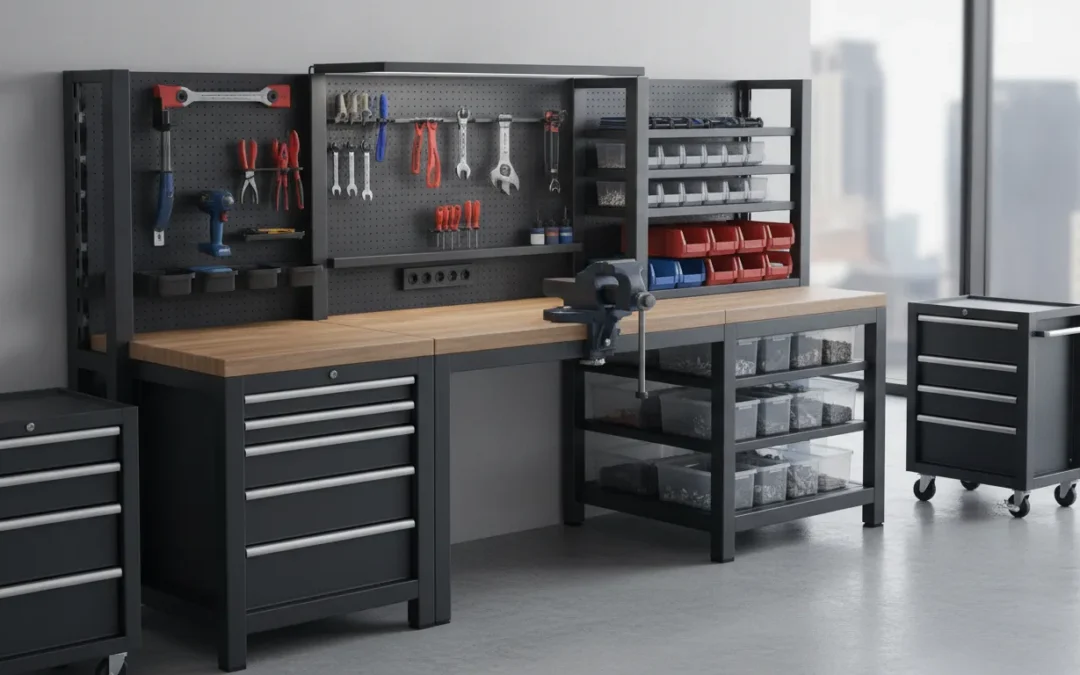
Space limitations often force teams to ask more from a single workstation. A modular workbench can combine an assembly surface, storage system, tool station, equipment mount, and utility hub within one planned footprint. It can fit a corner, support an inline process, serve operators on both sides, or move between work areas when the layout changes. That flexibility can help workshops, production floors, laboratories, and technical training spaces use available room more effectively. However, saving space should never mean removing the clearances needed for safe operation, maintenance, material handling, or emergency access. This guide covers practical ways to design a modular workbench that remains useful without making the workspace cramped or difficult to service.
Key Takeaways
- Start with the work: Define the operator’s tasks, equipment, workflow, environment, and future changes before selecting a modular workbench.
- Compare the full system: Review frame construction, load capacity, surface materials, ESD protection, utilities, storage, mobility, vibration control, installation, and documentation.
- Plan for long-term value: Confirm lead times, maintenance access, replacement parts, grounding, service support, and expansion options before approving the workstation.
What Is a Modular Workbench?
A modular workbench is a work surface made from components that can be arranged, expanded, moved, or upgraded as the work changes. Instead of selecting one fixed unit for one task, you can combine a frame, surface, storage, accessories, and utility connections to create a workstation around the operator, equipment, and workflow.
This flexibility makes modular workbenches useful across workshops, production areas, laboratories, electronics facilities, and robotics applications. A small shop might use two benches separately during the day, then connect them into one larger assembly surface for oversized materials. A manufacturer might use the same basic platform for assembly, inspection, testing, or material handling, with different accessories and surfaces for each process.
The term “modular” covers a broad range of products. Some benches are simple mobile units designed for general workshop tasks. Others are engineered systems with ESD protection, grounding, instrument supports, cable management, height adjustment, and application-specific accessories. The right choice depends on the work being performed, how often the layout changes, and how much precision and stability the application requires.
Frames, surfaces, storage, and accessories
A modular workbench usually starts with a structural frame and a surface selected for the application. Frames may use steel, aluminum, or a combination of materials. Surfaces can include laminate, stainless steel, chemical-resistant materials, wood, or ESD-safe options for electronics and sensitive equipment.
Storage components, such as drawers, cabinets, shelves, and bins, keep tools and materials close to the operator while preserving floor space. Accessories may include task lighting, monitor arms, power strips, risers, pegboards, tool rails, fixtures, and equipment mounts. These additions help the workstation support the actual process instead of forcing the operator to work around a generic layout.
A modular design may allow two smaller benches to operate separately or connect into a larger table, as shown in this modular workbench example. In industrial settings, however, flexibility must be matched with load capacity, grounding, vibration control, service access, and long-term durability.
Modular versus fixed workbenches
A fixed workbench is designed for one location and usually one primary purpose. It can be a good fit when a process stays consistent, equipment must remain permanently positioned, or the bench needs to be anchored to the floor. Fixed construction can provide excellent stability, but changing the layout may require significant time, labor, or replacement equipment.
A modular workbench gives you more options. You can use separate benches for different operators, connect them into a larger surface, or reconfigure them for a new production step. A modular system may also combine assembly, inspection, tool storage, and material staging in one area. That versatility is especially useful when floor space is limited or production requirements change.
Some modular benches can function as separate workstations, a larger assembly surface, a saw out-feed table, or a storage unit. This mobile and modular workbench design shows how separate units can support several shop layouts. The key question is whether the components can be changed without compromising safety, stability, or the requirements of the work.
Mobile, stationary, reconfigurable, and hybrid setups
Modular workbenches generally fall into four categories: mobile, stationary, reconfigurable, and hybrid. Mobile benches use casters so operators can reposition them, clear an aisle, or bring the workstation closer to incoming materials. Locking casters help keep the bench in place during normal work, but the wheels must be rated for the fully loaded station.
Stationary benches remain in one location and may provide greater stability for heavy equipment, precise inspection, or processes that require consistent alignment. Reconfigurable benches use adjustable accessories, interchangeable surfaces, removable storage, or connection hardware to support different layouts. Hybrid systems combine a fixed primary workstation with mobile carts or auxiliary surfaces for materials and tools.
Before choosing a mobile setup, review the floor surface, loaded weight, wheel rating, aisle width, and anchoring requirements. In a robotics or instrument application, the main platform may need to remain rigid and grounded even when surrounding equipment changes. Mobility is useful only when the workstation remains controlled after it is moved.
Assembly, stability, and load capacity
Assembly methods influence how a modular workbench performs over time. Light-duty benches may use bolted connections, pocket-hole joinery, or other fasteners that simplify assembly and future changes. These methods can work well for general workshop tasks when the bench is not exposed to repeated vibration or heavy dynamic loads.
Industrial workstations require a closer review of frame construction, joints, leveling, and load distribution. A published load rating should explain whether it applies to a static, evenly distributed load or a concentrated load in one area. The bench should support the expected weight without excessive deflection, rocking, or movement.
Stability matters as much as capacity in precision applications. A station supporting an instrument, fixture, or robot must maintain its position while equipment operates. Workplace Modular Systems engineers custom workstations and infrastructure for electronics, laboratories, robotics, and other demanding environments. Its custom workstation systems can be specified around the equipment, operator, environment, and workflow.
During installation, level the bench, verify every connection, and test it under realistic working conditions. For heavy equipment or robotic applications, confirm anchoring, grounding, service access, and structural requirements before the station enters operation.
How Do You Compare Modular Workbenches?
Comparing modular workbenches takes more than checking dimensions and price. Two benches can look similar in a catalog yet perform very differently on a production floor, in a laboratory, or beside an automated system. Start with the work itself: what operators do, what equipment the bench supports, how often the layout changes, and which environmental requirements apply.
List the requirements that cannot be compromised. These may include ESD protection, cleanroom compatibility, chemical resistance, load capacity, vibration control, grounding, height adjustment, or access to power and data. Then separate those requirements from preferences such as drawer style, finish, mobility, and accessory placement.
Review the complete system, not just the frame. Compare the surface, storage, utility routing, accessory mounts, installation process, documentation, warranty, and service support as one package. A lower-priced bench may cost more over time if it requires field modifications, separate accessories, or a long replacement lead time. For demanding applications, Workplace Modular Systems’ custom workstations are designed for production, research, and analytical environments where application fit matters as much as the initial purchase price.
Workplace Modular Systems’ custom workstations
Workplace Modular Systems engineers and manufactures custom industrial workstations for demanding production, research, and analytical environments. Its modular systems can be configured around the operator, equipment, workflow, and facility instead of forcing the application into a fixed catalog layout.
That approach is useful when a bench must support more than a basic assembly task. A workstation may need integrated power, network connections, cable management, tool storage, sensor mounts, cameras, fixtures, or specialized surfaces. It may also need to fit an existing production line, cleanroom, laboratory, or automated cell.
When comparing WMS with another supplier, ask how much of the design can be adapted without requiring field modifications. Review drawings, load information, accessory locations, utility routing, and installation responsibilities before approving the quote. This helps you determine whether you are buying a configurable system or simply adding options to a standard product.
Standard, configurable, and custom models
Modular workbenches generally fall into three groups: standard, configurable, and custom.
Standard models use established dimensions, materials, and accessory packages. They are often suitable for straightforward tasks where the footprint, load, and environment are predictable.
Configurable models start with a proven platform but allow changes to height, surface, storage, mobility, accessories, and utility connections. They work well when several stations share a common design, but each operator or process needs small adjustments.
Custom models are engineered around a specific application, facility, or equipment package. They make sense when the bench must accommodate unusual loads, instruments, fixtures, robots, controlled environments, or a multi-station layout.
The right choice depends on the cost of compromise. Standard products can simplify purchasing, while custom systems can reduce later modifications and create a more consistent installation. Ask the supplier to identify which components are standard, which are configurable, and which require engineering approval.
Catalog convenience versus application-specific engineering
Catalog purchasing is convenient when the application is routine. Product pages make it easy to compare sizes, finishes, and accessories, and standard items may be appropriate for temporary work areas or low-risk tasks.
Application-specific engineering matters when workstation performance affects quality, safety, throughput, or equipment alignment. A semiconductor supplier may need controlled ESD performance. A laboratory may require instrument-specific clearances and utility routing. A robotics integrator may need a stable base that maintains position under repetitive motion. A defense supplier may require documentation and repeatable specifications across several sites.
Look for evidence that the supplier understands these requirements before comparing prices. Useful documentation may include load ratings, material details, grounding information, dimensional drawings, installation instructions, and recommended service clearances. The ESD Association’s standards resources can also help teams define the requirements for static-control work areas.
The goal is not to avoid catalog products entirely. It is to recognize when catalog convenience no longer solves the actual problem.
Domestic manufacturing, lead times, installation, and support
Supply chain details can affect a project just as much as workstation design. Ask where the bench is manufactured, where materials are sourced, what the standard lead time is, and how design changes are handled after approval.
Workplace Modular Systems manufactures in New Hampshire and states standard lead times of four to six weeks, compared with the 14 to 18 weeks often associated with offshore alternatives. Confirm the current schedule for your configuration, especially if it includes custom engineering, special surfaces, high quantities, or coordinated installation.
Installation support deserves the same attention. Clarify whether the supplier provides delivery, assembly, leveling, anchoring, grounding, utility coordination, and on-site verification. Ask who handles replacement parts, future additions, and layout changes. A supplier that supports the system after delivery can make facility expansions and process changes easier to manage.
For larger projects, request a written scope of work, approval drawings, milestone dates, responsibilities, and acceptance criteria before production begins. That documentation gives your engineering, facilities, operations, and procurement teams the same basis for evaluating the system.
Where Do Industries Use Modular Workbenches?
Modular workbenches support demanding work that changes over time, from precision assembly and testing to laboratory research and robot integration. Unlike a basic bench, a modular system can combine a work surface with storage, power, lighting, tool holders, ESD protection, mobility, and equipment mounting. This helps facilities adapt workstations as products, processes, and production volumes change.
The right setup depends on the environment. An aerospace supplier may prioritize rugged construction, traceability, and access to large components. An analytical lab may need instrument-specific utilities and easy-to-clean surfaces. A robotics integrator may need a rigid base that supports repeated motion without losing alignment. The best workbench is not the one with the most accessories. It is the one engineered around the application, operator, equipment, and facility.
Aerospace and defense
Aerospace and defense manufacturers use modular workbenches for assembly, inspection, repair, testing, and component staging. These environments often involve tight tolerances, high-value parts, specialized tooling, and strict documentation requirements. A workstation must withstand repeated use while preserving stability, organization, and access to the work.
Modularity allows teams to adapt stations for different programs and component sizes. Adjustable shelving, task lighting, tool storage, fixtures, and ESD-safe surfaces can be arranged around the operator and process. Rugged construction also matters when a station supports heavy assemblies or operates on a demanding production floor. Treston’s aerospace and defense workstations demonstrate how industrial benches can be designed for durability and flexibility in these applications.
For defense suppliers and aerospace primes, the workstation may also form part of a broader production standard. A repeatable configuration makes it easier to outfit additional cells, maintain consistent processes across sites, and replace worn components without redesigning the entire station.
Electronics, EMS, and semiconductor manufacturing
Electronics, electronic manufacturing services (EMS), and semiconductor suppliers rely on organized workstations for assembly, soldering, testing, inspection, and rework. Small components and sensitive devices require careful control over tools, materials, grounding, and operator movement. A poorly arranged bench can increase handling, contribute to fatigue, and make the process harder to repeat.
Modular workbenches allow manufacturers to position shelving, bins, monitors, fixtures, task lights, and cable routing around each production step. Height adjustment can accommodate different operators, while ESD-safe surfaces and grounding provisions help protect sensitive components. BOSTONtec’s manufacturing workbench guidance illustrates how adjustable, configurable stations support detailed assembly and testing work.
Semiconductor and electronics facilities may also require cleanroom-compatible materials, controlled surface finishes, and clear documentation. In these settings, a workbench is part of the ESD and workflow system, not a standalone piece of furniture. The configuration should support handling procedures, inspection requirements, and future line changes.
Robotics and automation
Robotics and automation companies use modular workbenches in research labs, integration areas, training spaces, machine tending cells, inspection stations, and pilot production lines. These applications often change as teams test new robots, end-of-arm tools, fixtures, sensors, or processes. A station that can be modified without replacing the entire structure gives engineers room to test and refine the cell.
A robotics workstation may need mounting points for a robot, controller, tooling, cameras, safety equipment, and operator controls. It also needs sufficient stability for repeated movement, along with clearances for maintenance and service access. Reconfigurable framing can suit prototypes and frequently changing cells, while welded construction may be better for production applications where rigidity and long-term alignment matter.
Flexibility should not come at the expense of stability. Formaspace’s industrial workbench guidance explains why demanding production environments need workstations that can adapt while supporting rigorous use. Workplace Modular Systems applies the same principle to robotics infrastructure through Workplace TORQ Bench, a manually height-adjustable, robot-agnostic workstation engineered and manufactured in New Hampshire.
Analytical, clinical, pharma, and biotech labs
Analytical, clinical, pharmaceutical, and biotech labs use modular workbenches for instrument placement, sample preparation, testing, documentation, and research workflows. A laboratory station may need to support an instrument, pump, computer, monitor, storage area, waste container, power connections, and utility routing within a limited footprint.
Modular design makes it easier to configure a bench around a specific instrument family or laboratory process. Shelves, risers, drawers, enclosures, and monitor arms can keep equipment accessible without crowding the primary work surface. Cleanable materials, chemical resistance, cable control, and stable support are important in environments where contamination control, repeatability, and service access matter.
Requirements vary between a clinical testing lab, pharmaceutical research space, and academic core facility. A lab manager may need a compact instrument bench, while a core facility director may need a repeatable configuration across several rooms. This overview of workbench design highlights the importance of organization, access, and efficient workflows, principles that also apply to technical laboratory environments.
For multi-OEM labs, specify the instruments and utilities before selecting the bench. The work surface, support frame, pump location, service clearances, and routing paths should reflect the actual equipment.
EV, battery, and medical device manufacturing
EV, battery, and medical device manufacturers use modular workbenches for component assembly, inspection, testing, kitting, repair, and quality checks. These applications may involve heavy or awkward parts, sensitive electronics, chemical exposure, strict process controls, and frequent product changes.
A suitable workstation may need a chemical-resistant surface, ESD protection, integrated tool storage, fixtures, grounding, and mobility. Heavy-duty mobile workbenches can help teams move components between production stages or reorganize a pilot line. Stationary or anchored versions may be better for repeatable assembly, precision inspection, or equipment that must remain in a fixed position.
Medical device manufacturers often need documentation and validation support in addition to physical durability. Battery and EV applications may place greater emphasis on load capacity, material compatibility, operator clearance, and safe handling. Workplace Modular Systems’ heavy-duty portable workbenches show how wheeled workstations can support demanding industrial applications while preserving layout flexibility.
When selecting a system for these industries, assess the complete workflow rather than component weight alone. Consider how operators load the station, where parts arrive, how tools are stored, and how the workstation will be cleaned, moved, grounded, or expanded.
Critical power and advanced manufacturing
Critical power manufacturers and other advanced manufacturing companies use modular workbenches to assemble electrical equipment, control systems, thermal components, panels, and large industrial assemblies. These environments often combine high-mix production with schedule pressure, so teams need workstations that support different products without slowing the line.
A modular setup can bring work surfaces, material storage, carts, fixtures, tools, and utilities into one organized station. Mobile configurations help teams reposition equipment as the production layout changes. Larger workbenches may need reinforced frames, heavy-duty casters, leveling feet, or integrated handling features. Cable management and power access also help keep complex assembly areas organized.
The goal is not maximum flexibility in every situation. A production cell that repeats the same process may benefit from a standardized workstation with fixed accessories. A high-mix line may need adjustable shelves, interchangeable fixtures, and mobile stations that can be reconfigured between jobs. Formaspace’s industrial workbench guidance reinforces the value of designing workstations around demanding use, changing requirements, and long-term durability.
For critical power and advanced manufacturing, domestic production and predictable delivery can also affect the project schedule. A workbench supplier should confirm dimensions, load ratings, lead times, installation requirements, and support before the facility commits to a larger rollout.
Which Modular Workbench Features Matter Most?
The right modular workbench is more than a flat surface with legs. It becomes part of the production, research, or service environment, so its design should support the work happening around it. Start with the task, equipment, operator, and facility requirements, then evaluate the bench as a complete system.
In a small shop, modularity may mean connecting two benches into a larger work surface, as shown in this modular workbench design. In a production line, it may mean integrating ESD protection, tooling, power, data, storage, and fixtures into a repeatable station. In a laboratory, it may mean supporting sensitive instruments while preserving service access and operator comfort.
The most important features depend on the application. A mobile bench for occasional maintenance work has different requirements from a robot base, analytical instrument table, or cleanroom-compatible assembly station. Use the criteria below to compare options and identify which specifications deserve the closest review.
Surfaces, frames, and load capacity
The work surface should match the materials, tools, chemicals, and equipment used at the station. Review durability, chemical resistance, ESD performance, cleanability, flatness, and working depth. A surface suited to light assembly may not perform well under heavy fixtures, instruments, or repetitive production work.
The frame determines how the bench carries that load. Review the material, joint design, leg geometry, cross-bracing, and rated capacity together instead of relying on a single load figure. Ask whether the published rating applies to a centered static load or reflects the uneven, moving loads found in real work.
Also consider how multiple stations will work together. Modular systems can support separate benches, joined surfaces, inline stations, corner layouts, and double-sided configurations. The right combination should provide enough usable workspace without blocking aisles, service access, or future expansion.
Welded, bolted, and hybrid construction
Welded frames create permanent structural connections, which can help a workbench maintain squareness and rigidity during sustained use. This matters when operators apply force repeatedly, when heavy equipment sits on the surface, or when vibration could affect a process. A welded frame can also reduce the number of connections that require adjustment during the bench’s service life.
Bolted construction offers a different advantage. It can be easier to assemble, disassemble, resize, or reconfigure. That flexibility may suit temporary layouts, pilot lines, educational environments, and applications that change frequently. A bolted system is not automatically unsuitable, but its joint design and intended duty cycle deserve careful review.
Hybrid construction combines both approaches. A welded structural base can provide a rigid foundation while modular connection points support accessories, guarding, cable routes, or application-specific equipment. WMS positions TORQ Robotics Infrastructure around a stable, vibration-resistant base for collaborative robot applications, while retaining modularity where it serves the installation.
ESD protection, grounding, and cleanroom compatibility
In electronics, semiconductor, medical device, and other sensitive environments, a workbench should form part of the facility’s control strategy. An ESD-safe surface alone is not enough. The complete system may need a defined grounding path, conductive or dissipative materials, grounding hardware, appropriate resistance values, and a process for testing performance.
Ask how the surface, frame, accessories, floor, and operator grounding system work together. A replacement shelf or accessory should not create an unplanned break in the grounding path. Documentation should identify the applicable specifications and explain how the system is verified after installation or reconfiguration.
Cleanroom compatibility adds another layer. Look for surfaces that are easy to clean, finishes that resist shedding, enclosed mechanisms where appropriate, and layouts that limit unnecessary contamination points. WMS designs ESD-safe and cleanroom-compatible workstations for demanding production, research, and analytical environments. The final specification should still reflect the facility’s classification and operating procedures.
Power, data, cable management, and utilities
A modern workstation often supports more than manual assembly. It may need electrical outlets, compressed air, network access, instrument connections, lighting, sensors, cameras, or controls. Plan these services before selecting the bench. Adding them later can create exposed cables, blocked access, and awkward service routes.
Good cable management keeps power, data, and signal lines organized without making them difficult to inspect or replace. Look for channels, pass-throughs, mounting points, service loops, and separation between power and sensitive signal cables where the application requires it. Utilities should remain accessible without interfering with the operator’s working area.
The frame and accessories should also support future changes. WMS describes modular systems that accommodate power, network drops, cable management, sensors, and cameras, which is useful when a station may later gain inspection equipment or connected tools. Confirm connection locations, outlet ratings, utility requirements, and service clearances with facility and engineering teams before finalizing the design.
Storage, tools, and accessory mounting
Storage should support the workflow, not simply fill unused space. Frequently used tools belong within easy reach, while less-used supplies can move below the surface, into cabinets, or onto nearby mobile units. Organize the station around the operator’s sequence of work, with heavy items stored where they can be handled safely.
Accessory mounting is equally important. Pegboards, shelves, drawers, tool rails, monitor arms, lighting, bins, fixtures, and task-specific supports can make a station more useful without increasing its footprint. The mounting system should hold accessories securely and allow changes when the process changes.
Consider load and balance when adding equipment above or below the work surface. A tall, unevenly loaded station may need anchoring or a wider base. A mobile station may need locking casters and protected accessory mounts. Examples of modular layouts show how one setup can combine work surfaces, storage, and dedicated tool areas for different shop tasks, including mobile workbench configurations.
Mobility, leveling, anchoring, and vibration control
Mobility is useful when teams need to clean floors, change layouts, serve multiple production areas, or move equipment between operations. Locking casters can provide movement without sacrificing all stability, but they should be sized for the loaded bench and selected for the floor conditions. A lightweight caster intended for occasional movement may not perform well under heavy, repeated loads.
Leveling is essential on uneven floors and when equipment requires a stable working plane. Adjustable feet or leveling mechanisms can help correct floor variation, but they do not replace a properly designed frame. If the bench supports a robot, instrument, precision fixture, or inspection process, review flatness, squareness, deflection, and vibration requirements separately.
Anchoring may be preferable when the station must stay in one position or resist repeated force. For robot applications, the base must address more than tipping. WMS’s TORQ Robotics Infrastructure is designed around a stable, grounded platform that supports structural integrity under vibration. Specify whether the station needs casters, leveling feet, floor anchors, or a combination of these features.
Ergonomics and Direct Drive® options
Ergonomics should reflect the operator, task, tools, and shift length. Review working height, reach distance, knee clearance, monitor position, lighting, foot support, and the frequency of sitting, standing, lifting, and turning. A bench that fits the equipment but forces awkward posture can create avoidable fatigue and handling problems.
Height adjustment can help when multiple operators share a station or when one workstation supports both seated inspection and standing assembly. It may also position instruments, fixtures, and tools at a more suitable working height. Check the adjustment range, load rating, stability during movement, control location, and behavior when power is unavailable.
WMS’s Workplace Direct Drive® platform uses a motor and leadscrew enclosed inside each leg. The company positions the system for industrial, laboratory, cleanroom, and precision applications where exposed drive components may create clearance, contamination, or maintenance concerns. Direct Drive® is a separate WMS product line, so specify it based on the workstation application rather than assuming it is included with every modular system.
Robotics, instruments, fixtures, and equipment
Equipment integration should shape the workbench from the beginning. A robot base may require a rigid structure, precise mounting pattern, cable routing, controller placement, and clearance for motion. An analytical instrument may need a level surface, utility access, pump storage, vibration control, and space for maintenance. A fixture may need repeatable locating features and a surface that tolerates clamping forces.
Consider the full operating envelope, not only the equipment footprint. Include reach, travel, tooling, guarding, operator access, loading paths, service panels, and the movement of nearby carts or material. For robots, check the base requirements published by the robot manufacturer and confirm that the workstation design supports the intended application.
WMS applies modular workstation design across machine tending, assembly, material handling, laboratory automation, and related applications. That application-specific approach is more useful than choosing a generic bench and adapting it after delivery. The specification should identify the equipment model, mounting method, utilities, accessories, and any future equipment the station must accommodate.
Documentation, safety, and customization
Documentation is part of the workbench, especially in regulated or high-consequence environments. Request drawings, dimensions, load ratings, materials, finishes, grounding details, installation instructions, and maintenance requirements. For a custom system, confirm that the final documents reflect the delivered configuration, including accessory locations and utility connections.
A safety review should cover pinch points, sharp edges, exposed wiring, caster behavior, lifting requirements, tip risk, operator reach, and access to emergency equipment. If the station supports a robot or automated process, coordinate the bench with guarding, safety controls, lockout procedures, and facility standards.
Customization should solve a defined application need rather than add complexity for its own sake. A well-specified system may include a special surface, ESD provisions, instrument cutouts, storage, cable routing, height adjustment, or a custom fixture interface. WMS combines custom engineering, domestic manufacturing, and installation support for production, research, and analytical environments. Before approving the design, confirm what is included, what the customer must provide, how the system will be installed, and how future changes will be handled.
How Do You Choose a Modular Workbench?
Choosing a modular workbench starts with the work, not the product catalog. The right setup should support the operator, equipment, workflow, and environment without creating problems with access, stability, maintenance, or future changes.
Begin by documenting the application. Note whether the station supports assembly, inspection, testing, repair, research, packaging, or automation. Record what the operator handles, how often the task changes, what equipment sits on the surface, and which materials need to remain within reach. A modular system may serve several purposes, including separate workbenches, a shared work surface, a tool station, or a storage unit, as shown in this mobile modular workbench example.
Industrial and laboratory environments require a more detailed review. ESD control, cleanroom compatibility, vibration, grounding, power, data, load capacity, and documentation can matter as much as the work surface. A bench that looks flexible but cannot support the equipment or compliance program will require expensive changes later.
Before requesting a quote, gather the information below:
- Primary task and operator requirements
- Equipment dimensions, weight, and mounting needs
- Available floor space and service clearances
- Mobility, anchoring, and leveling requirements
- Surface, frame, ESD, chemical, and cleanability requirements
- Power, data, compressed air, exhaust, and cable-routing needs
- Current accessories and likely future additions
- Required drawings, load information, installation records, or compliance documentation
Match the bench to the task, operator, and equipment
Define the primary task first. Assembly, inspection, machine tending, analytical work, repair, and packaging each place different demands on a workbench. An operator assembling small electronics may need ESD protection, task lighting, tool access, and a compact surface. A technician servicing heavy equipment may need higher load capacity, deeper storage, and a frame that remains stable under force.
Then consider the operator. Record the working height, seated or standing position, reach distance, visibility, and frequency of movement. If several people use the same station, height adjustability may be more practical than choosing one fixed height.
List every item that must fit on or around the bench, including instruments, fixtures, monitors, bins, controllers, power supplies, robots, and material containers. Leave enough room for the operator to work comfortably, not just enough space to place the equipment. WMS designs custom industrial workstations around the relationship between people, equipment, and demanding production or research tasks.
Measure the footprint, clearances, and service access
Measure the available floor area before selecting a frame or surface. Record the maximum width, depth, and height, then mark nearby walls, columns, doors, aisles, emergency routes, and adjacent equipment. Include the space needed to open drawers, remove panels, replace filters, and service connected equipment.
Do not measure only the bench footprint. A deep instrument, rear cable loop, power strip, or network connection may require additional clearance behind the station. Operators also need enough room to bring materials in and out without blocking nearby work.
For smaller rooms, map the layout with removable tape or a simple floor plan. Note the shortest material route and the location of outlets, data drops, compressed air, exhaust, and other utilities. A modular workbench should fit the room while preserving maintenance access and safe circulation.
Small workshops make this issue easy to see. One design discussion cited an available storage depth of no more than 30 inches, illustrating why depth and clearance should be treated as design limits rather than afterthoughts. For larger facilities, share the floor plan and utility locations with the manufacturer before approving the configuration.
Choose mobile, stationary, or anchored construction
Choose a mobile workbench when the work area changes often, multiple teams share equipment, or the station must move between production stages. Locking casters can make a bench easier to reposition and store, as demonstrated in this mobile workbench design. Mobility is useful only when the casters, brakes, frame, and floor can support the complete loaded station.
A stationary bench is usually better for repeatable work, heavier equipment, and fixed utility connections. It reduces movement and can simplify alignment with adjacent stations.
Anchoring may be appropriate when the bench supports a robot, experiences regular impact, or must hold a precise position. Leveling feet can compensate for minor floor variation, while anchors create a more permanent connection. Some applications call for a hybrid approach, such as a stationary work surface with mobile storage or accessory modules.
Make the decision based on the loaded condition, not the empty frame. Equipment weight, operator force, vibration, and material handling can change how stable the station feels during real work.
Select the right level of customization
Not every application needs a fully engineered system. A standard modular workbench may be suitable when its dimensions, load rating, surface, and accessories fit an established configuration. This can simplify purchasing and make replacement easier.
A configurable system is useful when the basic frame is known but the station needs different shelves, drawers, lighting, monitor arms, tool rails, casters, or utility locations. It provides a repeatable foundation while allowing each station to match its role.
Choose custom engineering when the application includes unusual equipment, strict clearances, high loads, vibration concerns, controlled environments, or several connected systems. Customization may involve the frame, surface, height, storage, cable routing, grounding, mounting points, or installation method.
Digital configurators can help clarify requirements. One modular workbench calculator lets users enter the overall width, depth, height, and actual lumber dimensions to calculate a design for a specific space. In an industrial setting, the same principle should extend to equipment interfaces, utility paths, safety requirements, and documentation.
Define environmental, safety, and compliance needs
Identify the environment before selecting materials or accessories. A general assembly area may need a durable laminate or steel surface. Electronics production may require ESD-safe materials and a defined grounding path. A laboratory may need chemical resistance, cleanable surfaces, enclosed mechanisms, or compatibility with controlled conditions.
Review temperature, moisture, dust, chemicals, vibration, and cleaning methods. These factors affect the surface, frame finish, fasteners, casters, storage, and cable protection. If the bench sits near moving equipment or a robot, consider how vibration and impact transfer through the frame and floor.
Safety requirements should include ergonomics, pinch points, sharp edges, electrical routing, load stability, and emergency access. In regulated environments, ask what records the project requires, such as material details, load information, grounding documentation, or installation records.
WMS modular systems are designed to support reconfiguration, mobility, cable management, power, network drops, and mounting infrastructure for sensors and cameras. Match those capabilities to the actual environment rather than adding features the operator will not use.
Confirm dimensions, load ratings, utilities, and accessories
Before approving a configuration, verify every dimension that affects installation or operation. Confirm surface width and depth, working height, shelf clearances, drawer dimensions, caster height, leveling range, and mounting-hole locations. Ask whether published dimensions describe the frame alone or the fully accessorized bench.
Review load ratings in context. Separate evenly distributed capacity from point loads, dynamic loads, and loads placed on shelves or cantilevered accessories. Include the weight of instruments, fixtures, tooling, materials, monitors, and any robot or controller. If the station will move while loaded, ask for the applicable mobile load rating.
Map utilities during specification. Identify power outlets, data connections, compressed air, vacuum, exhaust, lighting, grounding points, and cable exits. Confirm which services are included with the workbench and which must be provided by the facility.
Finally, list accessories by task. Storage may include shelves, drawers, bins, cabinets, or mobile carts. Work may require monitor arms, tool rails, fixtures, task lighting, footrests, or equipment brackets. A frame that creates space for tools and supplies is useful only when that space is located where the operator can reach it safely.
Plan for reconfiguration and expansion
Ask what may change over the next one, three, or five years. Equipment may be replaced, product variants may increase, production volume may change, or a manual process may gain sensors, cameras, or robotic assistance. The best modular workbench is not simply easy to assemble. It should allow the station to change without requiring complete replacement.
Separate stable requirements from uncertain ones. The frame and primary surface may remain fixed, while shelves, fixtures, monitors, bins, lighting, and utility connections change. Choose interfaces that make those updates practical, and document the configuration so future modifications do not depend on guesswork.
For a facility-wide rollout, define a standard platform with approved variations. This supports consistent ergonomics, training, maintenance, and spare parts while allowing each department to address its own application. It also makes expansion easier when new stations must match existing work.
WMS describes its modular systems as platforms that can evolve into more complex cells and configurations as needs develop. That approach suits robotics, laboratory automation, and high-mix manufacturing, where the work environment may change as equipment and processes mature. Ask the manufacturer what can be added later, what must be specified at the start, and which changes require engineering review.
How Can Modular Workbenches Save Space?
A modular workbench saves space by making one footprint do several jobs. Instead of using separate tables for assembly, storage, tools, equipment, and utilities, you can design a coordinated workstation around the way people actually work. That reduces duplicated surfaces and keeps essential items close to the operator.
The best space-saving layout is not always the smallest one. A cramped bench can slow production, block maintenance access, and create unsafe working conditions. Start by mapping the workflow, then account for operator reach, equipment dimensions, utility connections, material movement, and required clearances. This is especially important in production areas, laboratories, electronics facilities, and robotics cells, where every section of floor space has a purpose.
Modular systems also make it easier to change the layout as work changes. Components can be added, removed, repositioned, or shared across several stations. With careful planning, a facility can use its vertical space, corners, aisle edges, and under-surface areas without compromising stability or service access.
Combine work surfaces, storage, and utilities
A modular workbench can combine an assembly surface, tool storage, fixture mounting, power distribution, and cable routing in one planned station. Connected benches can also create a shared surface for production while keeping materials, tools, and utilities organized below or behind it.
This arrangement reduces the need for standalone carts, tables, cabinets, and temporary storage. It also gives frequently used items a defined location, which can reduce unnecessary movement during a task. Some modular designs can serve as separate benches, a larger shared surface, or an integrated storage unit, as shown in this modular workbench example.
Plan power, compressed air, network connections, and grounding paths before finalizing the station. Utilities should support the process without creating extra floor-level cables or requiring another table nearby.
Use vertical and under-surface space
The space above and below a work surface can hold tools, supplies, and equipment without expanding the bench footprint. Shelves, pegboards, bin panels, lighting rails, monitor arms, and accessory posts keep materials close while leaving the main surface available for production or research.
Under-surface components can include drawers, cabinets, pull-out shelves, battery storage, waste containers, and compact equipment mounts. Store frequently used items within a comfortable reach, and reserve lower or less accessible areas for heavier or less frequently used materials. This keeps the primary work area clear and supports a more consistent workflow.
Before adding upper storage, check its height against lighting, sprinklers, ventilation, robot movement, and maintenance requirements. A design that creates shelves and storage beneath and around the bench can help keep supplies off the floor, as shown in this mobile workbench project.
Configure corner, inline, and double-sided stations
Modular workbenches can adapt to the shape of a room instead of forcing every station into a straight row. Corner configurations use areas that standard tables often leave empty. Inline stations support sequential tasks, such as inspection, assembly, and packaging. Double-sided stations let two operators or process stages share a central structure.
Choose the arrangement based on workflow, material movement, and access requirements. An L-shaped station may suit a repair area or laboratory setup, while a back-to-back design can place shared tools, utilities, or storage between operators without combining their primary work surfaces.
Compatible connectors, frames, and accessories allow separate units to become a larger work area when needed. Some modular designs can latch together as a larger table or fold into a compact assembly configuration, as illustrated by this modular workbench design.
Add mobile workstations and reconfigurable cells
A mobile workstation can serve several areas instead of remaining in one permanent position. Locking casters allow a team to move the bench when the layout changes, then secure it during use. This can be useful for maintenance, inspection, prototyping, education, and production areas with changing requirements.
Mobility needs to be planned around the loaded weight, caster rating, turning radius, floor condition, and utility connections. A bench with power or network service may need a parking position, overhead service loop, or quick-disconnect connection. These details prevent cables from becoming obstacles when the station moves.
In robotics and automation, mobility must not compromise repeatable positioning or stability. A mobile cell may still need leveling, a controlled footprint, and a defined home position. Use casters for genuine reconfiguration, not as a replacement for anchoring when a robot, fixture, or instrument requires fixed alignment. This locking-caster workbench example shows how mobility can support a changing shop layout.
Standardize workbenches across the facility
A common workbench platform can save space by reducing the need for unrelated tables, cabinets, and accessory systems in each department. A shared frame, surface range, utility approach, and accessory interface can support different tasks while keeping layouts consistent.
Standardization also simplifies future changes. Shelves, bins, lighting, ESD accessories, replacement parts, and tool mounts can move between stations as requirements change. When a facility adds production capacity or expands its laboratory space, teams can repeat a proven layout instead of starting from scratch.
Standardization does not require identical benches everywhere. Use a common platform, then vary the dimensions, surface material, storage, mobility, and equipment mounts for each application. Workplace Modular Systems builds custom industrial workstations for demanding production, research, and analytical environments, helping facilities combine repeatable planning with application-specific engineering.
Protect aisles, maintenance access, and expansion paths
A workstation saves space only when it preserves the access people need to use and maintain it. Before placing a bench, mark operator clearances, material routes, emergency paths, equipment doors, electrical panels, and service points. Maintenance teams should be able to inspect, repair, and replace components without dismantling the surrounding area.
Plan cable management and utility routing at the same time. Power, data, compressed air, and other services should follow controlled paths rather than crossing walkways or spreading across the floor. Integrated routing keeps connections near the point of use while reducing trip hazards and visual clutter.
Leave room for future changes, too. A modular cell may need spare mounting points, accessible connection panels, removable accessories, or a defined expansion zone. Good planning keeps the current layout efficient without making the next equipment change unnecessarily disruptive.
How Do You Build and Integrate a Modular Workbench?
Building a modular workbench starts with the application, not the tabletop. Define the work performed at the station, the equipment it must support, the operator’s position, and the conditions around it. A woodworking bench, an ESD-safe electronics station, an analytical instrument table, and a robot workstation may all look modular, but their structural, electrical, and ergonomic requirements are very different.
Next, decide whether to assemble the station from modular components or specify a manufactured system. A small shop may need flexibility above all else, while an aerospace supplier, laboratory, or advanced manufacturing facility may need documented load ratings, grounding, utility routing, and repeatable installation across multiple stations.
The installation plan should account for the full work environment. Include the frame, surface, storage, accessories, tools, fixtures, instruments, robots, power, data, compressed air, lighting, and service access. A station that fits within the floor plan can still create problems if operators must reach across equipment, cables cross walkways, or maintenance teams cannot remove a heavy instrument safely.
For demanding applications, work with a manufacturer that can engineer the workstation around the process. Workplace Modular Systems designs and manufactures custom industrial workstations for production, research, analytical, and high-reliability environments. The steps below can guide an in-house build or a professionally specified installation.
Build with modular components or specify a manufactured system
For a light-duty workshop, modular components can be a practical choice. A frame, surface, casters, shelves, drawers, and tool mounts can create a useful station without requiring a fully engineered system. This works best when loads are predictable and movement or misalignment has limited consequences.
Some modular designs allow separate benches to join into a larger surface, serve as an out-feed table, or provide tool storage. This modular workbench example shows how a compact setup can support several shop functions.
A manufactured workstation is usually the better option for heavy equipment, ESD-controlled work, sensitive instruments, robotics, cleanroom-compatible applications, or regulated production. The design can account for frame stiffness, load paths, surface materials, grounding, ergonomics, and service access before fabrication begins.
Before choosing an approach, document the application. Record equipment weights, maximum working loads, operator positions, utility requirements, environmental conditions, and likely changes. If the station must remain stable and square during repeated motion or vibration, make that a design requirement from the start.
Plan the layout, workflow, and service connections
Begin with the work sequence. Map where materials arrive, where tools are used, where inspection occurs, and where finished work leaves the station. Keep frequently repeated tasks within a comfortable reach zone, and avoid layouts that make operators twist, lean over equipment, or cross an active aisle.
Reserve space for power, network connections, compressed air, exhaust, lighting, and other utilities. Include clearance for cleaning, maintenance, loading, and equipment removal. Service connections should remain accessible after shelves, drawers, monitors, and instruments are installed.
A modular station can serve several functions when the layout is planned carefully. This mobile and modular workbench design combines work surfaces, storage, a tool station, and an out-feed table. Industrial applications may use the same planning principles for inline, corner, double-sided, or cell-based configurations.
Draw the station at its working height and include the actual equipment footprint. Mark operator clearance, aisle space, cable paths, utility drops, and access panels. For facility-scale projects, repeatable dimensions and connection points make future additions easier to specify and install.
Assemble the frame, surface, storage, and accessories
Assemble the frame first, following the manufacturer’s sequence. Check alignment as you go, then tighten connections only after the structure is square. The frame determines the station’s footprint, height, stability, and load path, so it should be verified before the work surface is installed.
For a custom-built station, heavier structural members can improve stability and create deeper shelf recesses. The construction guidance for this mobile workbench illustrates how larger lumber members can support shelves and caster mounting. Industrial workstations may use welded steel, bolted components, or a hybrid structure selected for the application.
Choose the work surface based on the environment and task. Options may include laminate, stainless steel, butcher block, chemical-resistant materials, ESD-safe surfaces, or cleanroom-compatible finishes. Confirm the surface’s load rating, resistance properties, cleanability, and compatibility with the equipment.
Install storage and accessories after securing the primary structure. Shelves, drawers, bins, lighting, monitor arms, tool rails, and fixture mounts should support the workflow without blocking legroom or service access. Place heavy items low and frequently used items within a comfortable reach zone.
Level, anchor, ground, and verify the bench
A modular workbench must remain stable under its expected load. Check each leg, foot, or caster for full contact, then use the approved leveling adjustments to eliminate rocking. Floors can vary across a room, particularly in older workshops and production areas. Minor floor variation may require mounting holes, washers, or other adjustments specified by the manufacturer, as discussed in this workbench leveling discussion.
Decide whether the station should be mobile, freestanding, or anchored. Locking casters support flexible layouts, but they do not provide the same permanence as floor anchors. Anchoring may be appropriate for tall equipment, high side loads, repetitive motion, or robot applications. Follow the workstation manufacturer’s installation instructions and the facility’s requirements for anchors and floor penetrations.
For ESD-controlled work, verify the complete grounding path rather than assuming the surface is compliant. Check ground connections, continuity, resistance, and bonding points using the facility’s approved procedure. For robot or precision equipment applications, verify surface flatness, frame alignment, mounting hardware, and clearance around moving components.
Before loading the bench, inspect fasteners, anchor points, caster locks, leveling feet, surface condition, and load-bearing members. Record the final position and installation details so the station can be inspected consistently later.
Integrate tools, fixtures, instruments, robots, and equipment
Place equipment only after confirming the bench dimensions, load rating, center of gravity, and service requirements. Heavy instruments may need reinforced surfaces or dedicated supports. Fixtures should sit where operators can use them without excessive reaching, while tools should return to consistent locations that support repeatable work.
For built-in equipment, confirm the interface before cutting, drilling, or mounting. A tool insert must match the tool’s actual dimensions and account for the work surface thickness. This workbench integration example shows why the insert height must align with the surrounding surface.
Robots require a complete cell review. Confirm the mounting pattern, base stiffness, working envelope, cable routing, controller location, guarding, sensor position, and operator clearance. The workstation must support the robot, end-of-arm tooling, fixtures, and nearby equipment as one system. WMS’s TORQ Robotics Infrastructure is an example of an application-specific approach for robot workstations, rather than treating the robot base as a generic table.
For sensitive instruments, plan power conditioning, vibration control, ventilation, utility routing, and maintenance access before final placement. Keep removable panels and connection points accessible so service work does not require dismantling the entire station.
Complete installation, ergonomic checks, and safety reviews
Finish the installation from the operator’s position. Confirm working height, reach distances, monitor position, lighting, foot clearance, and tool placement. If several operators use the station, consider height adjustability or a configuration that accommodates the full range of users. The goal is to support neutral posture and consistent access throughout the work cycle.
Protect the surface with a finish suited to the material and application. A suitable finish can make a tabletop more durable, easier to clean, and less vulnerable to routine wear, as explained in this workbench finishing guidance. In production and laboratory environments, confirm compatibility with chemicals, cleaning agents, ESD requirements, and contamination controls before applying any treatment.
Complete a safety review before releasing the station for use. Check pinch points, sharp edges, trip hazards, unsecured loads, exposed cables, caster locks, grounding, emergency access, and equipment movement. For robot applications, review guarding, stop functions, reach envelopes, and access during maintenance.
Record the final dimensions, load ratings, utility connections, anchor details, grounding method, equipment locations, and inspection results. This documentation gives facilities and engineering teams a reliable reference for future additions, repairs, and reconfigurations.
What Are the Pros and Cons of Modular Workbenches?
Modular workbenches give you more control over how a workspace is arranged, equipped, and expanded. Instead of buying one fixed unit, you can select the frame, surface, storage, accessories, mobility options, and utility connections that fit the work. This makes modular systems useful when layouts change, equipment grows, or several operators need different setups.
The main advantage is adaptability. A modular station can be reconfigured for a new product, moved to another area, or expanded with additional storage and accessories. It may also help a small facility use the same footprint for several tasks. However, flexibility does not automatically mean the bench will deliver the stiffness, load capacity, grounding, or vibration control required for demanding work.
A mobile assembly station, for example, may perform well for inspection or light assembly but struggle with strong sideways forces, heavy fixtures, or robotic motion. A low-cost system may also require more assembly, adjustment, and field modification than expected. The right choice depends on the application, not simply on whether a product is described as modular.
For production, research, and analytical environments, Workplace Modular Systems engineers workstations around the process, equipment, operator, and facility. Compare construction, stability, environmental compatibility, documentation, lead time, and support before comparing prices.
Flexibility, scalability, and space efficiency
The biggest advantage of a modular workbench is that one system can support multiple workflows. Two benches may operate separately, join into one larger surface, serve as an out-feed table, or provide storage for tools and supplies. This arrangement is particularly useful in a small shop or facility where each square foot must serve more than one purpose. This modular workbench example shows how a configurable design can combine work surfaces, storage, and task-specific zones.
Modularity also supports gradual expansion. You can add shelving, lighting, drawers, tool panels, or additional stations as the process develops. Corner, inline, double-sided, and mobile configurations can help teams use floor space efficiently without rebuilding the entire area. Before adding components, confirm mounting patterns, clearances, utility access, and compatibility. A system is only as flexible as its interfaces allow.
Stability, load capacity, and vibration trade-offs
A modular bench must remain stable while supporting its intended load. Static weight is only one part of the calculation. Tools, fixtures, instruments, robots, and operators can create dynamic forces, especially during repetitive motion or side-loading. A design that works for inspection or light assembly may perform poorly during hand-planing, forceful woodworking, machining, or robotic movement. This review of modular workbench performance notes that some mobile designs are not suited to strong sideways forces.
For precision work, ask about frame stiffness, surface deflection, joint design, leveling, and vibration behavior, not just maximum load. A robot or analytical instrument needs a stable base that maintains alignment and access to service connections over time. Workplace Modular Systems offers application-specific stations with options such as welded frames, ESD-safe surfaces, and vibration-conscious designs for demanding production and research environments.
Mobility versus anchoring and permanence
Mobility makes it easier to change a layout, clean around equipment, or store a station when it is not in use. Locking casters can provide a practical balance, allowing the bench to move when unlocked and remain in place during routine work. This setup may suit shared workshops, maintenance areas, education spaces, and production environments that change regularly.
The compromise is that a mobile bench may not resist movement as effectively as a leveled and anchored station. Locking casters reduce rolling, but they do not always eliminate rocking, deflection, or vibration. If the station supports a robot, heavy fixture, precision instrument, or lateral-force operation, consider fixed feet, leveling hardware, floor anchors, or a hybrid design. Choose mobility because the workflow requires it, not simply because it seems convenient.
Upfront costs, engineering, and assembly complexity
A modular workbench may cost less than a fully custom installation when the application is straightforward. Standard components, repeatable dimensions, and documented assembly instructions can simplify purchasing and installation. A basic system can also be expanded over time instead of purchased as a complete facility-wide setup.
The initial price does not show the full effort involved. Someone must verify dimensions, assemble the frame, level the station, install accessories, route utilities, and confirm that the finished bench meets the task requirements. A low-cost system may become more expensive if it requires field modifications or cannot support the equipment it was intended to hold.
For industrial applications, compare engineering support as well as component prices. A manufacturer that reviews the load, environment, operator requirements, and equipment interface can help prevent costly changes later. Domestic manufacturing may also reduce scheduling risk. Workplace Modular Systems typically delivers workstations in four to six weeks, compared with the longer lead times often associated with offshore alternatives.
Maintenance, upgrades, and replacement planning
Modular construction can simplify maintenance because individual parts are easier to access or replace. You may be able to change a surface, drawer, caster, shelf, or accessory without replacing the entire bench. This is useful where surfaces experience wear, spills, ESD requirements change, or equipment is replaced regularly.
Plan for replacement parts before installation. Confirm that surfaces, fasteners, casters, leveling feet, electrical components, and accessories will remain available throughout the expected service life. A removable top can be valuable when heavy use may eventually require replacement, as described in this mobile workbench design guide.
Maintenance also includes verification. Inspect fasteners, casters, welds, grounding paths, and leveling points on a regular schedule. In regulated or ESD-sensitive environments, document inspections and repairs. A modular system is easier to change, but every change should preserve the bench’s load capacity, stability, ergonomics, and compliance requirements.
When to choose a fixed or specialized workstation
A fixed or specialized workstation is often the better option when the work depends on repeatable alignment, high stiffness, controlled grounding, or permanent utility connections. Examples include robotic work cells, analytical instrument benches, cleanroom-compatible stations, heavy assembly areas, and production lines where the workstation forms part of a validated process.
Specialized construction does not mean the station must lose every modular feature. A fixed bench can still include adjustable shelving, accessory rails, tool storage, service channels, and replaceable surfaces. The frame and mounting method simply need to match the forces and equipment involved.
Choose a fixed or engineered system when failure could cause rework, inaccurate results, equipment damage, or production delays. For electronics, semiconductor, medical device, pharmaceutical, and laboratory environments, look for options such as ESD-safe surfaces, vibration-damped frames, and ergonomic adjustability. A modular bench is a strong choice when the workspace must change. A specialized workstation is the better choice when stability, repeatability, and environmental control matter more than rapid relocation.
How Much Do Modular Workbenches Cost?
The cost of a modular workbench depends on more than the frame and work surface. A basic station for light assembly may cost far less than a custom workstation built for ESD-sensitive electronics, laboratory instruments, robotics, or heavy production. Storage, accessories, electrical service, mobility, height adjustment, installation, and order volume all affect the final price.
A responsible comparison starts with the application, not a single “starting at” figure. A workstation engineered for a research lab has different requirements from one used for packaging or machine tending. Domestic manufacturing and lead time also belong in the cost discussion. Workplace Modular Systems builds custom industrial workstations in New Hampshire, with standard lead times of four to six weeks. That schedule can matter when a delayed workstation holds up production, laboratory installation, or facility expansion.
Compare specifications and application fit, not price alone
Start by defining what the workbench must do. Consider its dimensions, working height, load capacity, surface material, storage, mobility, grounding, utilities, and equipment mounting points. A lower-priced bench may become more expensive once you add separate tool storage, cable management, power distribution, or structural modifications.
Space matters, too. A small shop may need a compact footprint, corner configuration, or mobile base. A production facility may need standardized stations that fit a defined cell layout. A laboratory may need an instrument-specific surface with utility routing and service clearances.
A modular design should support the current task while leaving room for new tooling, equipment, or workflow requirements. Even modular workbench plans emphasize adaptable layouts for space-constrained workshops. Industrial buyers should apply the same principle with greater attention to load ratings, stability, ergonomics, and process requirements.
Find reliable reviews and technical documentation
Reviews can show whether a product is practical to assemble and use, but they should not replace technical documentation. Look for published load ratings, dimensions, materials, adjustment ranges, electrical specifications, ESD details, and installation instructions. Without those details, it is difficult to compare products or confirm whether a bench fits your process.
Consider who wrote each review and what application they describe. Feedback from a hobbyist assembling a woodworking bench may not answer the questions of an electronics manufacturer, lab manager, or automation engineer. A positive review can confirm ease of assembly, but it may not address vibration, grounding, cleanroom suitability, or long-term performance under industrial loads.
The customer feedback for a modular workbench plan illustrates the value of clear instructions and detailed documentation. For a manufactured workstation, ask for drawings, specifications, accessory compatibility, and available test or compliance information before requesting a final quote.
Evaluate lead times, installation, warranties, and service
The purchase price is only one part of the project schedule. Ask when the workbench can ship, whether it arrives assembled, how much field assembly is required, and whether installation is available. A lower-priced product that arrives in many components may require significant internal labor before operators can use it.
Lead time matters especially during facility expansions and production changes. A workstation that arrives after equipment commissioning can create storage, labor, and scheduling costs. Confirm whether the quoted lead time includes engineering, fabrication, finishing, shipping, and installation, or only the time needed to release a standard order.
Verify availability before comparing quotes. Some products, including the modular workbench referenced in the research, may show certain options as unavailable. For an industrial project, ask about warranty coverage, replacement parts, service response, finish durability, and post-installation support.
Ask about volume pricing and project discounts
A single workbench is usually priced as a standalone configuration. An order for ten, fifty, or several hundred stations should account for the broader project scope. Volume pricing may apply to repeated frames, surfaces, accessories, packaging, freight, installation, or engineering work.
Include the full project details when requesting a quote. Share the number of stations, delivery locations, preferred configuration, installation requirements, target schedule, and whether stations will be identical or customized by area. Suppliers can provide a more useful price when they understand the complete order rather than quoting one unit in isolation.
Ask whether discounts are available for multi-station programs, blanket orders, phased releases, repeat configurations, or facility-wide standardization. Clarify whether the discount applies only to the product or also covers engineering, freight, installation, and future additions. A lower initial price has less value if every replacement or expansion requires a new design.
Calculate total ownership and reconfiguration costs
A workbench’s total cost includes more than the invoice. Add freight, installation, electrical connections, accessories, maintenance, replacement parts, and internal labor needed to prepare the station. For a large facility, consider the cost of downtime if a workstation cannot be repaired or reconfigured quickly.
Modularity can reduce future costs when components can be reused. A surface, shelf, monitor arm, or accessory rail may move to a new frame or support a revised layout. Ask which components are standard, which are interchangeable, and which parts are permanently integrated. Reusable components can make a facility change easier, but only when the original system supports that change.
Consider the cost of disruption as well. If a workstation is too small, unstable, difficult to service, or poorly matched to the operator, the facility may pay through slower work, repeated adjustments, errors, or early replacement. A discussion of modular workbench designs highlights why buyers value reusable materials and adaptable construction. In an industrial setting, ask what can change without replacing the entire workstation.
Use a modular workbench quote checklist
A clear checklist helps you compare suppliers on the same basis. Include:
- Workbench quantity and delivery locations
- Overall dimensions, usable work area, and height range
- Static and dynamic load requirements
- Surface material, finish, chemical resistance, and ESD needs
- Frame construction, leveling, anchoring, and mobility
- Storage, shelving, lighting, power, data, and cable management
- Equipment, fixtures, instruments, robots, or tools requiring mounting
- Environmental requirements, including cleanroom or controlled-area use
- Assembly, installation, grounding, and verification requirements
- Engineering drawings, CAD files, specifications, and compliance documents
- Manufacturing lead time, shipping schedule, and installation date
- Warranty terms, service support, replacement parts, and future additions
- Volume pricing, phased delivery options, and project discounts
Send the same information to each supplier and ask them to identify assumptions or exclusions in the quote. For custom workstations, confirm whether engineering changes after approval will affect price or schedule. This process makes it easier to compare application fit, lifecycle costs, and support, not just the number at the bottom of the proposal.
Frequently Asked Questions
What is the main advantage of a modular workbench?
A modular workbench can adapt as your equipment, workflow, or floor plan changes. You can add storage, lighting, power, fixtures, ESD components, or mobile sections without replacing the entire workstation.
Are modular workbenches suitable for industrial and laboratory use?
Yes, provided the system is designed for the application. Industrial and laboratory workbenches may require specific load ratings, grounding, chemical resistance, cleanable surfaces, vibration control, utility routing, and documentation. A general-purpose bench may not meet those requirements.
How do I know whether I need a standard, configurable, or custom workbench?
Choose a standard model when the dimensions and requirements are straightforward. A configurable system works when you need a proven frame with adjustable storage, accessories, surfaces, or mobility. Custom engineering is the better option for unusual equipment, robotics, controlled environments, heavy loads, or facility-wide specifications.
What should I check before buying a modular workbench?
Review the complete application, including equipment weight, operator position, available space, service clearances, surface material, mobility, grounding, power, data, storage, and future changes. Ask the supplier for drawings, load information, installation details, lead time, warranty terms, and support for replacement parts or later additions.
Can modular workbenches support robots and sensitive instruments?
They can, but the structure must match the equipment. Robot and instrument workstations may need a rigid frame, stable mounting points, vibration control, precise leveling, cable management, and accessible utilities. Workplace Modular Systems offers application-specific workstations and Workplace TORQ Bench for robot applications where stability and repeatable positioning matter.