



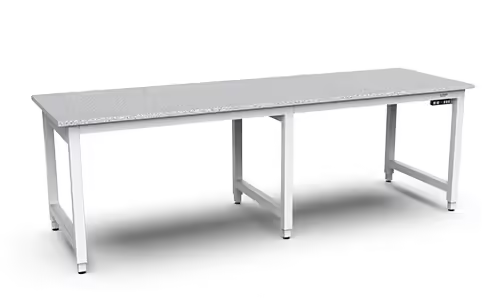
The right height adjustable industrial workstation should fit the work as carefully as it fits the operator. Surface height, reach distance, tool placement, load capacity, grounding, cable routing, and movement all affect daily performance. A station that looks suitable in a product photo may fall short once you add instruments, fixtures, monitors, bins, or automation equipment. That is why a strong selection process starts with the application. This guide walks through adjustment mechanisms, ergonomic features, industrial-grade materials, customization options, and manufacturer comparisons so you can build a clearer specification before requesting quotes.
Key Takeaways
- Start with the application: Define the task, operator range, adjustment frequency, equipment load, environment, utilities, and future process changes before selecting a workstation.
- Evaluate the complete system: Look beyond height adjustment by reviewing frame stability, load capacity, ESD control, cleanability, vibration performance, safety features, cable routing, service access, and documentation.
- Select the right WMS solution: Workplace Direct Drive® supports powered ergonomic adjustment for production, laboratory, and analytical work, while Workplace TORQ Bench provides a manually adjustable, welded-steel base for robotic applications.
What Is a Height-Adjustable Industrial Workstation?
A height-adjustable industrial workstation is an engineered work area that allows operators to change the working height to suit their body, task, tools, and production process. Unlike a basic table, it must support the demands of industrial, laboratory, and research environments, including load capacity, stability, cleanability, ESD control, utility access, and repeatable performance.
The right workstation supports the relationship between the operator and the work. It positions components, instruments, fixtures, and tools within practical reach while helping the user maintain a comfortable working posture. That matters in assembly, inspection, testing, laboratory work, and other applications that involve precise, repetitive movements. Aline Automation explains that industrial workstations play an important role in employee ergonomics, not just workplace organization.
Height adjustment may be manual, electric, or pneumatic. The appropriate mechanism depends on how often the station changes position, how much weight it carries, whether power is available, and how demanding the surrounding environment is. A dedicated station for one operator may need a very different design from a shared station used across several shifts.
Define an industrial workstation
An industrial workstation is a purpose-built work area for a specific production, research, testing, or service task. It may include a work surface, frame, shelving, drawers, bins, lighting, power and data connections, tool storage, fixtures, monitor mounts, and other accessories.
The difference between an industrial workstation and a general-purpose table is how completely it supports the work process. An electronics assembly station, for example, may need an ESD-safe surface, grounding points, task lighting, cable routing, and organized component storage. A laboratory workstation may require chemical-resistant materials, instrument support, utility connections, and easy-to-clean surfaces.
A height-adjustable model adds another level of control. Operators can change the surface height to suit their posture and task instead of working from one fixed position. That flexibility helps facilities accommodate multiple shifts, shared stations, changing products, and work that alternates between seated and standing positions.
Compare adjustable and fixed-height workstations
A fixed-height workstation can work well when one operator performs one task at a consistent height. It may also suit a dedicated production line where the tooling, operator group, posture requirements, and process are unlikely to change. Fixed designs are often simpler and can be appropriate when the application has a tightly defined specification.
The limitation becomes clear when one station must serve different people or tasks. A surface that suits one operator may be too high or too low for another. A setup that works for seated inspection may be poorly suited to standing assembly. As Workstation Industries explains, adjustable-height workstations can affect productivity and work consistency, not only operator comfort.
Adjustability also gives a facility more flexibility when products, fixtures, instruments, or work methods change. That does not mean every application needs a lifting mechanism. It means the decision should account for the work cycle, operator range, and expected changes over the workstation’s service life.
Understand why adjustability alone falls short
A height-adjustable workstation is not automatically a well-designed industrial workstation. Its adjustment range may look impressive, but it still needs to support the actual load, footprint, tools, and environment. A shallow surface can force awkward reaches. A flexible frame can create unwanted movement during precision work. Poorly routed cables can interfere with adjustment or create snag hazards.
The working height must also match the task. Fine inspection, heavy assembly, computer-based work, and instrument operation each create a different relationship between the user’s hands, eyes, and the work surface. As Workstation Industries notes, a station can have adequate storage and load capacity yet perform poorly when its working height is wrong.
Review the complete design, including frame construction, movement under load, usable height range, surface depth, accessory placement, controls, and service access. Industrial applications may also require ESD performance, chemical resistance, cleanroom compatibility, vibration control, and supporting documentation. Adjustability is one part of the specification, not the entire solution.
Correct common height-adjustment misconceptions
One common misconception is that an adjustable workstation should remain in motion throughout the day. The goal is to set the station at a suitable height for the current operator and task. Changing position periodically may help vary posture, but it does not replace an organized layout, accessible tools, or a sound work method.
Another misconception is that an ergonomic chair can correct an unsuitable work surface. It cannot. If the surface is too high, an operator may raise their shoulders or lean forward to reach the work. If it is too low, they may bend their neck and back. Colorado State University’s ergonomics guidance explains that a chair cannot fully correct a desktop that is too high.
Height adjustment also does not eliminate the need to position tools and materials carefully. Frequently used items should remain within a comfortable reach zone, while heavy or less frequently used items may need a separate storage strategy. The workstation should support the full task, not only move the surface up or down.
Know when fixed height works
Fixed height works when an application has a stable, well-defined set of requirements. A dedicated station used by one operator, with one product, one fixture, and one consistent posture, may not need a lifting mechanism. Fixed designs can also suit processes that require a permanent relationship to conveyors, machines, flooring, or adjacent equipment.
The important question is whether the height fits the people who will use the station, not only the equipment placed on it. Consider operator stature, footwear, reach, viewing angle, workpiece height, tooling, and required protective equipment. If the station is shared, select the height using the full operator population rather than an assumed average user.
Fixed height becomes less suitable when a station supports multiple shifts, varied tasks, changing products, or operators with different physical requirements. It also offers less flexibility when a facility expects new tools, fixtures, instruments, or process changes. In those settings, height adjustment can provide useful flexibility, provided it is paired with the stability, load capacity, and configuration the application requires.
What Benefits Does a Height-Adjustable Industrial Workstation Offer?
A height-adjustable industrial workstation does more than move a work surface up or down. When properly specified, it helps match the station to the operator, the task, the equipment, and the production environment. That matters in electronics assembly, inspection, testing, analytical laboratories, medical device manufacturing, and other settings where repeated strain or small errors can affect results.
The best results come from treating adjustability as part of the complete workstation. The frame, load capacity, controls, surface depth, accessories, and cable routing all need to work together. Height adjustment is valuable when it helps operators work in a stable, repeatable position without sacrificing structural performance.
Fit the station to each operator and task
A fixed-height bench may suit one operator and one task, but industrial work rarely stays that simple. Employees vary in height, reach, strength, and working style. The same station may also support assembly, inspection, documentation, testing, and material handling during a single shift.
Adjusting the work surface helps each operator establish a suitable working height for the task at hand. The ideal position for fine inspection may differ from the height needed for component assembly or handling a large workpiece. Workstation Industries explains why correct working height affects more than comfort, especially when the station carries tools, fixtures, instruments, and other equipment.
For this benefit to hold up in production, the workstation must remain stable throughout its adjustment range. A flexible setup should not introduce rocking, uneven movement, or surface shift under load.
Alternate between sitting and standing
A height-adjustable workstation allows operators to alternate between seated and standing work without moving to another station. This can help with tasks that require close visual attention, prolonged documentation, or fine hand work, as well as activities that require greater reach or frequent movement.
Changing position also gives operators more control over how they work throughout a shift. A seated height may support detailed inspection, while a higher position may provide better access during assembly or material handling. Colorado State University describes how sit-stand workstations adjust between seated and standing work.
The adjustment method should match the work cycle. If repositioning is slow, difficult, or restricted by the load on the surface, operators may stop using the feature. Consider how often the station needs to move before choosing electric, manual, or pneumatic adjustment.
Reduce fatigue, awkward reaches, and static posture
Poor working height can force an operator to raise their shoulders, bend forward, extend their arms, or hold their wrists at an uncomfortable angle. These compromises may seem minor at first, but repeated movements and static postures become more demanding over a full shift.
A properly adjusted station places the work within a practical reach zone and helps the operator maintain a more neutral posture. This is especially important for repetitive assembly, inspection, testing, and packing tasks. Research on adjustable-height industrial workstations connects incorrect surface height with uncomfortable arm, shoulder, wrist, and back positions.
Height is only one part of the equation. Tool placement, monitor position, surface depth, lighting, and access to bins also affect reach and posture. Adjustability works best when the complete station reflects the operator’s actual movements.
Improve consistency and productivity
A workstation that supports a repeatable working position can help operators perform tasks more consistently. When tools, fixtures, displays, and materials remain within a practical reach, employees spend less time compensating for an awkward layout or repositioning equipment.
That consistency can support quality as well as productivity. Operators may spend less time searching for tools, adjusting equipment, or working around discomfort. Aline Automation identifies productivity and error reduction as potential outcomes of well-designed height-adjustable workstations.
The result depends on the application and the full workstation design. Height adjustment cannot correct poor process planning, inadequate lighting, or badly placed components on its own. It should support the required cycle time, inspection method, and work sequence.
Support shared stations and changing workflows
Shared workstations create a practical challenge: one bench may serve multiple employees across different shifts. A fixed-height surface forces everyone to work at the same position, even when operators have different body sizes or perform different tasks.
Height adjustment allows each person to set the station before beginning work. It also helps one station support multiple operations, such as assembly in the morning, inspection in the afternoon, and documentation later in the shift. This flexibility can reduce the need for separate benches when floor space or budget is limited.
Industrial adjustability must still account for the full working load. Workstation Industries notes that industrial stations may carry tools, monitors, test equipment, fixtures, machinery, shelving, and heavy components. Choose a system that maintains its rated performance with the equipment installed, not just with an empty surface.
Adapt to new tools, products, and processes
Production and research environments change. A station may need to accommodate a new product size, a different inspection device, revised work instructions, or a new fixture. A height-adjustable platform gives the team more room to respond without replacing the entire workstation.
Adjustability can also help when a process moves between development and production. An early-stage setup may require frequent access to instruments and components, while a mature process may prioritize repeatability and throughput. Changing the working height supports both needs as the application develops.
This flexibility becomes more useful when the workstation uses modular accessories. Shelves, drawers, bins, monitor arms, tool rails, power distribution, and cable management should remain usable as the surface moves. Colorado State University explains why work surfaces should accommodate different users, much like an ergonomic chair adjusts to the person using it.
Connect ergonomics to safety, quality, and throughput
Ergonomics should not be treated as separate from production performance. An operator’s position affects how clearly they see the work, how easily they reach tools, and how reliably they repeat each step. A workstation that supports the right height and viewing angle can reduce avoidable strain while supporting the process itself.
The same principle applies to accessories. Keyboards, displays, tools, fixtures, and frequently handled components should sit within practical reach. Colorado State University recommends adjusting the work surface and input devices to support a more suitable hand and arm position.
In high-specification environments, ergonomics must also work alongside ESD control, cleanability, load capacity, vibration control, and cable management. A height-adjustable workstation should make the work easier to perform without weakening the infrastructure that the work depends on.
Which Height-Adjustable Industrial Workstation Type Fits Your Needs?
The right height-adjustment mechanism depends on how often the workstation moves, who uses it, what it carries, and where it operates. A shared station used across multiple shifts has different requirements from a dedicated inspection bench assigned to one operator.
Start with the work cycle rather than the adjustment feature. Ask how often operators change height, whether they need repeatable positions, and whether the facility has reliable electrical power or compressed air. Then account for the environment. Dust, fluids, chemicals, ESD requirements, cleanroom controls, and analytical instruments can all affect the best choice.
Do not evaluate the work surface in isolation. Tools, shelves, monitors, fixtures, lighting, instruments, and stored materials contribute to the operating load. Workstation Industries recommends calculating the full working load, including accessories mounted above and below the surface. That figure gives you a more useful basis for comparing adjustment systems.
Choose electric adjustment for frequent repositioning
Electric adjustment works well for shared stations, multi-shift operations, and tasks that alternate between seated and standing work. Operators can change the height with a control, making frequent repositioning practical instead of a task they avoid because it takes too much effort.
This mechanism is also useful when one station supports several processes. An operator may need one height for assembly, another for inspection, and a third for accessing equipment. Electric systems make those changes easier to repeat, especially when the controls support saved positions or other application-specific settings.
Before choosing an electric workstation, review its duty cycle, speed, noise level, control layout, and complete load rating. Include fixtures, monitors, shelving, tools, and materials in the calculation. Electric height-adjustable workbenches are designed for industrial and multi-operator environments, but electric systems vary considerably in capacity and service requirements.
Choose manual adjustment for simple, power-free operation
Manual adjustment makes sense when the workstation only needs occasional repositioning. It eliminates the need for a motor, controller, and dedicated power connection, which can simplify installation and reduce the number of components that require service.
This option may suit a dedicated station, a low-frequency changeover area, a training environment, or a facility where electrical access is limited. It can also be practical when the workstation needs to move between production areas without depending on a power source.
The tradeoff is operator effort and adjustment time. If the surface must move several times during a shift, manual adjustment may discourage people from using it properly. Confirm how the mechanism locks, whether adjustments can be made safely under load, and how much force is required. Some workbenches use locking twist knobs, as shown in these manual adjustable workbench designs.
Choose pneumatic adjustment for responsive positioning
Pneumatic systems use compressed air to provide quick, responsive height changes. They may fit production cells where operators reposition the surface often and the facility already has dependable air infrastructure.
This approach can work well when a smooth response matters or when the adjustment mechanism should use fewer electric components. It may also suit production environments where compressed air is already available at each cell and maintenance teams are equipped to support pneumatic equipment.
Review the facility requirements before selecting this option. Confirm air pressure, filtration, connections, leakage control, noise, and service access. The workstation must also hold its position reliably with the complete operating load installed. Colorado State University’s ergonomics guidance identifies pneumatic systems as a way to provide quick and easy positioning, but the surrounding facility must support their operation.
Choose enclosed power for demanding environments
A powered system with enclosed drive components can suit workstations used around precision equipment, heavy loads, dust, fluids, or strict housekeeping requirements. Enclosing the motor and leadscrew protects key components and removes exposed drive parts from the work area.
Workplace Modular Systems’ Workplace Direct Drive® places the motor and precision leadscrew inside each leg. The design supports powered height adjustment while keeping the drive mechanism contained within the workstation structure. That approach is intended for demanding production, research, and analytical environments where reliable positioning, cleanability, and access matter.
Evaluate the complete workstation, not just the enclosed mechanism. Ask how the system handles cleaning agents, particulate controls, service access, cable routing, and accessory mounting. The surface, controls, shelves, and fixtures should meet the same environmental requirements as the adjustment system. An enclosed drive cannot make an unsuitable workstation appropriate for a controlled or chemically demanding space.
Compare speed, duty cycle, noise, maintenance, and controls
Compare more than whether a workstation moves up and down. Review adjustment speed, operating frequency, movement under full load, and the number of cycles the system can support during a shift.
Noise can affect laboratories, inspection areas, classrooms, and shared production spaces. Duty cycle becomes especially important in multi-shift facilities. For powered systems, ask about motor access, controller replacement, cable connections, overload protection, and service-part availability. For pneumatic systems, review air preparation, seals, and leak detection. For manual systems, examine locking points and adjustment effort.
Controls should match the process. A basic up and down control may suit a dedicated station. Shared workstations may need programmable positions, lockout functions, or controls that prevent unintended movement. Ask whether the manufacturer’s rating applies to the bare frame or the complete workstation. Include tools, fixtures, monitors, instruments, shelves, and stored materials in the final calculation.
Match the mechanism to the work cycle and facility
Choose electric adjustment when several operators share the station, height changes happen often, or the process alternates between seated and standing work. Choose manual adjustment when repositioning is occasional and power-free operation is a priority. Consider pneumatic adjustment when responsive movement fits the process and the facility already has reliable compressed-air service.
For demanding environments, assess the drive system, surface materials, grounding path, cleaning requirements, controls, and service access together. The mechanism should fit the facility’s utilities and maintenance capabilities rather than create a dependency the team cannot support.
Also consider what happens while the station is in use. Tools, fixtures, instruments, and automation can create static and dynamic loads that affect stability. Industrial workstation guidance stresses that adjustability should not compromise structural performance. The best mechanism is the one that moves as needed and leaves the finished workstation stable, square, and dependable throughout the work cycle.
Which Ergonomic Features Should a Height-Adjustable Industrial Workstation Include?
A height-adjustable industrial workstation should do more than move up and down. It should help operators maintain a neutral posture, keep tools within reach, and work comfortably through repetitive tasks. That means evaluating the complete station, including its height range, controls, surface, accessories, load capacity, mobility, and safety features.
Start by observing the work rather than choosing a workstation from a catalog. Record the operator’s hand position, viewing angle, tool locations, component size, required force, and frequency of movement. A station for seated inspection will have different needs than one used for standing assembly, machine tending, or laboratory instrument work.
Shared stations require even more planning. The workstation should accommodate different body sizes, shifts, protective equipment, and task requirements without forcing operators to improvise. The following features can help you evaluate whether an adjustable workstation will support real production or research work.
Set the right height range and travel
The workstation’s height range should support every primary task, not simply provide an adjustment feature. A narrow range may leave shorter operators reaching upward or taller operators bending forward. Colorado State University explains that fixed workstations measuring 29 to 31 inches can be too high for much of the population, while adjustability helps support proper hand height for seated and standing work.
Measure from the floor to the operator’s hands, then account for mats, fixtures, trays, workpieces, and protective equipment. The required height for precision assembly may differ from the height needed for larger components or instrument access.
Travel speed matters as well. If operators adjust the station several times per shift, slow movement can discourage proper use. Compare the usable range, adjustment speed, clearance beneath the surface, and rated capacity throughout the range. The right specification supports the actual work cycle without requiring operators to compromise their posture.
Calculate the real working load
Load capacity should include the complete operating setup, not just the workpiece. Add monitors, shelves, bins, tooling, fixtures, lighting, test equipment, power supplies, instruments, and stored components. Workstation Industries recommends including accessories mounted above and below the work surface when calculating the operating load.
Separate static and dynamic loads. Static load is the weight that remains in place. Dynamic load includes leaning on the surface, moving parts, setting down tools, and operating equipment that creates motion or vibration. These forces can affect stability even when the total weight stays below the published rating.
Load distribution matters too. A heavy instrument mounted at the rear or on one side creates different demands than an evenly distributed load. Ask whether the rating applies to the complete workstation, the lifting frame alone, or a specific leg configuration. Request the rating at the height and accessory arrangement you actually plan to use.
Ensure smooth, synchronized movement
Smooth movement allows operators to adjust the station without sudden stops, excessive noise, or uneven lifting. For workstations with two or more lifting legs, synchronized movement is essential. If one leg moves faster than another, the surface can rack or tilt, placing stress on the frame and mounted equipment.
Test movement with the intended accessories in place. Shelves, instruments, fixtures, monitor arms, and tool systems can change the center of gravity and affect performance. Industrial workstations may carry tools, test equipment, fixtures, machinery, shelving, and heavy components, so an unloaded demonstration may not reflect production conditions.
Review the duty cycle as well. A station adjusted twice per day has different requirements from a shared station adjusted dozens of times per shift. Ask for adjustment speed, noise levels, duty-cycle limits, thermal protection, and expected service life. Smooth movement is useful, but repeatable movement under the real operating load matters more.
Select safe controls and saved positions
Controls should be easy to reach without making the operator twist, lean, or remove their hands from the task. Options may include push buttons, hand controls, foot controls, and programmable keypads. Select the control type based on the work cycle and the risk of unintended activation.
Saved positions are helpful at shared stations. One preset might support seated inspection, another standing assembly, and a third instrument access or cleaning. Presets should be clearly labeled and easy to override when an operator needs a more personal working height.
Frequently used equipment should adjust with the operator. That includes keyboards, monitors, scanners, torque tools, control panels, and test interfaces. Properly designed adjustable workstations support an appropriate hand height for input devices and other controls.
Protect controls from accidental activation by hips, tools, carts, or passing materials. Lockout functions and clear status indicators can add another layer of protection in busy production environments.
Protect against power loss, pinching, and obstacles
Specify how the workstation should respond when power is interrupted, an object is left beneath the surface, or a cable catches during movement. A safe design should not create a sudden drop, uncontrolled descent, or unexpected movement near an operator.
Look for anti-collision sensing, overload protection, soft starts and stops, mechanical stability, and controlled behavior during power loss. Position retention without power can be valuable for precision work and equipment that must remain aligned.
Inspect potential pinch points around legs, crossbars, shelves, drawers, and mounted accessories. Moving components should be shielded where practical, with enough clearance for hands, feet, cables, and nearby equipment. Adjustability should not come at the expense of structural performance.
Ask the manufacturer to document each safety feature. Do not assume that every powered frame offers the same protection, especially when the workstation will carry instruments, fixtures, or automation hardware.
Set the right surface depth, reach zones, and viewing angles
Height is only one part of ergonomic fit. Surface depth determines how far an operator must reach for tools, components, controls, and instruments. A deep surface may provide more room, but it can also place frequently used items beyond a comfortable reach zone.
Divide the surface into primary, secondary, and occasional-use areas. Keep the most frequently handled items closest to the operator. Place heavier components where they can be handled without twisting or reaching across the station. Reserve the farthest area for items used less often.
Viewing angle matters during inspection, testing, microscopy, and instrument work. Monitors, gauges, cameras, and displays should be positioned to reduce prolonged neck flexion. A workstation can have adequate storage and load capacity yet still perform poorly when the working height is wrong.
Evaluate the complete setup, including the chair, workpiece, fixture, lighting, monitor, and documentation. Ergonomic performance depends on how these elements work together, not on the tabletop alone.
Add mobility without sacrificing stability
Mobility can make a workstation easier to share, clean around, or reposition as workflows change. It can also introduce unwanted movement during assembly or inspection. Rolling stations should use casters suited to the floor, load, and operating environment, with reliable brakes or locking mechanisms.
Check whether the casters lock both the wheel and swivel. Evaluate the footprint, center of gravity, and load distribution, especially when shelves or equipment are mounted above the surface. A mobile station should remain stable when an operator applies force, moves components, or uses a mounted tool.
Stationary models may be better for precision assembly, heavy tooling, and robotic applications. Leveling feet can compensate for uneven floors and help maintain a stable base. Rolling workbenches commonly use locking casters, while stationary models use leveling feet.
Choose mobility because the process requires it, not because it seems convenient during initial planning. If a workstation must move, specify where it will move, how often, and how it will be secured during use.
Include foot support, anti-fatigue features, and accessible accessories
Operators who stand for long periods need more than an adjustable work surface. Footrests, foot rails, supportive floor mats, and anti-fatigue surfaces can reduce pressure on the feet and legs. A footrest also allows an operator to shift weight without leaving the station.
Place accessories according to frequency of use. Bins, shelves, tool balancers, scanners, and small-parts dispensers should be easy to reach without repeated bending, twisting, or overhead reaching. Keep heavy or awkward items within the primary handling zone, and place occasional-use supplies in secondary storage.
Treat accessories as part of the workstation design. A high shelf adds weight above the surface and may affect stability. An open drawer can obstruct a walkway. A tool mount positioned too far away can encourage extended reaching and raised shoulders.
As with an ergonomic chair, the work surface should fit the person using it. Colorado State University notes that desktop height should adjust to suit different users. In industrial applications, the same principle applies to tools, controls, fixtures, and storage.
Fit operators across shifts and body sizes
Design shared workstations around the full operator population, not an average employee. Review height range, reach distances, seated and standing tasks, footwear, protective equipment, and physical restrictions that affect the work. A station that fits one operator may still create awkward postures for another.
Ask operators to demonstrate the task before finalizing the specification. Observe where they reach, how they hold components, whether they lean against the surface, and how often they change position. Include employees from different shifts because work methods and accessory preferences can vary between teams.
Plan for process changes as well. New products, fixtures, larger components, or inspection equipment can alter the required working height and reach zone. A workstation with sufficient range and configurable accessories is more likely to remain useful as the operation changes.
Adjustability supports more than comfort. The value of an adjustable industrial workstation can extend beyond operator comfort, affecting fatigue, consistency, task quality, and the station’s ability to support different people across a production or research environment. A proper fit assessment helps carry those benefits into daily work.
Which Industrial-Grade Features Matter Most?
A height-adjustable workstation must do more than move between sitting and standing positions. In production, laboratory, analytical, and robotic environments, the frame, surface, adjustment system, and utilities must work together under real operating conditions.
Start with the complete application. Consider the operator, work cycle, equipment, environment, cleaning process, ESD requirements, vibration sensitivity, and service needs. A station for light assembly has very different demands from one supporting a mass spectrometer, robotic arm, inspection fixture, or heavy test equipment.
The best specifications describe the work, not just the product category. Request clear information about load capacity, materials, grounding, finishes, adjustment components, testing, and service support. Guidance on adjustable-height industrial workstation design also recommends evaluating the full operating load, including accessories and equipment mounted around the work surface.
A strong workstation specification gives your engineering, facilities, EHS, quality, and procurement teams the information they need to approve the design with confidence.
Choose welded steel for stability and squareness
Welded steel creates a rigid foundation for demanding workstation applications. With fewer structural joints than a frame assembled from many bolted connections, it can help maintain alignment when operators apply force, equipment vibrates, or the workstation moves through repeated production cycles.
This stability matters for inspection, testing, precision assembly, and robotic work. A frame that shifts or racks can affect fixture alignment, tool position, measurement repeatability, and robot performance. Ask how the manufacturer maintains squareness under load and whether the design has been evaluated for the forces created by mounted equipment.
Height adjustment should not come at the expense of structural performance. The frame must support the full working environment, including tools, monitors, fixtures, shelving, test equipment, and components. The workpiece is only one part of the load.
Calculate static, dynamic, and distributed loads
Load capacity is more useful when it reflects the complete workstation rather than a single headline number. Add the weight of the surface, shelves, drawers, monitors, lighting, fixtures, tooling, instruments, bins, cables, and mounted equipment. Include accessories positioned above and below the surface.
Separate the load into three categories. Static load is the weight that remains in place. Dynamic load comes from movement, impact, vibration, or force applied by the operator. Distributed load is spread across the surface, while a concentrated load places more stress in one area.
The center of gravity also matters. A heavy instrument mounted high or near an edge can create more twisting force than the same equipment placed low and near the center. Share the complete load profile with the manufacturer so the frame, legs, and adjustment mechanism are specified for the actual application.
Specify ESD-safe surfaces and grounding paths
Electrostatic discharge protection requires more than an ESD work surface. The surface, frame, grounding hardware, wrist straps, floor, equipment, and electrical ground must create a controlled path for static charge.
When requesting a quote, specify the required resistance range, grounding method, surface material, common point ground requirements, and testing expectations. Ask whether grounding points will remain accessible after shelves, drawers, fixtures, and other accessories are installed.
This level of detail matters in electronics assembly, semiconductor supplier environments, medical device manufacturing, and test areas. Workplace Modular Systems offers application-specific workstation engineering, including ESD-safe surfaces and accessory integration. Confirm the final requirements with your ESD coordinator or qualified compliance professional.
Select cleanroom-compatible construction and enclosed mechanisms
Controlled environments require careful attention to particle generation, exposed moving parts, cleanability, and material compatibility. Open belts, chains, lubricated components, rough weld areas, and difficult-to-reach cavities can make cleaning more difficult and create additional contamination concerns.
Look for smooth, sealed surfaces and enclosed adjustment components where the application requires them. Enclosed mechanisms can protect moving parts from the surrounding environment while reducing exposed areas where particles or process materials may collect.
The right design depends on the room classification, cleaning agents, process controls, and equipment being supported. Ask for information about finishes, hardware, lubricants, seals, and cleaning procedures. Then confirm that the workstation can fit into the facility’s existing contamination-control program.
Use chemical-resistant, easy-to-clean finishes
The workstation finish should match the substances used in the process. Laboratories, battery production areas, medical device facilities, and industrial environments may expose surfaces to solvents, disinfectants, oils, acids, bases, or other chemicals.
Specify the chemicals involved and the expected contact conditions. An occasional splash, repeated wipe-down, standing liquid, and long-term vapor exposure create different performance requirements. Review seams, edges, fasteners, and joints as well as the main surface, because the surface material alone does not determine overall chemical resistance.
Smooth, nonporous finishes are generally easier to wipe down and inspect. Minimize recessed areas where residue can collect, and confirm that the facility’s cleaning agents are compatible with the proposed finish. Request chemical-resistance data instead of relying on broad descriptions such as “industrial grade.”
Control vibration in precision and robotic applications
Vibration can affect inspection results, instrument performance, fixture alignment, and robot repeatability. A workstation supporting a robot or precision instrument must account for movement from the equipment, nearby machinery, operator contact, and the facility floor.
Ask how the design addresses stiffness, resonance, deflection, leveling, and anchoring. A load rating alone does not explain how the workstation will behave during repeated motion. For a robotic application, provide the robot model, payload, reach, mounting pattern, operating speed, tooling, and intended task. For analytical equipment, share the instrument requirements and any facility vibration criteria.
Welded steel can provide a rigid, square structure, but the full installation still affects performance. Floor conditions, anchoring, leveling, equipment placement, and surrounding machinery all deserve review.
Integrate power, data, lighting, and cable management
Utilities should be included in the workstation design from the start. Power strips added after installation can create clutter, trip hazards, and overloaded circuits. Poorly routed data cables can interfere with height adjustment, snag on accessories, or make service more difficult.
Map every required connection, including power, network, lighting, compressed air, grounding, and instrument utilities. Identify which components move with the work surface and which remain fixed. Cables need controlled slack throughout the full height range, without pulling on connectors or rubbing against the frame.
Use channels, brackets, grommets, and service loops to organize utilities. Place outlets and data connections within reach, while keeping them away from spill and impact zones. A workflow-based workstation planning approach can help connect reach zones and process needs with the utility layout.
Request material data, safety information, testing, and compliance documents
A professional quotation should show how the workstation meets your requirements. Request material specifications, finish information, load ratings, adjustment limits, electrical details, grounding information, safety data, installation instructions, and available test reports.
For ESD applications, ask for resistance and grounding information. For cleanroom use, request details about materials, exposed mechanisms, and cleaning compatibility. For robotic or precision applications, ask what testing supports claims about stiffness, deflection, stability, or vibration.
Avoid treating terms such as “heavy duty,” “cleanroom ready,” or “ESD compatible” as complete specifications. Different suppliers may use those descriptions differently. A clear documentation package gives engineering, EHS, facilities, quality, and procurement a shared basis for reviewing the workstation.
Plan service access and maintenance
A workstation should remain serviceable after installation. Make sure technicians can reach motors, controls, fasteners, grounding points, cable connections, and utility components without dismantling the entire station. This is particularly important when the workstation supports production equipment or a laboratory instrument that cannot be moved easily.
Ask what maintenance the adjustment mechanism requires, which components are replaceable, and how service requests are handled. Confirm whether repairs can be completed on site and whether the manufacturer provides replacement parts, wiring diagrams, and installation guidance.
Lead time also matters when a workstation is part of a production or laboratory schedule. Workplace Modular Systems manufactures in New Hampshire and lists standard lead times of four to six weeks. When comparing suppliers, ask how that timeline applies to replacement parts, repeat configurations, and custom components, not only to the initial order.
How Do You Choose a Height-Adjustable Industrial Workstation?
Choosing a height-adjustable industrial workstation starts with the work, not the product catalog. A bench designed for light assembly may be a poor fit for an analytical instrument, a shared inspection station, or a robotic application. The right specification depends on the people using the station, the tools and materials they handle, the environment around them, and how often the workstation changes position.
Before comparing manufacturers, document the application. Record the working height, operator range, total load, surface dimensions, adjustment frequency, mobility requirements, environmental conditions, utilities, and service needs. This gives manufacturing, engineering, EHS, facilities, and procurement a shared reference point.
The process also helps distinguish an industrial workstation from a general-purpose adjustable table. A production-ready solution should account for frame stability, grounding, cable routing, cleaning, service access, and future process changes. Workplace Modular Systems designs, manufactures, and installs custom workstations for demanding production, research, and analytical environments, including applications that require ESD control, cleanroom compatibility, instrument support, or vibration control. Review the available custom industrial workstation solutions as you build your initial requirements.
Define the task, operators, and work cycle
Start by documenting the task performed at the station. Is the operator assembling components, inspecting parts, packaging products, preparing samples, operating test equipment, or working alongside automation? Note the tools used, workpiece size, viewing distance, and whether the operator needs both hands free.
Next, identify the people who will use the workstation and how often they change. A shared station across multiple shifts may need a wider adjustment range than a dedicated station. Record seated and standing tasks, operator height ranges, footwear, reach requirements, and any access limitations.
The work cycle matters too. A station adjusted once between shifts has different requirements from one repositioned every few minutes. Read this overview of how adjustable height can affect productivity before selecting the mechanism.
Map environmental, ESD, cleanroom, laboratory, and chemical needs
Define the operating environment early. Electronics and semiconductor applications may require an ESD-safe surface, a specified grounding method, controlled resistance, and bonded components that maintain continuity through the full height range. Ask for documentation showing how the workstation maintains its grounding path.
Cleanrooms and laboratories require smooth, easy-to-clean surfaces, enclosed mechanisms, limited particle-shedding materials, and layouts without difficult-to-access traps. Analytical applications may also need instrument-specific utility routing, pump storage, vibration control, and surfaces designed around the equipment footprint.
Document chemical exposure rather than assuming a finish is compatible. List the solvents, reagents, oils, disinfectants, and cleaning agents used nearby. Confirm compatibility for the surface, edge treatment, coatings, casters, seals, and cable components.
Calculate the full load and center of gravity
Size the workstation around the complete operating load, not just the product or workpiece. Include fixtures, tooling, monitors, power supplies, bins, lights, shelves, drawers, instruments, and equipment mounted above or below the work surface.
Separate static and dynamic loads. Static load is the weight that remains in place. Dynamic load includes pressing, pulling, leaning, impacts, vibration, and repeated height changes. A test fixture or robotic application may place greater demands on the frame than a hand-assembly task with the same total weight.
Review the center of gravity at the highest and lowest working positions. Also check the station with drawers extended, doors open, or equipment positioned at the front edge. This operating load guidance explains why mounted accessories belong in the calculation.
Plan the footprint, clearances, utilities, and service access
Measure the available floor area, then plan the workstation at its minimum height, maximum height, and most extended configuration. Check clearances from walls, shelving, machine guards, doors, conveyors, neighboring stations, overhead cabinets, and cable trays.
Account for the operator’s reach zone as well as the physical footprint. Frequently used tools and materials should remain within a comfortable working area. Heavy or rarely used items can sit farther away, but they should not force awkward reaching or twisting.
List every utility connection, including power, network, compressed air, vacuum, exhaust, data, and instrument lines. Provide enough cable slack for the full travel range, while preventing loops from snagging or contacting moving parts. Leave service access to controls, connections, leveling feet, and adjustment components.
Match adjustment frequency to the mechanism
Choose the adjustment method according to how often the workstation changes position. If operators reposition it several times per shift, an electric mechanism may provide the speed and repeatability required. If the height changes during setup or between shifts, a manual crank may be practical and avoids additional electrical components.
Pneumatic adjustment can suit applications that need responsive positioning, provided the facility has a reliable air supply and the controls fit the environment. For electric systems, review duty cycle, noise, control placement, power requirements, and protection from dust, liquids, and cleaning agents.
Do not judge a mechanism only by its maximum travel. Check its movement speed under the actual operating load and how often it can run during a shift. A hand-crank adjustable workbench may suit occasional changes, while frequent repositioning requires a different approach.
Choose mobility or permanent stability
Mobility helps when a workstation moves between production cells, service areas, or changing layouts. Select casters for the total load and floor conditions, and specify brakes that prevent movement during work. Review thresholds, expansion joints, ramps, and uneven flooring before choosing the caster type.
A stationary workstation may be better when stability, repeatability, or precision matters most. Leveling feet can compensate for uneven floors and keep the frame firmly planted during assembly, inspection, instrument use, or testing. A fixed station may also simplify utility connections.
Some applications need both mobility and operating stability. In that case, use locking casters for relocation and a stabilizing or leveling system for work. Compare adjustable workbench mobility and stability features against the actual work cycle, not only the planned layout.
Align manufacturing, facilities, EHS, engineering, and procurement
A workstation decision affects several teams, so involve them before procurement requests quotes. Manufacturing can describe the work cycle and recurring problems. Engineering can define loads, fixtures, interfaces, and utilities. Facilities can confirm floor conditions, power, compressed air, and clearance. EHS can review ergonomics, pinch points, chemical exposure, ESD, and safe operation.
Procurement should evaluate lead time, service coverage, documentation, repeatability, and the supplier’s ability to support future orders. The lowest quoted price may not represent the lowest operating cost if the workstation requires facility changes, has a long replacement cycle, or cannot be modified when the process changes.
Assign one person to consolidate requirements and resolve conflicts. For example, a mobile design may satisfy facilities but fail an engineering stability requirement. A large overhead shelf may improve storage but interfere with cleanroom clearance or operator sightlines. A joint review catches these issues before a purchase order is issued.
Build a requirements matrix before requesting quotes
A requirements matrix turns a general request into specifications manufacturers can answer clearly. Include the application, number of stations, user height range, seated and standing tasks, adjustment range, adjustment frequency, total and dynamic load, surface dimensions, and mobility requirements.
Add environmental and documentation fields for ESD performance, cleanroom needs, chemical exposure, surface finish, noise limits, grounding, safety controls, CAD files, testing, installation, and warranty support. Mark each item as required, preferred, or optional so quotes can be compared consistently.
Include commercial details such as quantity, delivery location, installation window, repeat-order expectations, and possible expansion to other sites. A configurator may work well for standard configurations, while custom or regulated applications may need engineering review. WMS offers custom workstation configuration and quote support, helping teams turn a requirements matrix into a buildable solution.
Separate essential specifications from optional accessories
Separate what the workstation must do from features that simply add convenience. Essential specifications usually include height range, load capacity, frame stability, surface material, environmental compatibility, grounding, required utilities, safety features, and delivery requirements.
Optional features may include shelves, drawers, bin rails, task lighting, monitor arms, power strips, computer supports, overhead cabinets, footrests, and specialized tool holders. An accessory becomes essential when it affects safety, reach, cycle time, or process quality. For example, cable management may be optional on a simple hand-assembly bench but necessary when the station moves through its full height range with networked equipment.
Review accessories as part of the complete workstation. Their weight affects capacity, their position affects balance, and their mounting method affects adjustment and service access. Common industrial workbench options include work surfaces, storage, lighting, power, computer supports, and wire-management components. Select the features that directly support the work, the operator, or the facility requirements.
How Can You Customize a Height-Adjustable Industrial Workstation?
Customization should begin with the task, not with a list of accessories. A workstation for electronics assembly has different requirements from one supporting mass spectrometry, medical device inspection, or robot-assisted production. Before choosing components, document the operator’s reach zones, working posture, equipment weight, utility connections, environmental conditions, and how often the station may change.
Review the workstation as a complete system, including the frame, surface, adjustment mechanism, accessories, utilities, controls, and service access. A shelf that blocks visibility, a surface that cannot support ESD controls, or a mounted component that exceeds the safe load can undermine the entire design. Resources such as electric height-adjustable workbench configurations show how surfaces, storage, controls, and accessories can be combined around a workflow.
For demanding production, research, and analytical environments, the right design may also require application-specific engineering. The goal is not to add the most features. It is to create a station that supports the people, equipment, and process throughout its working life.
Select the surface size, shape, material, and edge treatment
Start with the work surface because it determines how much usable space the operator has and where tools, components, instruments, and displays can sit. Measure the largest item used at the station, then add room for handling, inspection, documentation, and safe movement. More depth is not always better, since excess depth can place frequently used items outside the primary reach zone.
Surface materials should match the application. Options may include laminate, stainless steel, hardwood maple, phenolic resin, and ESD-safe materials. Electronics and semiconductor environments may require a controlled ESD path, while laboratories may need chemical resistance and easy cleaning. Also consider edge treatment. Rounded or beveled edges can reduce contact pressure, while sealed edges help protect against spills and contamination.
Choose height ranges, leg configurations, and controls
Choose a height range that accommodates the shortest and tallest operators, as well as the working positions required by the task. A station used for seated inspection may need a different range from one used for standing assembly or shared production work. Measure the required surface height, rather than relying only on the frame’s advertised minimum and maximum.
Leg configuration affects capacity, stability, and usable space. Two-leg systems may suit lighter applications, while three-leg or larger configurations can support wider surfaces and heavier equipment. Controls should be easy to reach without interrupting the task. Depending on the application, you may specify push-button controls, hand switches, programmable positions, or lockout features. Confirm the actual travel, duty cycle, and load rating for the selected model.
Add shelves, drawers, bins, fixtures, and tool management
Accessories should shorten reach distance and improve organization, not simply fill unused space. Place frequently used tools and components in the operator’s primary reach zone. Less frequently used items can sit on shelves, in overhead storage, or in labeled bins outside that zone.
Useful additions include drawers, bin rails, power bars, lighting, computer supports, overhead cabinets, wire-management troughs, and tool holders. Drawer layouts should reflect the process, with heavy items positioned low and regularly used tools easy to access. Fixtures can hold parts in repeatable positions, while shadow boards and integrated tool management make missing tools easier to identify. Workstation accessory options provide a starting point, but demanding environments often require accessories designed around the specific workflow.
Route power, network connections, lighting, and utilities
Plan utilities before finalizing the frame and accessory layout. Power, data, compressed air, vacuum, exhaust, and other connections should reach the station without crossing walkways, interfering with height adjustment, or creating unsupported cable loops. Cable-management troughs, articulated arms, and overhead routing systems can keep connections organized as the workstation moves.
Lighting deserves the same attention as power and data. Position task lighting to reduce glare and shadows without blocking monitors, instruments, or sightlines. For laboratory and analytical applications, plan utility access around equipment service points and ventilation requirements. Every connection should remain protected, accessible, and properly supported across the full adjustment range. Include service loops where necessary, but keep them contained so they cannot snag on the frame or nearby equipment.
Choose stationary, mobile, corner, in-line, or dual-sided layouts
The right layout depends on whether the workstation stays in one location, moves between tasks, or forms part of a larger production line. Stationary configurations typically use leveling feet for stability and suit precision assembly, inspection, and instrument work. Mobile configurations can use locking casters when teams need to reposition equipment, but mobility should not replace a clear stability requirement.
Corner and in-line designs help use available floor space efficiently. Dual-sided layouts can support two operators or process stages from one shared structure, provided the loads and clearances are calculated for both sides. Review aisle widths, emergency access, doorways, floor transitions, and service clearance before choosing casters. Mobile and stationary workbench designs illustrate the tradeoff between repositioning and fixed-floor stability.
Specify ESD, cleanroom, laboratory, analytical, or chemical-resistant finishes
The finish should reflect the environment and the materials handled at the station. ESD-controlled work may require dissipative surfaces, grounding hardware, bonding provisions, and a defined path to ground. Specify the complete ESD system rather than treating the surface alone as sufficient. Confirm resistance, grounding, and maintenance requirements with the person responsible for the facility’s ESD program.
Cleanroom and analytical environments may require smooth, low-particle surfaces, enclosed mechanisms, and construction that is easy to clean. Laboratory and chemical applications may call for phenolic resin, stainless steel, or other materials selected for resistance to the substances used in the process. In regulated environments, request finish data, cleaning guidance, and documentation that supports qualification or validation activities.
Add mounts for instruments, monitors, tools, and automation
Mounting equipment to the workstation can improve visibility, reduce clutter, and keep critical items within reach. Common options include monitor arms, instrument shelves, keyboard supports, microscope mounts, scanner brackets, tool balancers, camera mounts, and fixtures for repeatable part presentation.
Consider the moving load whenever you add mounted equipment. A monitor arm may suit one station, while a heavy analytical instrument or automation component may require a dedicated support tied directly into the frame. Mounts should not obstruct height adjustment, create pinch points, interrupt grounding paths, or limit service access. For robot-assisted tasks, evaluate the equipment’s center of gravity, motion envelope, cable routing, and vibration sensitivity before approving the design.
Choose standard or application-specific engineering
Standard components can shorten the selection process and simplify replacement. They work well when the application has predictable loads, common dimensions, and straightforward utility needs. Application-specific engineering becomes more valuable when the station must support unusual equipment, tight clearances, ESD controls, cleanroom requirements, vibration-sensitive instruments, or an automated process.
Evaluate more than the workstation’s appearance. Ask whether it will maintain stability at its highest position, support the real working load, protect utilities during adjustment, and accommodate the operator’s actual movements. A custom design can resolve these requirements before installation and reduce costly changes later. For larger programs, the same engineered configuration can be documented and repeated across multiple stations or facilities, supporting consistent performance and simpler procurement.
Build with modular components for future changes and repeat orders
Modular construction gives a workstation room to change as tools, products, and processes develop. Use standardized mounting points, replaceable accessories, adjustable shelves, and documented component specifications where possible. This makes it easier to add a monitor, change a fixture, relocate a bin rail, or update cable routing without replacing the complete workstation.
Repeatability matters as much as flexibility. Document the final configuration with drawings, part numbers, surface specifications, accessory locations, utility requirements, and approved finishes. That record supports consistent installations across a production line or multiple sites. Domestic manufacturing can also help when a customer needs additional stations or replacement components on a defined schedule. Workplace Modular Systems manufactures in New Hampshire and supports custom industrial workstation projects for production, research, and analytical environments, giving customers a direct path to repeat configurations and application-specific support.
Where Can You Use Height-Adjustable Industrial Workstations?
Height-adjustable industrial workstations are useful anywhere people perform detailed, repetitive, or changing work. Their value goes beyond allowing operators to sit or stand. The right workstation can improve viewing angles, reduce awkward reaches, support consistent processes, and make a shared station easier to configure for different tasks.
The best application depends on the work surface, equipment load, environment, and adjustment frequency. An electronics station may need ESD protection and a verified grounding path, while a laboratory bench may require enclosed mechanisms, chemical-resistant materials, and service clearances. In robotic applications, structural stability and alignment may matter more than frequent operator repositioning.
Before choosing a workstation, define what the station must support today and what may change later. Consider the people using it, the tools and equipment on it, the surrounding process, and the conditions on the production floor or in the lab.
Support production, assembly, inspection, and testing
Manufacturing teams use height-adjustable workstations for assembly, inspection, testing, rework, kitting, and packaging. Operators can set the surface for the task instead of working at one fixed height throughout the shift. That matters when a station must accommodate different people, products, tools, or viewing requirements.
For example, visual inspection may require a higher surface for a clear line of sight, while component assembly may call for a lower position that keeps parts within a comfortable reach zone. Research on adjustable-height industrial workstations connects this flexibility with operator comfort, fatigue, accuracy, and productivity.
Equip electronics, EMS, and semiconductor ESD environments
Electronics manufacturing and EMS facilities often require ESD-safe surfaces, controlled grounding paths, organized cable routing, and reliable tool access. A height-adjustable workstation can provide ergonomic flexibility while keeping those requirements part of the original design.
Semiconductor supplier environments may also require cleanroom-compatible construction, easy-to-clean surfaces, and carefully managed accessories. The adjustment mechanism should not introduce exposed components that create contamination or maintenance concerns. Specify the complete ESD system, including the work surface, frame, grounding points, floor interface, and operator connection. An ESD mat alone does not define a compliant workstation.
Serve aerospace, defense, and medical device manufacturing
Aerospace, defense, and medical device manufacturers often combine precision work with strict documentation, repeatability, and traceability requirements. Workstations may support assembly, inspection, testing, repair, or sustaining production, with each task requiring a different surface height or accessory arrangement.
Custom engineering helps when a catalog bench cannot accommodate the required fixtures, materials, load, or ESD controls. Surface finishes, integrated lighting, tool storage, monitor mounts, and cable management can be designed around the process. For high-reliability work, ask for material data, load information, safety documents, and available testing records before approving a configuration for repeat use.
Support pharma and biotech research
Pharma and biotech research environments change as instruments, protocols, and teams change. A height-adjustable workstation can support sample preparation, research workflows, instrument setup, and documentation tasks while accommodating seated and standing work.
The station should match the environment rather than rely on a general-purpose office design. Consider chemical resistance, cleanability, spill management, utility routing, and the space required around instruments. Mobile or reconfigurable layouts may also help when equipment moves between rooms or projects. In GMP or controlled environments, define the product scope carefully and confirm which workstation components are suitable for the room and facility requirements.
Accommodate analytical instruments, mass spectrometry, and clinical labs
Analytical instruments often require stable support, carefully routed utilities, and enough depth for the instrument, accessories, pumps, monitors, and service access. A height-adjustable instrument bench can help lab staff set a comfortable working position while keeping controls and sample areas visible.
Mass spectrometry and clinical laboratory applications may also involve vibration sensitivity, heavy equipment, chemical exposure, and frequent cleaning. Calculate the full installed load, not just the weight of the main instrument. Enclosed adjustment components can reduce exposed moving parts and simplify cleaning. For a multi-OEM lab, use an instrument-specific configuration process that accounts for platform dimensions, connections, service access, and maintenance clearances.
Meet EV, battery, and chemical manufacturing needs
EV and battery manufacturers use workstations for module assembly, inspection, testing, material preparation, and component handling. These environments may require chemical-resistant surfaces, ESD protection, integrated tooling, and layouts that can change as products and processes develop.
A height-adjustable station is most useful when operators work at different elevations or when one area supports several process steps. Identify exposure to electrolytes, solvents, oils, coolants, and cleaning agents before choosing the surface and finish. Include batteries, fixtures, tooling, and work-in-process materials in the load calculation. The final specification should reflect the actual process, not a generic assumption about battery production.
Integrate robotics, machine tending, and automated work cells
Robotic work cells need infrastructure that supports the robot, controller, tooling, fixtures, and human operator. In machine tending, assembly, inspection, and material handling, the workstation or base must remain stable as the robot moves repeatedly through its programmed cycle.
Adjustment and structural performance must be considered together. A manually adjustable robot bench may help teams position the work surface during setup, but the frame must hold its geometry once the cell is commissioned. Workplace Modular Systems’ TORQ Robotics Infrastructure is built around welded-steel robot workstation platforms. Specify robot mounting patterns, cable routing, operator access, safety equipment, and the interface with the surrounding cell.
Outfit data center and critical power equipment production
Data center infrastructure is manufactured on production lines that assemble equipment such as UPS systems, power distribution units, thermal management products, and related components. Height-adjustable workstations can support assembly, inspection, wiring, staging, and material handling in these facilities.
These applications often involve large parts, changing product configurations, and teams working across several production steps. A station may need a larger surface, higher load capacity, integrated carts, or mobile positioning. Schedule certainty also matters when a new line is being equipped. Confirm lead times for the complete workstation package, including accessories and installation, rather than evaluating the frame separately from the production schedule.
Maintain alignment and stability in precision applications
Height adjustment should not come at the expense of stability. Industrial workstations may carry tools, monitors, fixtures, test equipment, instruments, shelving, and heavy components in addition to the workpiece. The frame must support the static load and the movement created when people operate tools or reposition materials.
In precision and robotic applications, check frame rigidity, leveling, caster locks, connection points, and resistance to unwanted movement. Technical guidance on adjustable-height workstations emphasizes the importance of structural performance when a station carries substantial equipment. A workstation that moves smoothly but shifts during use can create quality, alignment, and safety problems, so evaluate the complete system before selecting the adjustment mechanism.
How Should You Compare Manufacturers and Quotes?
Comparing height-adjustable industrial workstations requires more than placing prices side by side. A lower quote may exclude installation, freight, accessories, controls, or the engineering required to make the workstation suitable for your process. A higher quote may include stronger materials, better documentation, shorter lead times, and support that prevents costly problems after delivery.
Start with a requirements matrix that lists the same details for every manufacturer: working height, travel, load, surface material, adjustment method, environmental requirements, accessories, delivery date, installation scope, warranty, and service terms. Ask each supplier to respond to the matrix directly. This gives engineering, facilities, EHS, and procurement teams a shared basis for evaluating each option.
Also separate essential specifications from optional features. For example, ESD compliance, chemical resistance, or instrument mounting may be mandatory for one application but unnecessary for another. A clear comparison keeps suppliers from pricing different solutions and helps your team identify where a quote is incomplete.
Evaluate engineering depth, not just brand recognition
A familiar brand is not automatically the best fit for a demanding production, laboratory, or analytical environment. Ask whether the manufacturer can engineer the workstation around your application, rather than offering a standard table with a few add-ons.
Review the supplier’s experience with ESD-safe surfaces, cleanroom-compatible construction, chemical-resistant materials, instrument support, ergonomic requirements, and integrated utilities. A capable manufacturer should be able to discuss load paths, grounding, stability, working clearances, accessory placement, and service access in practical terms.
Look for evidence of application-specific work, not only a large catalog. Workplace Modular Systems emphasizes custom industrial workstation engineering for production, research, analytical, and high-specification environments. The right supplier should explain what will be designed, what will be standard, and which assumptions are built into the quote.
Compare total ownership costs, not just unit price
The purchase price is only one part of a workstation’s cost. A lower-priced model may require more assembly, more maintenance, earlier replacement, or additional purchases for power distribution, lighting, storage, grounding, or tool management.
Consider how the workstation affects operator fatigue, reach distance, posture, setup time, error rates, and process changes. A stable, adjustable station can support different operators and tasks without requiring a separate station for every use case. That flexibility may matter more than a modest difference in the initial quote.
Include expected service life, replacement components, downtime, cleaning requirements, and the cost of modifying the station later. Ask which components are wear items and how they are replaced. A useful quote should help you understand the total cost of owning and operating the workstation, not only the amount due at purchase.
Review domestic manufacturing, lead times, and schedule certainty
Delivery timing can affect production launches, laboratory openings, facility expansions, and customer commitments. Compare the quoted lead time, but also ask when that clock starts. Does it begin after the purchase order, deposit, design approval, or final drawing approval?
Ask where the workstation is manufactured, where key components are sourced, and how the supplier handles changes or shortages. Domestic manufacturing can reduce exposure to ocean freight delays, customs issues, currency changes, and long replenishment cycles. Workplace Modular Systems reports standard lead times of four to six weeks for domestically manufactured workstations, compared with longer timelines often associated with offshore alternatives.
Request a written delivery schedule with milestones for engineering review, drawing approval, production, shipping, installation, and commissioning. Schedule certainty is especially important when the workstation must be ready before equipment qualification, line validation, or operator training.
Verify specifications, CAD data, testing, and documentation
A professional quote should make it clear what you are buying and how the workstation is expected to perform. Request dimensional drawings, load ratings, height range, travel speed, duty cycle, power requirements, surface specifications, and control details.
If the workstation will support instruments, automation, or facility equipment, ask for CAD files in a format your engineering team can use. Confirm mounting patterns, clearance zones, cable-routing paths, utility locations, and maintenance access. Product photographs cannot answer all of these design questions.
Documentation should match the configuration being quoted. Ask whether the supplier can provide material data, grounding information, safety documentation, installation instructions, maintenance guidance, and test results. For an enclosed height-adjustment mechanism, ask how moving components are protected and how synchronized movement is verified. Workplace Modular Systems describes its Direct Drive® system as using enclosed motors and leadscrews with synchronized movement, details your team should evaluate against its operating requirements.
Assess installation, integration, service, and replacement support
The workstation is part of a larger operating environment. It may need to connect with instruments, fixtures, robots, power drops, network connections, compressed air, lighting, or facility systems. Confirm whether the manufacturer will handle installation and integration or whether those responsibilities remain with your team.
Ask who installs the equipment, verifies movement and stability, completes grounding checks, and trains operators or maintenance staff. For multi-station projects, confirm whether the supplier follows a consistent installation process across every location.
Service details matter as much as warranty length. Ask how service requests are submitted, where replacement parts are stocked, and whether technicians can support your site. Confirm whether the manufacturer can reproduce a station years later using the same specifications. Direct support can simplify troubleshooting when the workstation is part of a production or research process.
Compare direct, distributor, and configurator pricing
The same workstation may be available through a manufacturer, distributor, dealer, or online configurator. Compare more than the displayed price. Ask who owns the technical conversation, prepares drawings, handles installation, and remains responsible for service after the sale.
Distributors can provide local coverage, procurement convenience, or access to several product categories. However, an additional sales channel may add a markup or create another handoff between your team and the manufacturer. For a custom workstation, make sure the person interpreting your requirements can communicate directly with engineering.
A self-serve configurator can simplify standard purchases and make pricing easier to review. Workplace Modular Systems offers a workstation configurator and ecommerce path for specifying standard configurations online. Use that option when the application fits a defined configuration, then request engineering support when your requirements include unusual loads, instruments, environments, or facility integration.
Include freight, installation, commissioning, and facility preparation
Some quotes cover only the workstation. Others include delivery, inside placement, assembly, installation, commissioning, and packaging removal. Ask each supplier to state these items separately so you can compare equivalent scopes.
Freight may vary based on location, quantity, delivery method, liftgate requirements, loading dock access, and site security procedures. Confirm whether the quote includes inside delivery and whether your facility needs a special appointment, badge, escort, or delivery window.
Plan for facility preparation as well. The area may need power, network access, floor protection, grounding provisions, clear pathways, overhead clearance, or temporary storage space. If the workstation includes powered adjustment, confirm the electrical requirements and outlet location. For mobile units, review floor conditions, thresholds, ramps, and the effect of casters on stability.
Commissioning should include more than unpacking. Define how the supplier will verify height adjustment, controls, load behavior, grounding, accessory fit, and safe operation before acceptance.
Ask about volume pricing, multi-station packages, and repeat configurations
If you are purchasing several workstations, ask for pricing based on the complete program rather than treating every unit as an isolated order. Volume pricing may apply to manufacturing, engineering, freight, installation, or recurring accessories.
Ask whether the supplier can create a standard configuration for repeat use across departments or facilities. A documented design can shorten future quoting, reduce variation between stations, simplify spare parts, and make operator training easier. Request approved details for dimensions, materials, controls, accessories, finishes, and substitutions.
It is also worth discussing phased delivery. You may need a pilot group first, followed by larger releases after operators and engineers review the stations. Confirm whether the manufacturer can preserve the approved design while adjusting quantities or delivery dates. A supplier that supports application-specific infrastructure at facility scale should be able to discuss both the initial installation and repeat orders.
Discuss capital-purchase and tax considerations with qualified advisors
Height-adjustable industrial workstations are often purchased as part of a larger capital project that includes automation, instruments, production equipment, or facility improvements. Ask your finance team how the workstation should be classified, approved, depreciated, and placed into service.
Depending on the project and the buyer’s circumstances, the purchase may qualify for applicable capital investment treatment or depreciation provisions. The answer can vary by tax structure, jurisdiction, installation date, and the relationship between the workstation and other equipment. Do not rely on a manufacturer’s general statement to make the decision.
Give your finance or tax advisor the full project information, including the quote, invoice structure, installation costs, delivery timing, and intended use. A qualified advisor can determine which rules apply and whether the purchase should be grouped with automation or other production equipment. The financial review should support the engineering case, not replace it. A workstation still needs to fit the process, protect quality, and arrive when required.
Which Height-Adjustable Workstation Solutions Does Workplace Modular Systems Offer?
Workplace Modular Systems offers workstation solutions for production, research, laboratory, analytical, and robotic environments. The right choice depends on how often operators need to adjust the work surface, what equipment the station must support, and whether the application requires ESD control, cleanroom compatibility, instrument support, or robotic infrastructure.
The Workplace Direct Drive® is WMS’s powered height-adjustable platform. Its enclosed drive components, synchronized movement, load capacity, and flexible configurations make it suitable for demanding work environments. WMS also offers the Workplace TORQ Bench, a manually height-adjustable workstation designed for robotics infrastructure.
These products serve different applications. Direct Drive is designed for regular ergonomic adjustment between seated and standing work. TORQ Bench is designed to provide a stable base for collaborative robots and related equipment. Separating the two helps you specify a workstation according to the work cycle, equipment, and environment rather than choosing based on adjustability alone.
Use Workplace Direct Drive® with enclosed motors and leadscrews
The Workplace Direct Drive® uses a high-torque motor and precision leadscrew enclosed inside each leg. Unlike systems with exposed belts, chains, or external drive mechanisms, this design keeps critical moving components protected within the frame.
That enclosed construction can be useful in industrial, laboratory, analytical, and cleanroom-compatible applications where exposed mechanisms may create clearance, cleaning, or maintenance concerns. It also gives the workstation a clean profile around operators, instruments, and adjacent equipment.
A central controller synchronizes the legs as the surface moves. This helps prevent racking and uneven movement when the workstation is raised or lowered. The result is a powered platform suited to shared workstations, changing operator heights, and tasks that require regular repositioning. Explore WMS workstation solutions to review the broader range of industrial configurations.
Support 500-pound static loads and 750-pound three-leg configurations
Calculate the total working load before selecting a workstation. Include the surface, instruments, fixtures, bins, monitors, tools, materials, and any equipment mounted above or below the work area. Consider how the load is distributed and whether operators move equipment during the work cycle.
The Workplace Direct Drive® supports static loads of up to 500 pounds. Three-leg configurations can support up to 750 pounds. This capacity allows the platform to accommodate heavier instruments, tooling, and component assemblies than a general-purpose office workstation.
Static load capacity does not describe every possible operating condition. Dynamic forces, uneven loading, vibration, and a high center of gravity can affect stability. Share the complete equipment list with WMS before ordering so the team can review the appropriate leg arrangement, surface size, accessory placement, and application requirements.
Choose 14-inch travel across two standard height ranges
The Workplace Direct Drive® offers 14 inches of adjustment travel across two standard height ranges. This gives you flexibility to select a starting height that suits the operators, equipment, and tasks at the station.
Review the final working height, not only the advertised travel. Surface thickness, instrument bases, fixtures, monitor arms, and other accessories can all change the height at which an operator actually works. A microscope station, assembly bench, and inspection workstation may each require a different setup.
The goal is to place the primary work area within a comfortable reach and viewing zone. For shared stations, consider the full range of operator heights and whether the station must support seated work, standing work, or both. A WMS specialist can help match the standard height range to the application.
Maintain synchronized movement and position during power loss
A powered workstation should move evenly and remain stable once it reaches its working height. The Workplace Direct Drive® uses a central controller to coordinate the legs, helping the surface move smoothly without racking or uneven travel.
The platform also holds its position when power is lost. This helps prevent unwanted drift or free-fall when the workstation supports instruments, fixtures, components, or tooling. It gives operators a more predictable working surface and helps protect equipment during an unexpected power interruption.
Review electrical safety, controls, and workstation placement with your internal EHS team. When workstation design affects posture, reach, or movement, consult relevant OSHA ergonomics guidance and your facility’s own safety procedures.
Select stationary, mobile, corner, in-line, or dual-sided configurations
The best layout depends on the floor plan, operator access, material flow, and how often the station moves. Workplace Direct Drive® is available in stationary, mobile, corner, in-line, and dual-sided configurations.
Stationary workstations suit applications where repeatable placement and maximum stability are priorities. Mobile configurations can support line-side work, shared equipment, and changing layouts, provided the casters, frame, and accessories are rated for the complete load.
Corner and in-line layouts help teams use available floor space while preserving access to the primary work area. Dual-sided configurations allow two operators to work from the same station at different heights. Review aisle clearances, service access, utility connections, and the movement of materials before finalizing the layout.
Specify ESD, cleanroom, laboratory, or analytical options
Height adjustment is only one part of a workstation specification. Electronics and semiconductor applications may require ESD-safe surfaces, grounding paths, and compatible accessories. Laboratory and analytical environments may require chemical-resistant materials, easy-to-clean finishes, instrument support, and carefully routed power or data connections.
Cleanroom-compatible applications also require attention to exposed mechanisms, surface materials, particle control, and cleaning procedures. The enclosed drive components of Direct Drive can support applications where exposed adjustment mechanisms create practical concerns. The final design should still be reviewed against the facility’s cleanliness classification and operating procedures.
For ESD projects, involve the person responsible for the site’s ESD program early. Resources from the ESD Association can help teams identify the grounding, material, and verification requirements that belong in the workstation specification.
Distinguish Workplace Direct Drive® from Workplace TORQ Bench
Workplace Direct Drive® and Workplace TORQ Bench are separate products for different applications. Direct Drive is a powered, height-adjustable platform for work environments where operators need frequent repositioning between seated and standing tasks.
Workplace TORQ Bench is part of WMS’s robotics infrastructure line. It is manually height-adjustable and designed to provide a stable base for collaborative robots and surrounding equipment. It does not include Direct Drive and should not be described as powered or motorized.
Start with the application rather than the product name. If operators need regular powered adjustment, Direct Drive may be the appropriate platform. If the primary requirement is a rigid, grounded base for a robot, TORQ Bench may be the better fit. The robot, tooling, work cycle, load, and surrounding equipment should all be reviewed before selection.
Use Workplace TORQ Bench for manually adjustable robotic infrastructure
Workplace TORQ Bench is designed for robotic applications that need a stable workstation for a robot and its supporting hardware. It is manually height-adjustable, robot agnostic, and intended for applications such as machine tending, material handling, assembly, palletizing, quality inspection, education, and laboratory automation.
TORQ Bench is robotics infrastructure, not a powered ergonomic workstation. The specification should account for the robot model, mounting pattern, payload, reach, end-of-arm tooling, controller location, accessory loads, floor conditions, and stability requirements. These details determine whether the bench is suitable for the application.
WMS positions TORQ as compatible with robots from major manufacturers, including Universal Robots, FANUC, ABB, Doosan, and Techman. The available product is the Workplace TORQ Bench, so do not specify future cells, carts, platforms, powered adjustment, or welding applications as current products or capabilities.
Access domestic engineering, manufacturing, installation, and quote support
Workplace Modular Systems designs, manufactures, and installs its workstations in the United States. Founded in New Hampshire in 1950, WMS supports custom workstation projects for production, research, laboratory, analytical, and robotic environments.
Standard lead times are typically four to six weeks, depending on the configuration and project scope. Domestic manufacturing can help project teams coordinate workstation delivery with equipment installation, laboratory commissioning, production launches, and line expansions.
When requesting a quote, provide the application, number of operators, height range, total load, surface dimensions, environmental requirements, accessories, utilities, delivery location, and installation needs. WMS can then determine whether a standard configuration is appropriate or whether the project requires application-specific engineering, a multi-station package, or a repeatable design for future sites.
Frequently Asked Questions
What is the main difference between a height-adjustable industrial workstation and a standard adjustable desk?
An industrial workstation is designed around the demands of production, laboratory, analytical, and technical work. It may need to support heavy equipment, ESD controls, chemical-resistant surfaces, integrated utilities, fixtures, and repeated use across multiple shifts. A standard adjustable desk typically does not provide the same structural capacity, environmental compatibility, or configuration options.
How do I know whether I need manual, electric, or pneumatic adjustment?
Choose based on how often the height changes and what resources are available at the facility. Manual adjustment can suit occasional repositioning, electric adjustment works well for frequent changes and shared stations, and pneumatic adjustment may fit facilities with reliable compressed-air service. Always compare the mechanism’s load rating, duty cycle, speed, controls, and maintenance requirements.
What should be included when calculating workstation load capacity?
Include the complete operating setup, not only the workpiece. Account for the work surface, instruments, tools, fixtures, shelving, drawers, monitors, lighting, bins, stored materials, and equipment mounted above or below the bench. Also consider dynamic forces such as leaning, impacts, vibration, and repeated movement.
Can a height-adjustable workstation support ESD, laboratory, or cleanroom applications?
Yes, provided it is specified for the environment from the beginning. The design may need ESD-safe materials and grounding, chemical-resistant and easy-to-clean surfaces, enclosed moving components, controlled cable routing, and documented compatibility with the facility’s procedures. The workstation should be reviewed with the site’s engineering, EHS, quality, or ESD specialist before purchase.
What is the difference between Workplace Direct Drive® and Workplace TORQ Bench?
Workplace Direct Drive® is a powered height-adjustable platform for work that requires regular changes between seated and standing positions. Workplace TORQ Bench is a manually height-adjustable robotics workstation designed to provide a stable base for collaborative robots and related equipment. They serve different applications, so the choice should be based on the work cycle, equipment, load, and stability requirements.