


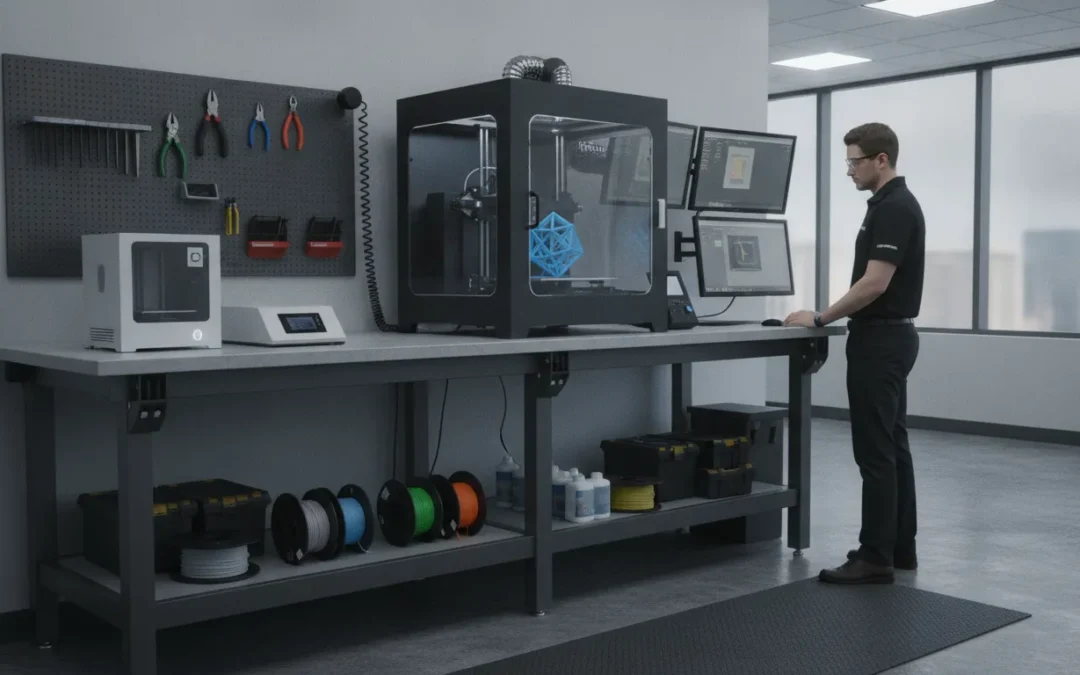
Print quality depends on more than printer settings and material selection. The supporting structure also affects repeatability. A 3d printer workstation that flexes, rocks, or sits unevenly can create problems during acceleration, deceleration, material loading, and service work. Static load ratings do not tell the whole story. You also need to consider frame stiffness, joint construction, weight distribution, center of gravity, floor conditions, and leveling. For production and research environments, the workstation may need to support ESD controls, cleanable surfaces, ventilation connections, and organized utilities. Here’s how to evaluate those details before selecting or specifying your next workstation.
Key Takeaways
- Build around stability first: Select a rigid steel frame, levelable feet, balanced weight distribution, and suitable anchoring to reduce movement and vibration during printing.
- Plan the complete workstation: Include the printer, enclosure, service clearance, materials, storage, power, data, ventilation, post-processing, and operator access in the initial design.
- Match the format to the application: Use tables for compact setups, heavy-duty benches for larger printers, carts for controlled mobility, racks for fixed multi-printer cells, and custom workstations for ESD, chemical, ergonomic, or production requirements.
What Makes a 3D Printer Workstation Stable and Vibration-Resistant?
A 3D printer workstation must do more than support the machine’s weight. It needs to keep the printer level, resist movement during acceleration and deceleration, and remain steady when operators load materials, open an enclosure, or remove a finished part. Even small shifts can affect layer alignment, surface finish, dimensional accuracy, and repeatability.
The right workstation depends on the printer, process, and working environment. A desktop printer used for prototypes has different needs than a large-format polymer printer, resin system, or production cell running several machines. Start with the total operating weight, then include the enclosure, filament or resin, dryers, screens, tooling, and storage. Leave room for service access and safe material handling.
Assess the entire support system rather than relying on a product label. Frame construction, joint design, leveling, surface material, weight distribution, and floor conditions all affect stability. Workplace Modular Systems engineers custom industrial workstations for production, research, and analytical environments, including applications that require ESD control, cleanable surfaces, and application-specific utility routing.
Choose a rigid welded-steel frame with levelable feet
A rigid welded-steel frame provides a dependable foundation for printers that generate repeated motion or carry heavy tooling. Welded construction eliminates many loose or adjustable joints found in bolt-together frames, helping the workstation maintain its shape under repeated loads. This is particularly useful when the print head, build platform, or gantry changes direction quickly.
Levelable feet are equally important. An uneven floor can cause rocking, uneven loading, and subtle changes in printer geometry. Adjustable feet let you bring the workstation into a stable, level position instead of forcing the frame to follow the floor.
Look for a base that supports the printer across multiple contact points and keeps the center of mass low. Avoid thin tubing, lightweight folding legs, or a tabletop placed on an unbraced frame. For demanding production applications, a custom welded-steel workstation can be designed around the printer’s footprint, load, enclosure, and service requirements.
Evaluate stiffness, mass, joints, and weight distribution, not just load ratings
A load rating tells you how much weight a workstation can support before reaching a stated limit. It does not explain how much the frame deflects, how it responds to rapid motion, or whether the joints remain rigid during operation. For 3D printing, these details can matter more than the maximum capacity listed on a product page.
Evaluate the frame’s stiffness, overall mass, cross-bracing, joint construction, and weight distribution. A heavy printer placed on a narrow, tall stand may move more than the same printer placed on a wider, lower base. Accessories mounted high on the frame can also raise the center of gravity and increase the risk of rocking.
Welded joints, wide support points, and a rigid top help reduce unwanted movement. When comparing options, ask about deflection, leveling range, frame construction, and operating conditions, not only static load capacity. A stable workstation should support the complete setup, not just the printer itself.
Control vibration with frame design, leveling, and proper isolation
Vibration control begins with the workstation frame. A rigid base limits movement at the source, while accurate leveling helps distribute the printer’s weight evenly across the feet. If one foot carries most of the load, the workstation may rock or shift even when the frame appears strong.
Isolation can help, but it needs to be selected carefully. Soft pads may reduce the transfer of some vibration, yet they can also allow the printer to move if they compress unevenly or are not rated for the load. Isolation materials should match the printer’s weight, operating conditions, and floor surface. They should not compensate for a weak or unstable frame.
Place the workstation on a sound floor, keep heavy accessories low, and check for movement while the printer runs. For industrial robot and automation applications, manufacturers often specify a sturdy, vibration-free mounting surface. The same principle applies to large or high-speed 3D printing systems. Universal Robots installation guidance shows why the supporting structure should be treated as part of the equipment system.
Match the work surface to heat, resin, chemicals, ESD, and cleanup
The work surface should match the materials and process around the printer. High-temperature applications may require a surface that resists heat and does not soften or deform near the machine. Resin printing calls for a non-porous, chemical-resistant surface that can be cleaned without absorbing spills. If solvents, uncured resin, adhesives, or release agents are present, confirm material compatibility before selecting a laminate or coating.
Electronics and controlled assembly environments may also require an ESD-safe surface, grounding provisions, and documented resistance performance. A general-purpose tabletop is not automatically suitable for protecting sensitive components. The ESD Association standards overview provides useful background on ESD control in electronics work environments.
Choose a surface with sealed edges, minimal seams, and enough depth for safe handling. A cleanable surface reduces residue around the printer and makes inspections easier. If the workstation will support printing, part removal, and inspection, specify separate zones or accessories so chemicals and finished components do not share the same working area.
Size the workstation for the printer, enclosure, service access, and center of gravity
Measure the complete operating footprint, not only the printer’s base. Include the enclosure, doors, ventilation connections, spool holders, material dryers, control screens, and clearance needed to open panels or remove the build plate. A workstation that fits the printer but blocks service access can create delays and encourage unsafe workarounds.
Leave room around heat-producing equipment and follow the printer manufacturer’s clearance recommendations. The top should support the machine without excessive overhang, and the feet should sit well within the workstation’s base. Keeping the heaviest components low helps maintain a lower center of gravity and reduces the chance of tipping.
Consider the operator’s position as well. Loading material, checking a print, and removing a finished part should not require reaching across a hot surface or working around a door. For multiple machines, maintain clear access between units and avoid narrow aisles. A layout that supports inspection and maintenance will usually perform better than one designed only to maximize printer density.
Specify anchoring, floor loading, and leveling needs
Some 3D printer workstations can remain freestanding, while others should be anchored to the floor or connected to adjacent equipment. Anchoring may be appropriate for tall frames, heavy industrial printers, seismic areas, or production cells where repeated motion could cause gradual movement. The decision should account for the printer, workstation, enclosure, and attached accessories as one system.
Check the floor’s capacity before installing a concentrated load. A heavy printer, enclosure, material cabinet, and workstation may place significant pressure on a small footprint. Raised floors, mezzanines, and laboratory platforms may have specific load limits that need review by the facility team.
Document leveling requirements during specification. Identify the adjustment range, floor slope, and whether the feet need to accommodate vibration isolators or anchor plates. For installations across multiple sites, consistent leveling and anchoring details make commissioning easier. A workstation manufacturer with domestic engineering and installation support can help coordinate these requirements before the equipment arrives.
Add power management, cable routing, network access, and ventilation
A stable workstation should support the complete printing process, including power, data, material handling, and air movement. Plan outlets for the printer, enclosure, dryer, computer, lighting, inspection equipment, and accessories. Avoid overloading a single power strip, and coordinate dedicated circuits with a facility electrician when the equipment requires them.
Cable routing should keep cords away from moving parts, hot surfaces, walkways, and chemical handling areas. Integrated channels, grommets, and utility drops create a cleaner installation and make future changes easier. Network access may also be needed for fleet monitoring, file transfer, remote status checks, or production tracking.
Ventilation depends on the printer and material. Resin systems, heated polymers, solvents, and post-processing chemicals may require local exhaust or a dedicated ventilation strategy. Review the printer and material safety information, then coordinate the workstation with the facility’s OSHA ventilation guidance. The workstation should support safe airflow without blocking the enclosure, filters, or service panels.
Which 3D Printer Workstation Format Fits Your Setup?
The right 3D printer workstation depends on more than the printer’s footprint. Consider the machine’s weight, moving components, enclosure, material-handling needs, service clearance, and how often operators need to access it. A compact desktop printer may work well on a dedicated table, while a large-format machine may require a reinforced steel workbench with levelable feet and a high-capacity frame.
The surrounding workflow matters just as much. Filament, resin, tools, drying equipment, computers, inspection devices, and post-processing supplies all need a defined place. Keeping these items close to the printer can reduce unnecessary movement and make routine work easier, but storage should not block ventilation, service panels, or operator access. Before choosing a format, review the available floor space, the number of printers, mobility requirements, and the complete loaded weight. All3DP’s guide to 3D printer stands and workbenches compares common formats, including tables, carts, racks, and heavy-duty benches.
Choose 3D printer tables for compact, single-printer setups
A 3D printer table is a practical option for one desktop or benchtop printer in a workshop, lab, classroom, or office. Choose a table with enough depth for the printer, controls, cables, and routine access. Leave clearance for opening doors, replacing material, removing completed parts, and performing maintenance.
A rigid frame and levelable feet help limit movement during operation. Look for storage below or beside the work surface for filament, hand tools, spare nozzles, and cleaning supplies. Power management is also important. Integrated cable routing, a dedicated power strip, and access to a network connection can keep cords away from walkways and work surfaces.
JLC3DP’s overview of 3D printer tables identifies stability, power management, and organized storage as key features of a complete 3D printing setup. A table is usually the simplest choice when the printer is compact, the workflow is light, and the machine does not need to move.
Choose heavy-duty workbenches for large-format and industrial printers
Large-format and industrial printers place greater demands on the supporting structure. Their weight, moving gantries, heated beds, and enclosures can create concentrated loads and dynamic forces that a light table may not handle well. A heavy-duty steel workbench offers more mass, stronger load distribution, and additional room for service access and equipment.
Do not evaluate the bench by load capacity alone. Check frame stiffness, surface deflection, leg placement, leveling provisions, and the way the printer’s weight is distributed. A reinforced top, lower storage, and clearance for ventilation equipment may also be necessary. If the printer operates near other equipment, consider how vibration could affect print consistency, inspection, or nearby processes.
A heavy-duty steel workbench is generally a better fit than a lightweight table when the printer has a large footprint, substantial moving mass, or an enclosure that adds significant weight.
Use 3D printer carts for mobile production and shared workspaces
A 3D printer cart suits teams that share equipment, reconfigure work areas, or move printers between production, education, and maintenance zones. Locking casters allow the cart to move when needed and remain stationary during operation. Shelves and drawers can also store filament, tools, spare parts, and a control computer.
Mobility creates a stability tradeoff, so specify the cart carefully. Casters should support the complete loaded weight, including the printer, materials, accessories, and stored supplies. The frame should resist sway, and the locking system should hold the cart securely. For heavier printers, a cart with leveling feet can transfer the load from the wheels to a fixed support once the cart reaches its operating position.
Mobile tool carts are useful for flexible printer placement and shared workshop access, as All3DP’s comparison of 3D printer carts explains. Avoid relying on wheel brakes alone when the printer runs for long periods or has noticeable moving mass.
Use multi-printer racks for dense, repeatable production cells
Multi-printer racks work well when several similar machines operate in a fixed production area. A rack can consolidate printers, filament storage, power distribution, and operator access in a smaller footprint than separate tables. It can also make active jobs easier to monitor and materials easier to organize.
Design the rack for the combined load, not just the weight of one printer. Review each shelf’s capacity, the rack’s resistance to sway, and the effect of multiple printers operating at the same time. Include clearance for maintenance, airflow, door movement, and safe material handling. Tall or heavily loaded racks may also require anchoring or additional bracing.
A rack is most effective when printer locations and workflows remain consistent. If machines change frequently, operators need access from several sides, or different printers have significantly different dimensions, individual benches or modular platforms may provide better access. Examples of multi-printer stands show how rack systems can combine printer support with filament storage and organization.
Choose custom workstations for enclosures, utilities, and unusual loads
A custom workstation is appropriate when a standard table, cart, or rack cannot support the complete process. Common reasons include an oversized enclosure, resin-handling equipment, integrated drying, unusual load distribution, specialized cable routing, or connections to facility power, data, and ventilation systems.
Start with the full work cell rather than the printer alone. The design may need a reinforced surface, adjustable accessories, cleanable panels, storage for process materials, and dedicated space for inspection or post-processing. In controlled environments, requirements may also include ESD-safe surfaces, grounding provisions, chemical-resistant materials, and supporting documentation.
Workplace Modular Systems engineers custom industrial workstations for stability, vibration resistance, ergonomic access, and application-specific requirements. This approach is useful when the workstation must support the printer, enclosure, utilities, materials, operators, and surrounding production tasks as one coordinated system. Custom engineering can also help address unusual floor loading, service access, or future configuration changes.
Match the format to printer count, workspace, mobility, and budget
Before selecting a workstation format, answer these questions:
- How many printers will the workstation support now?
- Could additional printers be added later?
- How much floor, wall, and service space is available?
- Must the printer remain fixed, or does the team need to move it?
- What materials, tools, and accessories require storage?
- What vibration, ESD, chemical, heat, cleaning, and ventilation requirements apply?
- Does the budget include delivery, assembly, power distribution, storage, and future changes?
Choose a printer table for a compact, single-machine setup. Select a heavy-duty workbench when printer mass, motion, and print consistency are the main concerns. Use a cart when controlled mobility is important, and choose a rack when several similar printers operate in a fixed cell. Specify a custom workstation when the setup includes unusual loads, enclosures, utilities, controlled materials, or production documentation.
The format should support the complete workflow without forcing operators to improvise around the printer. A standard table may be sufficient for a small desktop machine, while a production cell may require engineered construction, integrated storage, and defined utility access.
How Should You Plan a 3D Printer Workstation?
A 3D printer workstation should support the entire workflow, not just hold the printer. Before choosing a table or bench, map how materials arrive, where parts are removed, how prints are inspected, and where tools and waste go. This helps prevent a crowded setup that slows operators or makes routine maintenance difficult.
Start with the printer’s physical requirements, then plan around storage, utilities, mobility, and safety. A compact desktop printer may need a stable surface and nearby material storage. An industrial printer, resin system, or multi-machine production cell may require service clearances, ventilation, dedicated power, chemical handling, and a workstation engineered for the application.
For demanding production, research, electronics, and laboratory environments, the workstation may also need ESD-safe surfaces, cleanable materials, integrated cable management, and documented load requirements. A custom industrial workstation can bring these details together without forcing the printer, operator, and supporting equipment into a one-size-fits-all layout.
Measure the printer, enclosure, doors, service zones, and operator space
Begin with the manufacturer’s dimensional drawings, not only the printer’s listed footprint. Record the machine’s width, depth, height, weight, door swing, removable panels, cable exits, ventilation points, and material loading locations. If the printer sits inside an enclosure, measure the enclosure as the working footprint, including doors, filters, handles, and access panels.
Leave enough clearance for routine service. The operator should be able to open the printer, replace a nozzle or resin vat, remove a build plate, and inspect internal components without moving the machine. NIOSH ergonomics guidance offers useful references for reach distances, working heights, and repetitive tasks.
Also measure the operator zone around the workstation. Include standing or seated space, aisle width, material carts, and access to nearby equipment. If the workstation will sit against a wall, confirm whether the printer’s rear connections or service panels need regular access. A few extra inches during planning can prevent major disruptions after installation.
Reserve space for loading, post-processing, inspection, and maintenance
Printing is only one part of the process. Reserve dedicated space for loading filament or resin, removing parts, cleaning build plates, trimming supports, washing or curing prints, and checking dimensions. If every task happens on the printer surface, tools and unfinished parts will quickly compete for the same limited area.
A practical layout separates dirty, wet, and finished work wherever possible. Place the printer on a rigid base, provide a nearby surface for unloading, and locate post-processing equipment in a separate zone with suitable containment. Inspection equipment should sit on a clean, well-lit surface away from resin, dust, and loose support material.
Maintenance access deserves its own allowance. Operators need room to reach filters, power connections, control panels, and moving components. Build that access into the layout instead of treating it as an exception. A workstation that supports clear handoffs between printing, finishing, and inspection can reduce handling and keep operators from carrying hot, wet, or fragile parts across the room.
Plan for one printer, multiple machines, and future expansion
Decide whether the workstation will support one printer, a small group of machines, or a repeatable production cell. A single-printer setup can prioritize operator comfort and storage. A multi-printer arrangement needs consistent spacing, shared utilities, access lanes, and a clear way to identify each machine and its material.
Avoid planning only for the equipment you own today. If another printer, dryer, inspection device, or material cabinet may be added, reserve floor space and utility capacity now. Modular workstation design can make expansion easier because shelves, accessories, and adjacent work surfaces may be added without replacing the main structure.
For production, think in terms of repeatable stations rather than isolated tables. Keep printer controls, material locations, finished-part bins, and waste collection in consistent positions. Standardization makes training easier and helps operators move between machines without relearning the layout. It also makes future workstation additions easier to specify and install.
Add storage for filament, resin, tooling, PPE, and spare parts
Storage should match the materials and tasks at the workstation. Filament may need sealed containers or drying equipment, while resin requires compatible containers, spill control, labels, and protection from light. Keep nozzles, build plates, scrapers, calipers, cleaning supplies, and spare components within easy reach without placing them on the printer surface.
Use shelves, drawers, bins, and vertical accessories to separate frequently used items from backup stock. Heavy materials should sit low and close to the frame so they do not create a top-heavy arrangement. Small parts bins should be clearly labeled, especially when several printers use different nozzles, build surfaces, or consumables.
PPE should be accessible at the point of use, not stored across the room. Depending on the process, this may include gloves, eye protection, aprons, or respiratory protection selected through the site’s safety program. OSHA personal protective equipment guidance provides a starting point for identifying and managing PPE requirements.
Separate clean materials, chemicals, and production supplies
Create clear boundaries between unused materials, active production supplies, chemicals, waste, and finished parts. This is especially important for resin printing, solvent cleaning, and processes that create contaminated wipes or disposable components. A clean storage zone should not share an open shelf with uncured resin, solvent containers, or used tools.
Use compatible, labeled containers and secondary containment where needed. Keep chemicals away from heat sources, electrical equipment, and materials that could be damaged by leaks. OSHA laboratory safety guidance offers useful principles for labeling, storage, chemical handling, and housekeeping, including in production or educational settings.
The workstation surface should also support the process. Choose materials that are easy to clean and resistant to the chemicals used at the station. If operators handle electronic assemblies or sensitive components after printing, specify ESD-safe surfaces and grounding separately from chemical requirements. One surface rarely solves every application requirement by itself.
Plan power for printers, dryers, computers, and accessories
List every device that will connect to the workstation, including printers, filament dryers, resin heaters, curing equipment, computers, monitors, lighting, extraction units, and chargers. Record each device’s voltage, current, plug type, and startup demand. Then have a qualified person confirm that the circuit and outlet arrangement can support the planned load.
Keep power connections accessible for inspection and emergency shutoff. Route cords away from doors, feet, moving parts, hot surfaces, and areas where chemicals may spill. Integrated cable management can keep connections organized, but it should not block ventilation or make equipment difficult to disconnect.
Network access may also require planning. A production printer may use Ethernet, wireless coverage, a local computer, or manufacturing software. Separate data cables from power cables where practical, label both ends, and leave enough slack for service without allowing loose loops to reach moving components. Include outlets and network connections in the workstation drawing before fabrication.
Choose fixed feet, locking casters, or a mobile platform
Choose mobility based on the workflow, not convenience alone. Fixed feet are usually the simplest choice for a printer that stays in one location. Levelable feet can compensate for minor floor variations and help transfer the machine’s weight directly into the floor.
Locking casters make sense when operators need to reposition a station for cleaning, maintenance, or layout changes. They should lock both the wheel and swivel, and the workstation should remain stable when loaded. For heavier equipment, a mobile platform with retractable leveling feet can provide mobility during relocation and a rigid base during operation.
Before choosing casters, check the total loaded weight, wheel rating, floor condition, doorway width, ramp slope, and turning space. A mobile workstation also needs protected power and network connections, plus a defined parking position. Mobility is useful only when the station can be moved safely and returned to a repeatable, level location.
Account for heat, noise, fumes, ventilation, and fire safety
Identify what the printer and materials release during operation. Some processes may generate heat, odors, particles, or chemical vapors. Do not treat a workstation as a substitute for room ventilation, local exhaust, fire protection, or a documented process assessment. EPA information on 3D printer emissions provides background on particles and volatile compounds associated with 3D printing.
Keep ventilation paths clear around the printer, enclosure, filters, and exhaust connections. Avoid placing equipment directly beneath shelves that restrict airflow or near materials that could be damaged by heat. If local exhaust is required, plan the duct route, filter access, and connection points before finalizing the workstation.
Noise and heat also affect the operator’s environment. Place louder machines away from offices, inspection areas, or instruction zones when possible. For fire safety, follow the printer manufacturer’s requirements and the facility’s policies for electrical equipment, combustible materials, chemical storage, and emergency access. A stable workstation is important, but it must operate as part of a safe, properly ventilated workspace.
How Should You Specify a 3D Printer Workstation for Production?
A production 3D printer workstation needs to support more than the printer itself. It should protect sensitive electronics, limit unwanted movement, provide room for service work, and keep tools and materials organized. The right specification starts with the printing process, not with a standard table.
Before choosing a workstation, document the printer technology, materials, enclosure dimensions, surrounding equipment, operator workflow, inspection requirements, and production environment. A workstation for electronics prototyping may need ESD controls and disciplined cable routing. A resin printing area may require chemical-resistant surfaces, controlled storage, and dedicated ventilation. Regulated or high-reliability production may also require traceability records and repeatable workstation configurations.
A custom industrial workstation from Workplace Modular Systems can be designed around the equipment, environment, and workflow instead of forcing the process into a fixed footprint. Use the following requirements to create a practical specification for your production team.
Add ESD-safe surfaces, grounding, and documentation where required
If the workstation supports circuit boards, sensors, control equipment, inspection devices, or electronic post-processing assemblies, include ESD protection from the start. An ESD-safe surface, grounded components, and a defined path to ground can reduce the risk of electrostatic discharge damaging sensitive parts.
Do not treat an ESD mat as the entire solution. Specify the work surface, grounding points, wrist strap connection, floor requirements, and testing procedure required by your facility. Route power and data cables neatly so they do not interfere with grounding or create trip hazards.
Document the approved surface, grounding method, inspection schedule, and cleaning restrictions. This gives operators and quality teams a consistent reference, particularly in electronics, aerospace, medical device, and semiconductor supplier environments. The ESD Association provides standards and technical resources for defining an appropriate ESD control program.
Specify vibration-resistant construction for consistent printing and inspection
Vibration can affect layer quality, dimensional accuracy, surface finish, and inspection results. The risk increases when a workstation supports a large-format printer, heavy enclosure, precision camera, or equipment that moves during operation.
Start with a rigid frame designed for the actual load and operating conditions. Welded steel construction can provide a stable foundation, while levelable feet help keep the workstation firmly seated on the floor. Evaluate more than the stated load rating. Frame stiffness, joint design, mass distribution, overhang, and the printer’s center of gravity all affect stability.
Avoid placing a heavy printer on a lightweight mobile table simply because the table supports its static weight. Casters, loose joints, and uneven floors can introduce movement during operation. For robot-integrated or inspection applications, review the equipment manufacturer’s mounting requirements, including Universal Robots installation guidance, before finalizing the base.
Match requirements to electronics, semiconductor, aerospace, medical, and lab environments
The same printer may require a different workstation configuration depending on where it operates. Electronics and semiconductor supplier environments often need ESD-safe surfaces, organized cable routing, and documentation that supports quality procedures. Aerospace production may place greater emphasis on traceability, tool control, repeatable setups, and durable construction.
Medical device and laboratory environments may require cleanable surfaces, chemical resistance, controlled storage, and easy access for inspection or maintenance. Research facilities may also need flexible utility routing because instruments, printers, and post-processing equipment can change as projects develop.
Define the environment before selecting accessories. Identify whether the workstation will sit in general production, a controlled area, a cleanroom-adjacent zone, or a laboratory. Then match the surface, frame finish, storage, grounding, mobility, and documentation to that environment. Workplace Modular Systems serves electronics, aerospace, medical, pharmaceutical, and analytical environments, so application requirements can guide the design from the beginning.
Support controlled material handling, secure storage, and traceability
Production printing depends on a steady supply of filament, resin, build plates, nozzles, tools, adhesives, inspection equipment, and replacement parts. When these materials are stored wherever space is available, operators lose time searching and the risk of using the wrong material increases.
Design storage around the workflow. Drawers can hold small tools and replacement parts, while shelves can support material containers, dryers, and post-processing equipment. Pegboards, bins, and labeled locations keep frequently used items visible and accessible. For high-value or controlled materials, specify lockable storage and define access responsibilities.
Traceability also depends on clear locations and labels. Create designated areas for incoming materials, opened materials, work in progress, finished parts, rejected parts, and waste. Keep batch or lot information with the material rather than relying on memory. In regulated environments, this organization helps connect each part to its material, settings, operator, and production record.
Choose cleanable, chemical-resistant surfaces and compatible accessories
Surface selection should reflect the materials used during printing and post-processing. Filament-based printing may involve heat, dust, adhesives, and occasional solvents. Resin printing can involve uncured resin, alcohol, cleaning agents, and contaminated wipes. Finishing work may introduce oils, powders, or abrasive debris.
Choose a surface that can be cleaned without swelling, delaminating, or absorbing contaminants. Specify chemical resistance based on the actual products used at the workstation, not on a general durability claim. Where spills are possible, consider a containment tray or raised edge that does not interfere with loading, inspection, or part removal.
Accessories should support safe handling and routine cleaning. Useful additions may include a chemical-resistant tray, dedicated waste container, tool holder, task lighting, and removable storage components. Check whether shelves, drawers, and cable covers can be cleaned without dismantling the workstation. NIOSH guidance on 3D printing can also help inform decisions about emissions and worker exposure.
Plan for production schedules, domestic manufacturing, and custom engineering
A workstation is part of the production schedule when it supports a new printer cell, line expansion, or facility launch. Confirm the required delivery date before approving the design. Separate standard components from custom elements that may require additional engineering, fabrication, or testing.
Domestic manufacturing can help when schedule certainty matters. A US-based supplier may offer shorter lead times, clearer communication, and fewer variables related to overseas freight, customs, and specification changes. Workplace Modular Systems reports standard lead times of four to six weeks, although the final schedule depends on configuration, quantity, and current production capacity.
Request a written scope covering dimensions, surface materials, load requirements, accessories, finish, delivery, installation, and included documentation. For multiple stations, approve one configuration first and use it as the production standard. This supports consistent expansion while leaving room for application-specific changes.
Separate printer support from ventilation, resin handling, and process safety
The workstation should provide a stable base for the printer, but it should not be expected to solve every process-safety requirement. Ventilation, enclosure design, resin handling, fire protection, and waste management need separate review by facility, safety, and environmental teams.
For resin printing, define areas for unopened materials, active containers, cleaning supplies, contaminated waste, and finished parts. Keep incompatible chemicals separated, and avoid storing materials where printer heat can affect them. For filament printing, account for heat, emissions, ventilation, and the clearance required around the printer enclosure.
Power and ventilation equipment should not compromise stability. Do not place a heavy extraction unit on an undersized shelf or route hoses in a way that transfers vibration to the printer. Follow the printer manufacturer’s instructions and review applicable OSHA chemical hazard guidance. The final specification should clearly state what the workstation includes and which safety systems must be designed separately.
Compare 3D Printer Workstation Options and Configurations
The right 3D printer workstation depends on more than the printer’s footprint. A desktop printer used for prototyping has different requirements from a production machine operating beside inspection equipment, post-processing tools, and material storage. Before choosing a table, cart, rack, or custom platform, consider the printer’s weight, enclosure, moving components, service clearance, accessories, and operating environment.
A stable workstation should support the entire process around the printer. That may include filament or resin storage, drying equipment, computers, inspection tools, power distribution, network connections, and documentation. Electronics, aerospace, medical device, and laboratory environments may also require ESD protection, cleanable surfaces, grounding, and controlled material handling.
There is no single configuration for every application. A standard steel bench may suit a compact printer and a simple setup. A custom workstation is more appropriate when the printer needs a specific enclosure, utility layout, mobile base, ergonomic adjustment, or integration with other equipment. Compare the options below by stability, flexibility, cost, and long-term fit.
Choose Workplace Modular Systems custom workstations for stability and fit
A custom workstation is useful when a 3D printer must fit into a defined production or research process. You can specify the work surface, frame, storage, accessory mounts, cable routing, power access, and service clearances around the equipment instead of adapting the room to a catalog table.
Workplace Modular Systems engineers custom industrial workstations for production, research, and analytical environments. This approach suits installations with heavy printers, enclosures, drying equipment, inspection tools, or multiple work surfaces. The design can account for the combined load and center of gravity rather than relying only on a general-purpose table rating.
Custom engineering also helps when the workstation must fit an existing line, controlled area, ESD program, or facility layout. It may cost more than a standard bench, but the improved fit can reduce awkward access, improvised storage, and replacement work later.
Choose Workplace Modular Systems ESD-safe configurations for controlled assembly
Choose an ESD-safe configuration when the printer station sits near exposed electronics, control boards, sensors, test equipment, or electrostatic-sensitive components. The printer may not require ESD protection itself, but nearby assembly and inspection work often does.
An ESD-safe workstation can include a dissipative surface, grounding provisions, compatible accessories, and a documented path for controlling static charge. Match the design to your facility’s ESD program and the sensitivity of the components being handled. An ESD mat by itself is not a complete workstation solution.
Workplace Modular Systems supports ESD-safe workstation configurations for electronics and other controlled production environments. Before approving the design, confirm the required resistance range, grounding method, surface material, and documentation. This makes the station easier to incorporate into a process that combines printing, assembly, inspection, and rework.
Choose Workplace Modular Systems mobile platforms for controlled mobility and rigidity
A mobile platform can help when printers move between production cells, maintenance areas, shared rooms, or staging locations. It can also simplify floor cleaning, line changes, and access to equipment. The important distinction is between controlled mobility and a workstation that shifts whenever the printer operates.
Specify locking casters, a rigid frame, levelable contact points, and a layout that keeps the center of gravity inside the wheelbase. Heavier printers need a platform that remains stable when stationary and moves without excessive flex. Power and network cables need enough slack and protected routing to prevent snags.
Workplace Modular Systems can configure mobile industrial platforms with cable management, power and network access, and accessory mounting infrastructure. Choose mobility when relocation is part of the process. If the printer stays in place during long production runs, levelable feet or floor anchoring may provide a better result.
Use Workplace Direct Drive® for ergonomic height adjustment in finishing and inspection zones
Height adjustment can improve comfort and access when operators move between printing, part removal, finishing, measurement, and inspection. It is particularly useful when one workstation serves people of different heights or supports both seated and standing tasks.
Workplace Direct Drive® is a motorized, height-adjustable platform with the drive mechanism enclosed inside each leg. According to the company’s product specifications, it supports up to 500 pounds in standard configurations and up to 750 pounds in three-leg configurations. It also holds its position when power is lost, which helps prevent unexpected movement during service or inspection work.
Use Workplace Direct Drive® for ergonomic finishing and inspection zones rather than assuming every printer should be height-adjustable. A printer with strict leveling requirements may be better on a fixed base, while an adjustable surface supports deburring, measurement, documentation, or visual inspection. Confirm the total load, travel range, and accessory placement before specifying it.
Choose standard industrial steel workbenches for lower costs and fewer custom options
A standard industrial steel workbench can suit a compact printer, basic prototyping, or a facility with straightforward requirements. Steel frames generally provide more mass and rigidity than lightweight furniture, while standard sizes may be available faster and at a lower cost than a custom build.
This option works best when the printer, enclosure, and accessories fit within the published dimensions and load rating. Check the rating for the complete bench, not only the top. Also confirm that the surface can tolerate heat, resin, solvents, cleaning agents, and routine maintenance.
The tradeoff is limited customization. A standard bench may lack suitable cable routes, a grounded ESD surface, printer-specific mounts, storage, or access around an enclosure. For a simple setup, that compromise may be reasonable. For production, a custom configuration may provide a better fit over the installation’s working life.
Choose mobile 3D printer carts for flexible footprints and manageable vibration tradeoffs
A mobile 3D printer cart suits shared workspaces, classrooms, prototyping areas, and facilities where equipment moves regularly. Carts can combine a printer surface with shelves, drawers, tool storage, and space for filament or post-processing supplies.
Look for locking casters, a low center of gravity, a rigid frame, and enough wheel capacity for the printer and stored materials. Lock the casters before printing, then check whether the cart rocks or flexes during normal operation. A cart that shifts can affect print quality, especially with machines that use fast or repeated motion.
Mobile carts also need a clear power and cable plan. Use protected routing and keep cords away from walkways. For a production cell where repeatability matters more than relocation, a fixed bench may be a better choice. For shared access and flexible placement, review mobile cart layouts and stability considerations before selecting a cart.
Choose multi-printer racks for production density and fixed layouts
Multi-printer racks suit facilities that run several machines within a repeatable footprint. They can conserve floor space, organize filament and tools, and group printers by material, process, or production schedule.
Calculate the combined weight of every printer, enclosure, shelf, accessory, and stored material before choosing a rack. Confirm the rating for each shelf and the rack as a whole. The frame should resist sway, and the rack should be level, properly loaded, and anchored when required. Leave enough clearance to open doors, remove build plates, service components, and access ventilation.
Dense layouts can improve production flow, but they can also create heat, noise, and maintenance concerns. Plan electrical circuits, ventilation, network access, and fire safety before installation. Use printer rack and storage examples for initial ideas, then verify every dimension and load requirement against the actual equipment.
Compare price, durability, load capacity, storage, power, mobility, customization, and lead time
Price is only one part of the workstation decision. Compare each option across the factors that affect printing quality, operator access, and daily maintenance:
- Durability: Review frame construction, joints, finishes, surface materials, and resistance to heat, chemicals, and repeated cleaning.
- Load capacity: Include the printer, enclosure, filament or resin, drying equipment, tools, and stored materials. Choose a rating comfortably above the combined load.
- Stability: Consider frame stiffness, mass, leveling, caster design, anchoring, and the position of heavy equipment.
- Storage: Allow space for materials, PPE, tools, spare parts, build plates, and post-processing supplies.
- Power and data: Plan outlets, circuit capacity, surge protection, cable routing, network access, and separation from moving equipment.
- Mobility: Decide between fixed feet, locking casters, and a mobile platform that can be repositioned safely.
- Customization: Identify requirements for ESD protection, enclosures, mounts, grounding, cleanable surfaces, and operator access.
- Lead time: Compare standard inventory with domestic custom manufacturing. Confirm whether the schedule includes engineering, production, shipping, and installation.
For a basic printer, a standard steel bench may provide the right balance of cost and performance. For a production or research environment, custom workstation engineering can address the details that catalog products leave unresolved. Ask each supplier to document the proposed load, dimensions, materials, accessories, and delivery schedule so you can compare options on more than purchase price.
How Can You Build a Budget-Friendly 3D Printer Workstation?
A budget-friendly 3D printer workstation should reduce unnecessary cost without compromising stability, access, or safe operation. The cheapest table is rarely the least expensive option if it causes failed prints, difficult maintenance, or an early replacement. Start with a rigid base, then add storage and accessories as your workflow becomes clearer.
Before comparing products, list the complete operating load. Include the printer, enclosure, filament or resin, dryer, tools, computer, lighting, and any equipment that will share the surface. Measure the printer’s footprint and service clearances, then identify whether the workstation will remain fixed or move between work areas.
A standard steel table may be enough for one printer. A DIY frame can provide more flexibility at a lower material cost. A cart may suit a shared workspace, while a custom industrial workstation is usually the better choice for multiple printers, controlled environments, or production use. Workplace Modular Systems designs custom industrial workstations for demanding production, research, and analytical environments, including applications where load, mobility, ergonomics, and documentation all matter.
Use reinforced steel tables for affordable stability
A reinforced steel table is often the most practical starting point for a single printer or compact production setup. Its frame can resist movement more effectively than lightweight particle board, especially during long print cycles with repeated motion. Solid wood and heavy-duty workbenches can also work when the frame is rigid and the surface does not flex.
Look for a flat top, levelable feet, braced or welded joints, and a load rating comfortably above the combined weight of the printer and accessories. The JLC3DP guide to 3D printer tables identifies steel frames, solid wood, and heavy-duty workbenches as practical stability options.
Check the table’s depth, width, underside clearance, and surface material before buying. A table may support the weight but still lack the stiffness needed for consistent printing.
Build a DIY workstation with 2x4s, plywood, and a mass-loaded top
A DIY workstation can reduce material costs while giving you control over the footprint, shelf height, and storage layout. A frame built from 2x4s and topped with thick plywood can provide a strong foundation when the joints are square, tightly fastened, and properly braced. A second plywood layer or solid wood top can add mass and reduce movement.
Use diagonal bracing to limit side-to-side sway, and check the frame with a spirit level during assembly. Recheck the surface after placing the printer. If the machine has a tall enclosure, keep heavy supplies low so the center of gravity stays close to the floor.
This All3DP roundup of 3D printer stands includes 2×4 and heavy plywood builds as flexible options for makers who need customization and weight capacity. For production, document the materials and assembly method so the workstation can be repaired or reproduced consistently.
Choose budget carts with locking casters and controlled movement
A mobile cart can suit a shared workshop where printers need to move between storage, service, and production areas. Choose a rigid steel frame, a broad footprint, locking casters, and a top that stays level under load. The brakes should prevent both rolling and swiveling, rather than simply slowing the wheels.
Mobility creates a stability tradeoff. Even a well-built cart may transmit more movement than a fixed workstation during operation. Lock the casters before every print, keep the cart on a level floor, and avoid placing loose, heavy items on the upper surface.
The All3DP comparison of printer stands and carts notes that mobile tool carts can combine storage with flexible placement. That can be useful in a small workshop, but production teams should decide whether the cart moves only during setup or throughout the workday.
Phase the setup: buy the rigid base first, then add storage and accessories
When funds are limited, purchase the stable base before adding shelves, bins, lighting, monitor arms, or decorative features. A rigid workstation protects the printer’s operating conditions. Storage can come later if the frame provides useful clearance and mounting points.
Confirm that the surface is level, large enough for the printer, and deep enough for service access. Leave room to open doors, remove panels, load material, and reach power and network connections. This printer stand guidance from Unfnshed recommends checking surface size and height while allowing room for materials, tools, and related equipment.
A phased approach also lets you observe the real workflow. After several jobs, you will know whether you need filament drawers, resin containment, a parts shelf, or a dedicated inspection area. Add those items around proven needs instead of buying storage that remains unused.
Compare direct quotes, standard configurations, and volume pricing
For one printer, a standard steel configuration may provide the best balance of price and performance. For several printers, request a direct quote that includes the complete layout, storage, mobility, and accessories. A repeat configuration may also make volume pricing available.
Give each supplier the same information: printer dimensions, operating weight, enclosure size, number of machines, required height, mobility needs, and working environment. Ask whether leveling hardware, shelves, casters, packaging, delivery, and assembly are included.
This All3DP workstation comparison recommends choosing a load rating above the combined weight of the printer, filament, and accessories. Directly contacting a manufacturer such as Workplace Modular Systems can also help determine whether a standard configuration meets the requirement or whether custom engineering is justified.
Check promotions, clearance inventory, refurbished equipment, and industrial surplus
Promotions and clearance inventory can reduce the price of a suitable workstation, particularly when common dimensions meet your requirements. Refurbished industrial equipment and surplus workbenches may also provide strong construction at a lower price than new equipment.
Inspect used equipment carefully. Look for bent frames, cracked welds, damaged casters, uneven tops, missing leveling feet, and corrosion. Confirm that replacement parts are available before buying. A discounted workstation can become expensive if it needs extensive repair or cannot be adapted to the printer.
You can also watch sales for related equipment, including storage, tools, filament dryers, and lighting. How-To Geek’s 3D printing deal coverage shows how promotions can extend beyond the printer itself. Treat a discount as an opportunity to buy the right specification, not as a reason to accept an unstable base.
Verify specifications before choosing a low-cost workstation
Before purchasing, confirm the workstation’s dimensions, surface flatness, load rating, frame construction, working height, and leveling method. The surface should support the printer and its operating clearances without leaving high-load areas unsupported.
Check whether the published load rating applies to a distributed load or a concentrated load. A printer with a compact footprint may place substantial force in one area. For mobile workstations, review the caster rating and calculate the total capacity across the casters rather than relying on the rating of one wheel.
The Unfnshed printer stand guidance identifies a flat surface, comfortable working height, and sufficient strength as basic requirements. For electronics, clean areas, or regulated production, also verify surface compatibility, grounding options, cleanability, and available documentation.
Calculate the delivered cost, including shipping, assembly, power, storage, and replacement risk
The purchase price represents only part of the workstation cost. Add shipping, delivery access, assembly labor, leveling hardware, power strips or electrical work, cable management, storage, and safety accessories. If the printer needs ventilation or resin handling, include those requirements in the estimate rather than treating them as optional extras.
Consider downtime as well. A table that shifts during printing can lead to failed parts, wasted material, rework, and missed production time. A cart that cannot be leveled may need replacement sooner than a fixed steel base. A workstation that is too small may require a second purchase when an enclosure or dryer is added.
This All3DP guide to printer workstations recommends considering floor space, printer count, material storage, mobility, and budget together. Comparing those factors helps you judge a low-cost table against a more durable industrial workstation based on its delivered and operating cost, not its sticker price alone.
Related Articles
- Best 3D Printer Tables & Workbenches: Reliable & Affordable Options
- Best 3D Printer Tables: Top Picks for Stability & Storage
- How to Set Up a 3D Printer Workspace
- 3D Printer Stand Guide: Choosing the Right Table or Cart
- 3D Printer Emissions and Safety: What You Need to Know
Frequently Asked Questions
What is the most important feature of a 3D printer workstation?
Stability should come first. Look for a rigid frame, levelable feet, a properly supported surface, and enough mass to resist movement during printer operation. The workstation should also support the printer, enclosure, materials, and accessories as one complete setup.
Should a 3D printer workstation be fixed or mobile?
A fixed workstation is usually the better choice for production printing because it provides a more stable base. A mobile cart can work when equipment must move between areas, but it should have rigid construction, locking casters, and leveling feet that transfer the load to the floor during operation.
How much weight should a 3D printer workstation support?
Calculate the combined weight of the printer, enclosure, material containers, dryers, tools, computers, and stored supplies. Choose a workstation with capacity above that total, and check whether the rating applies to a concentrated load. A compact printer can place significant pressure on a small section of the work surface.
When should I choose a custom 3D printer workstation?
Custom engineering makes sense when the setup includes multiple machines, a large enclosure, unusual loads, ESD controls, chemical-resistant surfaces, dedicated utilities, special storage, or strict service clearances. It is also useful when the workstation must fit into an existing production cell, laboratory, or controlled environment.
Can vibration isolation replace a rigid workstation?
No. Isolation materials may reduce vibration transfer, but they cannot correct a weak frame, uneven floor, poor weight distribution, or loose joints. Start with a rigid, level foundation, then select isolation components based on the printer’s weight, operating motion, and floor conditions.