



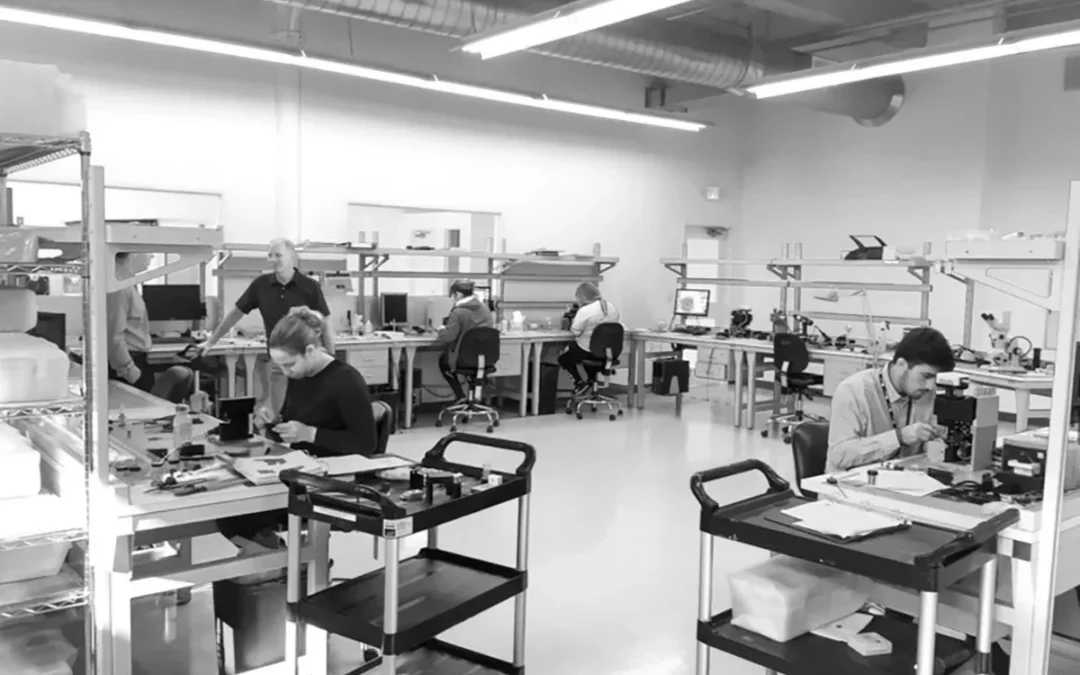
Your workstation can either support a controlled medical device process or make daily work harder than necessary. A medical device assembly workstation should help operators maintain a consistent posture, access tools quickly, protect sensitive components, and keep the work area clean and organized. It also needs to fit the facility’s ESD program, cleaning procedures, load requirements, and documentation standards. These decisions affect more than comfort. They can influence repeatability, training, maintenance, and the ease of expanding the process later. Here’s how to evaluate the features and supplier capabilities that matter most.
Key Takeaways
- Start with the work: Document assembly steps, device dimensions, operator positions, tools, utilities, inspection needs, and material flow before choosing a workstation.
- Build compliance into the design: Align surfaces, grounding, cleanability, load capacity, safety features, and documentation with your facility’s quality, ESD, and environmental requirements.
- Compare complete solutions: Evaluate engineering support, customization, lead times, installation, repeat-order capability, service, and total ownership cost, not just the catalog price.
What Should a Medical Device Assembly Workstation Include?
A medical device assembly workstation should support more than one assembly step. It needs to help operators work accurately for extended periods, protect sensitive components, provide a cleanable work area, and keep tools and materials within a consistent reach zone. The right configuration depends on the device, process, facility classification, ESD requirements, and documentation standards.
Start by mapping the complete task before selecting a bench. Record the device dimensions, component weight, operator position, inspection points, tools, utilities, lighting needs, and handoff requirements. This prevents you from choosing a station that looks suitable in a catalog but creates awkward movement, clutter, or unnecessary variation on the line.
A modular workstation can accommodate process changes without requiring a full replacement. BOSTONtec’s medical assembly guidance explains how modular designs can adapt to changing tasks and workflows while supporting safer, more efficient work. That flexibility matters when a device, fixture, packaging method, or inspection step changes.
Support Ergonomics and Operator Posture
The workstation should place the device, tools, components, and work instructions within a comfortable working area. Operators may repeat the same motions for hours, so the station should reduce excessive reaching, bending, twisting, and wrist extension. Adjustable height, suitable legroom, and a clear seated or standing position help accommodate different operators and task requirements.
Choose the working height based on the activity. Fine assembly and inspection may require a different height than packaging, testing, or larger component handling. A height-adjustable platform can support posture changes during a shift. Workplace Direct Drive® provides motorized height adjustment for WMS workstations, with enclosed drive components and configurations designed for seated and standing work.
Organize frequently used tools in the primary reach zone. Position bins, fixtures, and displays so operators do not need to leave the station repeatedly. The goal is not simply comfort. A well-planned workstation can support consistent motion, attention, and output across a full shift.
Use Cleanable, Low-Particle Surfaces
Medical device assembly surfaces should match the environment and the materials used during production. Non-porous, chemical-resistant materials are easier to wipe down and decontaminate than porous surfaces that can absorb liquids or retain residue. Phenolic and epoxy resin are common options for applications that require cleanability and resistance to routine chemicals.
The finish should not create unnecessary particle traps. Avoid deep grooves, exposed fasteners, difficult-to-clean joints, and unnecessary seams in the primary work area. Rounded edges and accessible corners can make routine cleaning more practical.
Select the surface alongside the cleaning process. A material that performs well with one disinfectant or solvent may not be suitable for another. WMS’s medical assembly workstation solutions can be configured around cleanability, contamination control, and application-specific surface requirements.
Protect Devices with ESD Controls
Electrostatic discharge can damage electronic components without leaving visible evidence at the workstation. If a medical device includes circuit boards, sensors, batteries, displays, or other sensitive electronics, the station should form part of the facility’s ESD control program rather than operate as an isolated bench.
Specify an ESD-safe worksurface, a reliable ground path, and compatible accessories such as wrist strap connections, conductive shelving, and grounded storage. The operator, chair, flooring, tools, containers, and packaging may also need to work within the same ESD control strategy. An ESD-rated mat alone does not make the complete station compliant.
Review the design with the facility’s ESD coordinator or quality team before release. WMS offers ESD-safe workstation options for sensitive equipment and battery-related work, but the final selection should match the site’s procedures, test methods, and acceptance criteria.
Support Loads with Stable, Rated Frames
A workstation frame should support the total working load, not only the weight of the device. Include fixtures, test equipment, monitors, tooling, component bins, shelves, and force applied during assembly or testing. Loads on upper shelves or cantilevered accessories can affect stability even when the worksurface itself appears lightly loaded.
Look for published load ratings and confirm how they are defined. Ask whether the rating applies to a uniformly distributed load or a concentrated load, and whether it changes for mobile, corner, or dual-sided configurations. A stable frame also helps maintain repeatability when operators apply pressure, use torque tools, or move equipment across the surface.
For demanding applications, a welded steel frame can provide a durable foundation with consistent squareness. WMS offers heavy-duty and precision assembly workstations rated for loads up to 1,500 pounds, with configurations intended for demanding assembly environments.
Integrate Lighting, Power, and Tool Storage
Lighting should match the work, not just the room. Overhead LED lighting can provide general illumination, while adjustable task lights or magnifiers support inspection, fine assembly, soldering, labeling, and other detailed activities. Position lighting to reduce glare and shadows across the device, and keep fixtures clear of the operator’s working area.
Plan power and data access at the workstation instead of relying on extension cords or loose cables. Depending on the process, the station may need outlets, network connections, test equipment power, grounding points, compressed air, or other utilities. Route connections so they remain accessible without creating trip hazards or interfering with cleaning.
Tool storage should support the sequence of work. Place high-use tools in clearly defined locations, and use shelves, bins, rails, drawers, or shadow boards to make missing items visible. Medical workstation designs with integrated lighting and accessories can help keep detailed assembly tasks organized and easier to inspect.
Configure Components for Repeatable Workflows
A workstation should reflect the actual process sequence. Start with the first component or operation, then map each step through assembly, inspection, testing, labeling, and handoff. This reveals where parts should be presented, where fixtures belong, and which tools need permanent locations.
Use adjustable shelves, bins, monitor arms, rails, and fixtures to keep materials close without crowding the primary work area. If operators assemble more than one device family, design the station for controlled changeovers rather than forcing every configuration into one overloaded layout.
Involve manufacturing and process engineers early. Simplifying part presentation, reducing unnecessary fasteners, and placing tools at the point of use can reduce labor minutes and scrap. As medical manufacturing guidance from Sanbor Medical notes, early engineering decisions can affect labor, material use, and production cost.
For complex or evolving operations, request configurable drawings and a clear bill of materials from the manufacturer. That information helps the team reproduce a successful station instead of rebuilding the design from memory.
Improve Safety, Accessibility, and Maintenance
Safety features should be part of the workstation specification from the start. Consider pinch points, sharp edges, cable routing, shelf clearance, lifting requirements, electrical access, and the space needed to move materials safely. Mobile stations should include appropriate casters, locks, handles, and stability provisions for the intended load.
Accessibility matters when multiple operators use the same station. Adjustable height, clear knee space, reachable controls, and flexible accessory placement can accommodate different body sizes and working positions. These details also support cross-training and reduce the need for separate stations for every operator.
Maintenance should be practical. Components that need inspection, adjustment, cleaning, or replacement should remain accessible without dismantling the entire workstation. Use durable finishes, replaceable accessories, and standardized parts where possible. Keeping drawings, part numbers, load information, and cleaning guidance with the workstation makes future service and repeat orders more straightforward.
The workstation should support ergonomic work, contamination control, and compliance-focused manufacturing together. That requires coordination between the workstation supplier, manufacturing engineering, quality, ESD, facilities, and the operators who use the station every day.
How Do Compliance Requirements Shape Your Workstation?
Compliance requirements influence much more than the materials used to build a medical device assembly workstation. They affect the work surface, frame, grounding, cleanability, documentation, utilities, and the station’s position within the facility. A well-designed workstation should support your quality system and production process without creating additional contamination, safety, or traceability risks.
A workstation cannot make an entire manufacturing area compliant on its own. Facility classification, environmental monitoring, process validation, equipment qualification, cleaning procedures, and operator training remain part of the broader quality system. However, the workstation sits directly within the assembly process, so its design can either support those controls or make them more difficult to maintain.
Before choosing a configuration, involve quality, manufacturing engineering, EHS, and facilities teams. Define the environment, device materials, cleaning agents, ESD requirements, load, operator tasks, utilities, and documentation needed for approval. Standards such as ISO 13485 and the FDA’s Quality System Regulation provide the framework, while your internal procedures determine how those requirements apply to a specific station.
Meet ISO 14644 Particulate-Control Requirements
ISO 14644 classifies air cleanliness in cleanrooms and controlled environments according to airborne particle concentration. A workstation does not establish the room classification, but its construction and accessories should support the conditions required by that classification. This is particularly important during medical device assembly, where particles can affect product quality, process consistency, and downstream sterilization.
Choose smooth, sealed, non-shedding surfaces with minimal joints, exposed threads, and difficult-to-clean recesses. Review shelves, lighting, power strips, monitor arms, and tool rails with the same care. Materials should not flake, absorb cleaning agents, or create unnecessary particle traps.
The layout matters as well. Route cables away from the primary work area, organize utilities, and position storage so containers and packaging do not occupy the assembly surface. Review the station with your contamination-control team before installation, since ISO 14644 requirements apply to the controlled environment and its operating practices, not to an isolated bench alone.
Support ISO 13485 and FDA 21 CFR Part 820
ISO 13485 and FDA 21 CFR Part 820 address the quality systems used to design, manufacture, inspect, and control medical devices. They do not prescribe one workstation design. Instead, the station should make documented, repeatable work easier to perform and verify.
Start by identifying the process characteristics that must remain controlled. These may include torque, component identity, cleanliness, temperature, humidity, orientation, labeling, or inspection sequence. Dedicated fixtures, defined component locations, integrated lighting, tool storage, barcode scanning, and digital work instructions can help operators follow the approved process consistently.
Documentation is also important. Your quality team may need drawings, material information, load ratings, grounding details, finish specifications, and records of approved changes. The FDA’s quality system requirements should guide your internal review, but the final workstation must be evaluated within your own documented process and qualification plan.
Apply ANSI/ESD and IEC 61340 Practices
Electrostatic discharge can damage sensitive electronics, create latent failures, and affect product reliability before a device reaches final inspection. If your process includes circuit boards, sensors, diagnostic modules, or other ESD-sensitive components, the workstation should form part of a defined ESD control program.
A suitable configuration may include a dissipative work surface, common-point ground, grounded accessories, ESD-safe seating, and wrist-strap provisions. Flooring and footwear controls may also be necessary. The correct setup depends on your facility’s ESD control plan and the sensitivity of the devices being assembled.
Grounding one surface is not enough if tools, shelving, packaging, or operators remain outside the controlled path. Verify the workstation after installation and during routine use. Inspect cords, ground connections, surface condition, and accessories as part of scheduled maintenance. The ESD Association standards resources provide a useful reference for developing a broader ESD program around ANSI/ESD and IEC 61340 practices.
Choose Compatible Surfaces and Finishes
The work surface must withstand both the assembly process and the cleaning agents used to maintain the environment. A finish that appears suitable in a catalog may not perform well after repeated exposure to alcohol, disinfectants, solvents, lubricants, adhesives, or other process chemicals. Scratches, residue absorption, flaking, and difficult sanitation can create quality and maintenance concerns.
Specify the surface according to the actual application. Consider chemical resistance, cleanability, ESD performance, hardness, impact resistance, light reflectivity, and compatibility with device materials. If operators use fixtures or sharp tools, consider how the surface will handle repeated contact and whether damage could create a contamination risk.
Ask the supplier for specific material and finish information. Broad labels such as “cleanroom ready” or “industrial grade” do not explain how a surface performs under your cleaning cycle. Surface compatibility guidance can help frame the discussion, but your quality and facilities teams should approve the material for the intended environment.
Maintain Validation and Supplier Documentation
Documentation is part of workstation selection, not an administrative task to complete after delivery. Your team may need enough information to assess the station, approve it for use, install it correctly, and maintain it throughout its service life. The required package varies by company and process, but it should align with your quality system.
Request controlled drawings, specifications, material details, load ratings, dimensions, finish information, grounding provisions, and accessory descriptions. For a custom station, confirm that the final drawing reflects the approved configuration, including revisions and part numbers. If the station supports a validated process, define which changes require review before the configuration is repeated or modified.
Supplier records should also make future maintenance and repeat orders easier. Keep installation records, inspection results, manuals, and approved change documentation with the equipment file. Validation and supplier documentation become especially important when stations are deployed across multiple lines or facilities.
Meet Electrical and Mechanical Safety Requirements
A medical device workstation should protect both the operator and the product. Electrical planning may include grounded outlets, overload protection, cord routing, power distribution, task lighting, data connections, and separation between power and sensitive signal cables. Qualified personnel should review the arrangement, especially when equipment, test instruments, pneumatics, or customer-supplied utilities are integrated into the station.
Mechanical safety includes frame stability, load capacity, pinch-point control, edge treatment, shelf security, caster selection, and safe access to stored components. The rated load should account for the work surface, equipment, fixtures, stored materials, and movement created during operation. For mobile stations, evaluate stability while the station is moving and while it is fully loaded.
Height-adjustable stations require additional attention to travel clearance, cable slack, moving components, and operator access. A supplier should provide relevant specifications and installation instructions, while your facilities team confirms that the final configuration meets internal safety procedures. Use the FDA quality system framework alongside site-specific electrical and machine-safety requirements.
Separate Workstation and Facility Certifications
A workstation and the facility where it operates are related, but they do not share the same certification scope. Cleanroom classification applies to the controlled environment. An ESD program applies to defined materials, grounding, personnel, and procedures. A quality system applies to the organization’s documented processes. The workstation should support these systems, but it cannot certify the room or replace process validation.
This distinction helps prevent vague supplier claims from creating problems during review. Ask what the manufacturer has verified about the workstation itself, such as dimensions, load capacity, materials, grounding provisions, and finish performance. Then identify which items your organization must qualify after installation, including cleaning procedures, ESD performance, placement, utilities, workflow, and process use.
Define responsibilities before releasing the purchase order. The manufacturer can provide design and product documentation, while your quality, facilities, and engineering teams determine how the station will be evaluated in its intended environment. Keeping facility and workstation certification scopes separate gives your team a clearer, more auditable path from specification to production use.
Which Workstation Configuration Fits Your Operation?
The right medical device assembly workstation depends on more than available floor space. Your process, cleanroom classification, device sensitivity, operator posture, equipment load, inspection requirements, and future production plans should all shape the design.
Start by mapping the work performed at each station. Note the components operators handle, the tools and instruments they use, the required reach distance, and the utilities that need to remain accessible. Then determine whether the station belongs in a cleanroom, controlled assembly area, laboratory, inspection zone, or general production space.
A well-planned workstation supports the process without adding unnecessary movement, contamination risks, or maintenance work. Workplace Modular Systems builds medical device assembly workstations for cleanrooms, laboratories, precision assembly areas, quality control, inspection, and biomedical and pharmaceutical production. The goal is to match the workstation to the operation, rather than force the operation into a standard product.
Choose Cleanroom-Ready ESD Workstations
Cleanroom and medical device assembly areas often require both particulate control and electrostatic discharge protection. Choose smooth, cleanable surfaces, accessible components, and materials that fit the facility’s cleaning procedures. The frame, work surface, shelving, and accessories should support the room’s environmental requirements without creating difficult-to-clean gaps or exposed mechanisms.
ESD protection should function as a complete system. The work surface, grounding method, wrist straps, flooring, carts, and nearby equipment all need to work together under the facility’s ESD program. A workstation labeled “ESD safe” does not provide enough information by itself. Ask about grounding points, surface resistance, static-dissipative materials, and verification after installation.
Workplace Modular Systems offers cleanroom-ready medical device workstations with ESD-safe and chemical-resistant options. Share the room classification, cleaning agents, device sensitivity, and process requirements before selecting the surface and accessory package.
Add Workplace Direct Drive® Height Adjustment
Height adjustment can help operators alternate between seated and standing work while keeping tools and components within a comfortable reach zone. This is especially useful for repeated inspection, fine motor work, microscope use, packaging, and other tasks that keep an operator at one station for long periods.
Workplace Modular Systems’ proprietary Workplace Direct Drive® platform places the motor and precision leadscrew inside each leg. The enclosed design avoids exposed belts, chains, and other external drive components, which may simplify cleaning and maintenance in cleanroom and analytical environments.
When reviewing an adjustable workstation, ask how the system holds position without power, how much weight it supports, and how the legs remain synchronized. Confirm that the adjustment system works with the required surface, shelving, fixtures, and ESD grounding plan. The workstation should support posture changes without introducing instability or difficult-to-service components.
Select Mobile, In-Line, Corner, or Dual-Sided Layouts
The layout should reflect how people, materials, and equipment move through the process. A stationary in-line station may suit a defined assembly sequence, while a mobile workstation may support flexible cells, shared equipment, or planned line changes. Mobile configurations should include casters, locking mechanisms, and load ratings suited to the application.
Corner configurations can use floor space efficiently when operators need access to equipment on two adjacent sides. Dual-sided stations can support two operators or separate process steps while sharing a common structure. This arrangement can work well for paired assembly, inspection, or kitting, provided the design separates incoming materials, work in progress, and finished components.
Modular systems can range from a compact station with one shelf to a multi-station setup. A 3D builder, such as the one described in BOSTONtec’s medical workstation resources, can help teams review dimensions and accessory placement before purchasing. Confirm the final design against aisle widths, emergency access, cleanroom procedures, and material flow.
Configure Stations for Instrument Testing and Inspection
Testing and inspection stations often require a different setup from an assembly bench. Operators may need microscopes, cameras, gauges, test fixtures, barcode scanners, monitors, or measurement instruments positioned at specific heights and angles. The workstation should provide stable mounting points, organized cable routing, and enough surface area for the device, tooling, documentation, and in-process materials.
Consider the full inspection sequence. Place frequently used tools within the primary reach zone, position displays to limit excessive neck movement, and separate accepted, rejected, and untested components. If the station supports sensitive instruments, confirm that its frame and work surface can carry the equipment without unwanted movement or vibration.
A modular configuration can simplify updates when a test method changes or a new instrument is introduced. Medical device workstation designs may include adjustable shelves, fixtures, lighting, and accessory supports for changing tasks. Ask the supplier to document mounting points, load limits, utility connections, and the intended inspection workflow before fabrication.
Evaluate Suppliers by Engineering and Documentation
A workstation supplier should be able to explain how the proposed design meets your process requirements. Request drawings that identify dimensions, materials, surface specifications, load ratings, grounding points, accessory locations, and utility routing. If the station will support a regulated process, confirm which documents are available for review and what will accompany the final delivery.
Engineering support matters even more when the station includes custom fixtures, automation, instruments, electrical components, pneumatics, or unusual loads. A supplier that can support material selection, ergonomics, safety, fabrication, and validation planning gives your team a clearer path from initial requirements to production. Sigma Design’s medical device assembly example shows how specialized systems can involve several engineering disciplines.
Review the supplier’s installation and change-control process as well. Ask who approves drawings, how revisions are tracked, how replacement parts are identified, and whether the company can support repeat orders. Clear documentation helps quality, engineering, operations, and procurement teams evaluate the same configuration and maintain consistency across the project.
Choose Standard or Engineered Configurations
A standard workstation can suit an application with established dimensions, moderate loads, common accessories, and limited documentation requirements. Standard configurations are typically easier to quote and repeat, making them practical for straightforward assembly, staging, and inspection tasks.
An engineered configuration may be the better choice when the station must fit specialized equipment, meet cleanroom or ESD requirements, support unusual loads, integrate utilities, or match a validated process. It can also make sense when the workstation will be deployed across multiple lines or facilities and needs a controlled design that can be reproduced accurately.
Ask the supplier to separate standard components from engineered changes in the proposal. This makes pricing, lead time, replacement requirements, and future revisions easier to evaluate. Workplace Modular Systems combines American-made construction and custom engineering with modular workstation design, allowing teams to start with a standard platform and add application-specific features where the process requires them.
How Can Customization Improve Your Workstation?
Customization lets you design a workstation around the actual assembly process, rather than asking operators to work around a fixed bench. The right configuration can account for device dimensions, operator posture, ESD controls, cleanability, inspection tools, utilities, storage, and documentation requirements.
That matters in medical device manufacturing, where small workflow details can affect consistency, operator comfort, and process control. A station for assembling a compact electronic device may need a different layout from one used for inspection, testing, or packaging. The best design reflects the work being performed, the environment where it takes place, and the changes you expect over the life of the product.
A modular workstation also gives engineering teams room to improve the process without replacing the entire station. Components such as shelves, fixtures, monitor arms, bins, and lighting can be positioned around the workflow and changed as requirements develop. WMS provides custom industrial workstations for demanding production, research, and analytical environments.
Match Dimensions, Height, Load, and Reach to the Task
Begin with the task, not the workstation catalog. Review the device dimensions, fixture footprint, inspection area, material presentation, and equipment operators must access during assembly. A compact electronics station may need a small seated layout, while a larger device may require a deeper worksurface, greater load capacity, or room for test equipment.
Set the working height around both the operator and the process. Seated, standing, and sit-to-stand configurations support different tasks. Height adjustment can help when operators alternate between assembly, inspection, documentation, and material handling.
Reach is equally important. Frequently used tools, components, and controls should remain within the operator’s primary working zone. Less frequently used items can sit farther away. This arrangement limits unnecessary stretching and keeps the main work area clear.
Choose Surfaces for ESD, Cleanroom, and Chemical Requirements
The worksurface should reflect the production environment and the device’s sensitivity. Medical device assembly may require ESD control, low-particle materials, repeated cleaning, chemical resistance, or a combination of these requirements.
For ESD-sensitive products, specify the dissipative surface, grounding path, wrist strap connections, and other compatible components together. In controlled environments, consider non-porous materials, cleanable edges, and a design that limits unnecessary seams, exposed hardware, and particle-shedding components.
Cleaning agents and process chemicals also influence material selection. Phenolic, epoxy resin, stainless steel, and other surfaces each offer different properties. Review the manufacturer’s medical assembly workstation options against your disinfectants, solvents, ESD program, and facility controls before approving a finish.
Add Shelves, Bins, Rails, Lighting, and Fixtures
Accessories should follow the sequence of work. Shelves can hold subassemblies or packaging materials. Bins and rails can present small components in a consistent order. Tool holders keep equipment visible and reduce time spent searching for items.
Lighting is part of the workstation design, not an afterthought. Operators need clear visibility for assembly, inspection, labeling, and defect identification. Adjustable task or overhead lighting can direct illumination toward the work area while limiting glare on screens and reflective device surfaces.
Fixtures can provide an especially useful form of customization. They may hold a device in a repeatable position, protect delicate components, or make inspection easier. Modular medical workstations can support configurations ranging from a small shelf to a multi-station setup.
Integrate Power, Data, Grounding, and Pneumatics
Plan utilities before the workstation reaches the production floor. Power outlets, data connections, ESD grounding points, compressed air, and other services should have defined locations that keep cords and hoses away from the operator’s main working area.
Designated channels and accessible connection points make stations easier to install, inspect, and maintain. Leave capacity for approved equipment additions where future testing or documentation needs are likely. A clear utility plan also helps facility teams understand each station’s requirements before installation begins.
Grounding requires coordination with the site’s ESD program. The workstation, worksurface, floor, operator, and equipment must work together as part of the facility’s control system. The manufacturer can provide compatible grounding components, while the facility’s ESD coordinator confirms the complete arrangement. WMS supports integrated utility management for demanding production environments.
Support Scanning, Labeling, and Digital Instructions
Assembly teams often use barcode scanners, electronic travelers, digital work instructions, test software, label printers, and quality documentation. The workstation should make these tools easy to use without crowding the primary assembly area.
Consider monitor arms, scanner holders, tablet mounts, keyboard trays, label printer locations, and control panel supports. Screens should remain visible without forcing operators to twist or bend. Scanners need a consistent home position, while label printers should sit close to the point of application.
Digital equipment also requires suitable power, data access, and cable routing. Keep mounted electronics accessible for cleaning and maintenance. Adjustable monitor arms and related accessories can support medical device assembly workflows that combine hands-on production with electronic instructions and records.
Plan for Changeovers and Process Updates
Medical device processes can change as products, fixtures, packaging, and inspection requirements develop. A workstation that works well today should remain useful after a process update.
Use modular shelves, rails, monitor mounts, bins, and fixtures that can be repositioned without replacing the complete frame. If a station may support multiple product families, decide which components need quick adjustment and which should remain fixed. Leave room for additional inspection or test equipment where future requirements are reasonably likely.
Changeover planning also includes cleaning and maintenance. Removable components can simplify access, while clear service areas make inspection easier. A modular layout gives engineering teams more options when they revise a process, relocate equipment, or add another operator position.
Standardize Stations Across Lines and Facilities
Customization and standardization can work together. Tailor the station to each task while using common frames, utility layouts, accessory interfaces, and documentation practices across the operation.
First, identify the elements that should remain consistent. These may include height ranges, grounding methods, bin styles, lighting controls, monitor mounts, or part-number conventions. Then define approved variations for different devices, operators, production areas, or environmental requirements.
A documented standard makes expansion more predictable. When another line or facility adopts the same process, the team can reproduce a proven configuration instead of starting from the beginning. WMS combines custom engineering with modular design to support repeatable workstation programs without forcing every application into one fixed layout.
Preserve Repeatability with Drawings and Part Numbers
A customized workstation needs clear records so your team can identify, reproduce, and service it. Request an approval drawing that shows dimensions, accessories, utility locations, materials, mounting details, and relevant options. Store the approved configuration with the associated process documentation.
Part numbers should identify the complete station and its replaceable components. This helps purchasing order the correct items, maintenance request replacements, and engineering reference the approved design during future changes. It also prevents teams from reconstructing a previous configuration from memory.
For multi-station programs, use revision control. Record what changed, when it changed, and which stations use each version. A manufacturer with in-house engineering and production support can help maintain this information through repeat orders. The result is a workstation that remains consistent across builds while allowing controlled improvements over time.
Why Choose a U.S.-Made Workstation?
A medical device assembly workstation affects more than operator comfort. It can influence product quality, production flow, documentation, maintenance, and the timing of a facility expansion. Choosing a U.S.-made workstation gives your team a direct relationship with the manufacturer, clearer project communication, and a supplier that can respond to application-specific requirements.
This matters when your operation needs more than a basic table. Medical device assembly may require ESD controls, cleanable surfaces, integrated lighting, custom fixtures, height adjustment, tool storage, and repeatable configurations across several lines or facilities. A domestic manufacturer can bring those requirements together instead of treating each feature as a separate purchase.
Workplace Modular Systems designs and manufactures custom workstations in Londonderry, New Hampshire. Its product range includes medical assembly workstations, ESD-safe benches, ergonomic systems, and application-specific infrastructure for demanding production and research environments.
Rely on New Hampshire Manufacturing and U.S. Sourcing
A domestic manufacturer gives your team a clearer view of how a workstation is designed, built, and supported. Workplace Modular Systems has operated in Londonderry, New Hampshire, since 1950, with domestic manufacturing and a U.S.-based supply chain. That experience matters when a workstation must fit a specific production area, support a documented assembly process, or integrate with existing equipment.
U.S. sourcing can also simplify communication between engineering, production, and installation teams. Your project stays with a manufacturer that understands the application from the beginning, rather than moving through several overseas suppliers. You can discuss dimensions, grounding, surface materials, utilities, fixtures, and accessories with people who can connect those details to the finished workstation.
For medical device manufacturers, that direct relationship is especially useful during facility expansions, process changes, and repeat orders. It gives your team a clearer point of contact when requirements change during design or installation.
Gain Predictable Lead Times and Costs
Lead time affects more than the date a workstation arrives. A delayed station can hold up equipment installation, operator training, line qualification, or a broader facility schedule. Domestic manufacturing can provide a more predictable path from approved drawing to delivery, while reducing exposure to ocean freight delays, customs issues, and extended replenishment cycles.
Workplace Modular Systems typically ships standard custom orders in 30 to 45 days, with some Quick Ship configurations available in under 14 days. These timelines can help project engineers coordinate workstation delivery with tooling, equipment, construction, and production milestones. Review the medical assembly workstation options early so the right configuration and schedule can be confirmed before the project reaches installation.
Costs can also be easier to plan when freight, sourcing, and delivery conditions are more transparent. Ask each supplier how lead times are calculated, which components are sourced domestically, and how approved orders are handled if specifications change.
Work with One Supplier from Engineering to Installation
A medical device workstation often involves more than choosing a frame and work surface. Your team may need support with ergonomic dimensions, ESD grounding, fixture placement, electrical routing, lighting, shelving, and installation sequencing. When several suppliers handle those pieces, requirements can be lost between handoffs.
A manufacturer that supports engineering, production, and installation can keep those details connected. Workplace Modular Systems positions its service around custom engineering for demanding high-tech applications, including medical device production and ESD-controlled environments. Its team can work from your process requirements, facility drawings, station count, and expansion plans to develop an appropriate configuration.
This approach is useful when a project includes several workstation types. One supplier can coordinate an assembly bench, inspection station, and testing workstation while maintaining consistent materials, accessories, dimensions, and documentation across the line.
Customize Beyond Catalog Limitations
Catalog products work well when your process fits a standard size and accessory layout. Medical device assembly often requires more specific solutions. An operator may need a particular reach envelope, a device may require dedicated fixtures, or a station may need to fit around equipment, cleanroom layouts, or existing utilities.
Custom engineering lets you specify the workstation around the work instead of changing the work to fit the product. You can define frame height, surface dimensions, load capacity, shelf positions, lighting, bins, rails, tool storage, and fixture locations. You can also select surfaces and finishes suited to ESD, cleaning, chemical exposure, or particulate-control requirements.
A modular design makes future changes more manageable. A station might begin with one shelf and later expand to support scanners, monitors, additional tools, or storage. Medical assembly workstation examples show how modular systems can support configurations ranging from a small shelf to a multi-station setup.
Repeat Configurations Across Multiple Facilities
Standardization matters when a medical device manufacturer operates several lines, buildings, or facilities. A workstation that performs well in one location should be easier to specify again when the process and requirements are similar. Reusing a proven design can reduce engineering time, simplify training, and make replacement parts easier to manage.
Your supplier should preserve the details that make a station repeatable. That includes approved drawings, dimensions, surface specifications, accessory layouts, grounding requirements, load ratings, and part numbers. It should also document site-specific differences, such as utility locations, cleanroom classifications, and layout constraints.
Workplace Modular Systems has experience with ESD-controlled environments across medical device, electronics, semiconductor, and other high-reliability applications. That cross-industry experience can help your team apply a proven workstation standard while adapting it to each facility’s process and physical requirements.
Get Domestic Service and Project Support
Support should continue after the workstation ships. Your team may need help with installation questions, replacement components, accessory changes, additional stations, or a new configuration for a different device. Working with a domestic manufacturer makes it easier to reach people familiar with the project and its original specifications.
Ask what support the supplier provides after delivery. Can the team review updated drawings? Are replacement parts available? Can the manufacturer reproduce a station months or years later? Will someone help coordinate installation at your facility? Clear answers help you evaluate the supplier beyond the initial quote.
Workplace Modular Systems provides direct sales and support for its engineered workstation solutions. That relationship can be valuable when a medical device operation changes its process, adds a new product family, or expands a validated workstation standard to another site.
Medical Device Assembly Workstation Pricing and Supplier Fit
Medical device assembly workstation pricing can range from about $5,000 for a basic, standardized station to more than $50,000 for an engineered system with specialized materials, integrated utilities, ESD controls, custom fixtures, and project documentation. The right budget depends on what the station must support, not simply how large the work surface is.
A workstation for light assembly in a general production area has different requirements from one used for Class II device production, inspection, testing, or a controlled environment. Device complexity, operator reach, cleanability, load requirements, validation needs, and station quantity all affect the final price. For perspective, the average development cost of a medium-complexity Class II medical device can reach $2 million to $5 million, according to StarFish Medical’s medical device development cost guide. The workstation is one part of that larger investment, but its design can influence consistency, throughput, training, and quality.
When comparing suppliers, ask for a scope-based quote rather than a single number. A useful proposal separates the workstation, accessories, engineering, documentation, installation, freight, and service. This approach helps you compare a catalog station with a custom system fairly and identify which costs are necessary for your process.
Compare Basic Stations from $5,000 with Engineered Systems Above $50,000
A basic station may be suitable when the process is stable, the production area has few environmental controls, and the operator needs a durable surface, lighting, storage, and power. These stations typically use standard dimensions and readily available accessories. A planning figure near $5,000 can be reasonable, although the final price depends on materials, quantity, shipping, and configuration.
An engineered system above $50,000 is designed for a more demanding application. It may include a custom frame, ESD grounding, cleanable finishes, height adjustment, compressed air, data connections, specialized lighting, device fixtures, traceability tools, controlled drawings, and installation support. The quote may also include prototype work, testing, design reviews, and coordination with your quality or facilities team.
Ask the supplier to identify one-time engineering costs separately from repeat-unit costs. This distinction matters when you plan to install multiple stations or expand the line later. Workplace Modular Systems can engineer stations around the process, environment, operator, and future layout rather than limiting the project to catalog dimensions.
Understand How Features and Documentation Affect Cost
Materials and components can influence both the purchase price and the service life of a workstation. Medical device environments may require specialty plastics, medical-grade metals, chemical-resistant surfaces, sealed components, and electronic subassemblies. These inputs can represent a substantial share of manufacturing cost, while commodity fluctuations and tariffs can add uncertainty. Sanbor Medical explains these pressures in its overview of medical device manufacturing costs.
Documentation also affects cost because it requires engineering and quality resources. Depending on the project, you may need approved drawings, bills of materials, load information, grounding details, material specifications, finish information, inspection records, or maintenance instructions. A supplier that provides only a product brochure may not meet the needs of a regulated manufacturing team.
Discuss documentation during the request-for-quote process. Ask which records are included, which are optional, and how revisions are controlled. If the workstation will be installed across multiple lines, consistent drawings and part numbers can reduce repeated engineering work and make future replacements easier.
Account for Installation, Freight, Validation, and Lifecycle Costs
The quoted workstation price is rarely the complete project cost. Freight, inside delivery, assembly, anchoring, electrical connections, site coordination, and installation support may be billed separately. Larger systems may require a site survey or layout review before fabrication. Include those items in the initial budget instead of adding them after the purchase order is approved.
Validation requirements should also be discussed early. The workstation itself may not be a validated device, but its materials, dimensions, grounding, cleanability, and configuration may form part of a documented manufacturing process. Clarify whether your team needs factory inspection records, material certificates, calibration support, installation records, or other deliverables.
Lifecycle expenses matter as well. Maintenance, repairs, replacement accessories, warranty support, and future modifications can affect the total cost of ownership. Medical device manufacturing cost guidance notes that costs extend beyond production and assembly to servicing, repairs, and warranty support. Ask who handles service, how replacement parts are identified, and whether the supplier can support the station after installation.
Ask About Volume Pricing, Repeat Orders, and Promotions
If you need several stations, request pricing for the full quantity as well as the first unit. The initial workstation may include engineering, programming, or setup costs that do not repeat on later units. A supplier should identify those one-time charges clearly and show the expected price for additional stations built from the approved design.
Repeat orders benefit from controlled configurations. Ask whether the supplier will retain the drawings, bill of materials, finish specifications, and accessory list under a permanent part number. This helps ensure that a second-phase order matches the original station instead of becoming a new interpretation of the same request.
Promotional pricing can be useful, but it should not distract from supply continuity. A temporary discount has limited value if the supplier cannot maintain material availability or delivery schedules. Supplier diversification and strong supplier relationships can help reduce exposure to shortages and price changes. Ask how long the quote remains valid, which materials may change, and whether future orders will follow the same pricing structure.
Review References, Reviews, and User Feedback
References can show how a supplier performs after the purchase order is signed. Look for examples that resemble your application, including medical device assembly, inspection, testing, ESD-controlled production, cleanroom use, or multi-site deployment. A general industrial reference may confirm build quality, but it may not answer questions about documentation, cleanability, or regulated manufacturing support.
Ask for references from customers who purchased a similar number of stations and required a comparable level of customization. If possible, ask how accurately the supplier met the quoted lead time, how installation was handled, and whether design changes were resolved without disrupting production.
Reviews and testimonials should support, not replace, a structured supplier review. Ask users about quote responsiveness, engineering communication, change control, packaging, field service, and replacement parts. Sanbor Medical recommends understanding where costs originate before trying to control them. The same principle applies to supplier fit: knowing what customers paid for, received, and maintained gives you a clearer basis for comparison.
Compare Total Ownership Costs, Not Just Catalog Prices
A catalog station may have the lowest initial price, but it may not be the least expensive choice over time. Consider the labor required to assemble and modify it, the time needed to review materials, the cost of adding accessories later, and the impact of limited adjustability. A station that creates awkward reaches, cable clutter, or inconsistent component placement can add hidden costs to every production shift.
Compare suppliers using the same scope. Include the frame, surface, ESD provisions, lighting, storage, fixtures, power, data, delivery, installation, documentation, training, warranty, and future change requests. If one supplier includes these items and another lists only a bare bench, the catalog prices do not represent equivalent solutions.
Also estimate the cost of future modifications. Can the supplier provide individual shelves, legs, brackets, controls, or surfaces? Can the configuration be reproduced five years later? Will your team receive a controlled drawing and part number? Medical device manufacturing cost analysis identifies materials, labor, equipment, quality, compliance, and support as contributors to finished-product cost. Your workstation comparison should use the same broad view.
Ask Manufacturers the Right Questions
A detailed supplier conversation helps reveal whether a manufacturer can support your application or only sell a standard product. Start with the process: What device is being assembled? Which steps occur at the station? What are the heaviest components, most frequent reaches, and most important inspection tasks? Share expected cycle time, operator range, changeover frequency, and future product plans.
Then describe the environment. Can the supplier provide surfaces and finishes compatible with your cleanroom, ESD, chemical, and cleaning requirements? How are grounding points verified? What load ratings apply to the complete station, rather than only individual components? Can the supplier integrate power, data, compressed air, lighting, scanners, fixtures, and digital work instructions?
Finally, ask about execution. Who owns the design review? Which drawings and records are included? How are changes approved? What is the expected lead time for the first unit and repeat orders? Who installs the system, and what support is available after installation? Early engineering involvement can simplify part geometry, reduce unnecessary fasteners, and help select cost-effective materials, which can lower labor time and scrap rates, according to Sanbor Medical’s manufacturing cost guidance.
Request an Engineered Workstation Recommendation or Quote
A medical device assembly workstation should fit the product, process, facility, and people using it. A catalog image rarely shows the details that determine whether a station will work on your floor, including cleanroom controls, ESD protection, instrument clearance, utility routing, load requirements, and documentation needs.
Prepare these details before contacting a workstation manufacturer. A clear request gives the engineering team enough information to recommend a suitable configuration and create a more accurate quote. It also reduces revisions later, especially when you need several stations with consistent specifications across a production line or facility.
Include photos of the current setup, sketches or CAD files, device and fixture dimensions, applicable standards, station quantities, and your target delivery window. If some requirements are still being finalized, label them as open decisions. This helps the manufacturer separate confirmed specifications from items that may affect the design, price, or lead time.
Share Device, Process, Environment, and Operator Details
Begin with the work performed at the station. Describe the medical device or component, including its dimensions, weight, materials, delicate surfaces, and connections that require protection. Explain each operator step, such as assembly, inspection, testing, labeling, packaging, and rework. Photos or process diagrams can make this information easier to evaluate.
Then describe the operating environment. Note whether the station will be used in a cleanroom, controlled environment, ESD area, laboratory, or general production space. Include temperature, humidity, chemical exposure, cleaning methods, and restrictions on materials or finishes.
Describe the operators as well. Explain whether work is seated or standing, how often operators change position, and whether the process involves repetitive reaching, inspection, or fine-motor tasks. Medical device assembly workstations are designed around ergonomics, contamination control, and compliance-focused manufacturing, so these details directly shape the recommendation.
Provide Cleanroom, ESD, Utility, Load, and Documentation Requirements
List the standards and internal specifications the workstation must support. For cleanroom applications, identify the room classification, particulate-control expectations, approved materials, and cleaning agents. Cleanable surfaces and enclosed leg components can reduce areas where debris and contaminants collect.
For ESD-sensitive devices, describe the required grounding method, surface properties, footwear or wrist-strap controls, and any existing ESD program requirements. Also identify utilities such as power, data, compressed air, vacuum, exhaust, or equipment connections. Include the preferred entry points and routing paths for cables, hoses, and other connections.
Document the weight of instruments, fixtures, tooling, bins, and work-in-process materials. Ask for load ratings based on the complete workstation configuration, not only the frame. Your quality or validation team may also need drawings, material information, electrical details, load data, and revision-controlled part numbers. Workplace Modular Systems offers cleanroom-ready and ESD-safe workstation options for sensitive device and battery-related applications.
Outline Station Count, Layout, Lead Time, and Expansion Plans
Explain how many workstations you need now and how they will be arranged. A preliminary floor plan can clarify aisle widths, operator orientation, material flow, inspection points, and maintenance access. Note whether the stations will use a straight-line, corner, cell, paired, or dual-sided layout.
Share your target installation date and any project milestones that affect delivery. Standard custom orders typically ship in 30 to 45 days, while Quick Ship configurations may ship in fewer than 14 days. Ask whether the stated timeline includes engineering review, drawing approval, manufacturing, freight, and installation.
Discuss future requirements at the beginning of the project. Your operation may add stations, introduce a new device family, expand to a second shift, or move into a larger production area. Sharing those plans allows the supplier to recommend a configuration that supports repeat orders and consistent specifications, rather than treating every expansion as an unrelated design project.
Request a Recommendation or Quote from Workplace Modular Systems
Once you have gathered the requirements, send them to Workplace Modular Systems for review. Include your process description, device and fixture dimensions, facility conditions, utility locations, applicable standards, station quantity, preferred layout, and delivery window. Add photos, drawings, or CAD files whenever they are available.
Ask for more than a price. Request an engineered recommendation that explains the proposed frame, surface, height range, storage, lighting, grounding, utility, and accessory choices. You can also request CAD drawings, material details, documentation requirements, installation information, freight estimates, and guidance on future repeat orders.
Workplace Modular Systems invites medical device manufacturers to request a workstation quote. Complete project information gives the engineering team a practical foundation for recommending a workstation that fits the process, facility, operators, and quality requirements.
Related Articles
- Key Factors Influencing Medical Device Manufacturing Costs
- Cost Pressures in Medical Device Manufacturing
- Medical Device Manufacturing Costs: Factors and Strategies
- Medical Device Development Cost Guide
- Medical Device Semi-Automatic Assembly Workstation Example
Frequently Asked Questions
What is the most important factor when choosing a medical device assembly workstation?
Start with the assembly process, not the workstation style. Review the device size, operator position, tools, fixtures, inspection steps, cleaning routine, ESD needs, utilities, and expected changes. This information helps determine the appropriate surface, frame, accessories, height range, and documentation.
Can one workstation support both cleanroom and ESD requirements?
It can, provided the materials and grounding system are selected for the specific facility and process. The complete setup may include a suitable worksurface, grounded accessories, compatible seating, controlled cable routing, and approved cleaning materials. Your quality, facilities, and ESD teams should review the configuration before installation.
When should a manufacturer choose a custom workstation instead of a standard model?
Custom engineering is useful when the station must support specialized instruments, unusual loads, dedicated fixtures, integrated utilities, controlled environments, or a documented process. Standard models may be suitable for stable, straightforward tasks with common dimensions and accessories.
What information should be included in a workstation quote request?
Provide device and fixture dimensions, process steps, operator requirements, environmental conditions, cleaning agents, ESD specifications, equipment loads, utility needs, station quantity, layout drawings, and the desired delivery window. Include photos or CAD files when possible, and identify any requirements that are still under review.
How much does a medical device assembly workstation cost?
Pricing depends on the level of engineering and integration required. A basic station may cost several thousand dollars, while a specialized system with custom fixtures, ESD controls, utilities, documentation, and installation may exceed $50,000. Compare suppliers using the complete project scope, including delivery, installation, service, and future modifications.