



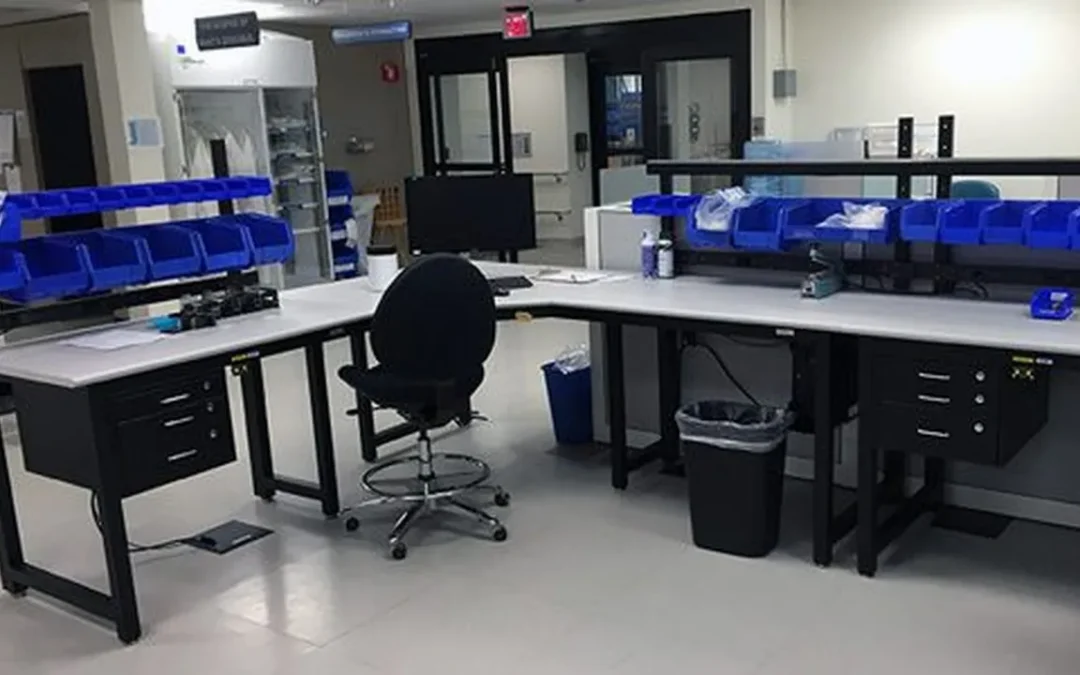
Static damage rarely announces itself. There may be no visible spark, sound, or sensation when a discharge reaches a circuit, sensor, or instrument. The component may pass inspection, then fail weeks later in the field. An ESD safe assembly workstation helps reduce that risk by creating a controlled environment for handling sensitive products. But a static-dissipative tabletop alone is not enough. Operators, tools, fixtures, packaging, flooring, and grounding connections all play a role. This guide explains how to design an effective station, choose the right features, and connect the workstation to a broader ESD control program.
Key Takeaways
- Start with the application: Define component sensitivity, workflow, equipment loads, operator needs, room conditions, and future requirements before choosing a workstation.
- Build a complete ESD control system: Pair a qualified dissipative surface with reliable grounding, personnel protection, controlled materials, monitoring, training, and scheduled verification.
- Specify and compare the full solution: Request resistance data, grounding details, load ratings, applicable standards, installation scope, commissioning records, and long-term service support.
What Is an ESD-Safe Assembly Workstation?
An ESD-safe assembly workstation is an engineered work area that controls electrostatic charge while operators assemble, inspect, test, repair, or package sensitive electronic components. It does more than provide an anti-static tabletop. A properly specified workstation connects the work surface, operator, tools, fixtures, and other required components to a controlled grounding system, giving unwanted charge a safe path to dissipate.
That distinction matters because electrostatic discharge can happen without a visible spark or noticeable sensation. A component may pass its initial inspection and still contain damage that causes intermittent failures, shortened service life, or field returns later. The workstation is one part of a broader ESD Protected Area, which may also include personnel grounding, approved packaging, ionization, training, inspections, and documented procedures.
When choosing a workstation, start with the process rather than the product label. Consider the sensitivity of the components, the tools and fixtures operators use, the required testing, the movement of people and materials, and the conditions of the room. A high-volume electronics assembly station may need a different surface, layout, monitoring system, and accessory package than a repair bench for aerospace equipment or an instrument assembly station in a laboratory.
How Static Electricity Damages Electronics
Static electricity forms when materials contact, separate, or rub against one another. An operator walking across an ordinary floor, sliding a plastic tray across a table, or removing packaging can accumulate an electrical charge. When that charge finds a conductive path, it may discharge into a circuit board, sensor, microchip, connector, or other electronic component.
The result may be immediate failure, but damage can also remain hidden. A part may continue working during production and fail later when exposed to heat, vibration, voltage changes, or normal operating stress. That makes ESD control a quality and reliability issue, not simply a precaution for handling parts.
An ESD workstation helps manage this risk with a surface that allows charge to dissipate in a controlled way. It also supports grounding for the work area and the operator. BOSTONtec’s ESD workbench guide explains that an ESD workbench is designed to control static electricity and help prevent discharge from damaging sensitive electronic parts.
ESD-Safe Materials vs. a Complete Protected Area
An ESD-safe material is only one part of an effective control system. A static-dissipative or conductive surface can help move charge away from a component, but it cannot protect that component if the operator, tools, containers, or nearby insulators remain uncontrolled. A tabletop labeled “anti-static” does not automatically create a complete protected work area.
An ESD Protected Area, or EPA, brings the necessary controls together. Depending on the process, it may include grounded work surfaces, wrist straps or ESD footwear, conductive flooring, protective garments, ionization, grounded storage, approved packaging, and monitoring equipment. The right combination depends on device sensitivity and how the work is performed.
Specify the workstation as part of the EPA, rather than as an isolated item. Treston’s ESD workstation guidance describes how conductive materials and components support continuous grounding and controlled discharge. This approach helps your team evaluate the complete path from the component to ground.
Why Standard Assembly Tables Fall Short
A standard assembly table may provide a flat surface, storage, and enough room for an operator, but it is rarely designed to control electrostatic charge. Painted steel, laminate, plastic accessories, and ordinary casters can interrupt the intended path to ground. Even a conductive tabletop will not perform as expected if its ground connection is missing, damaged, or installed incorrectly.
The surrounding layout can create additional risks. Plastic bins, foam packaging, tape, labels, and other insulating materials may sit beside sensitive devices. Tools can become charged, cables can create clutter, and operators may work beyond the area covered by the grounding system. These problems are easy to overlook when a table is selected only by its dimensions or price.
A purpose-built ESD workstation addresses these details as one system. It can incorporate grounding points, compatible storage, task lighting, power, test equipment, and cable management. The frame should also remain stable under the loads and movements of the process. The objective is not simply to place a mat on a table. It is to create a repeatable assembly environment that supports the actual workflow.
Where to Use ESD Workstations
ESD-safe assembly workstations are used wherever static discharge could damage electronic assemblies, components, instruments, or equipment. Common applications include electronics manufacturing services, printed circuit board assembly, inspection, repair, testing, and rework. They are also used in semiconductor supplier facilities, aerospace and defense production, medical device manufacturing, and electric vehicle and battery operations.
Research and analytical environments may need ESD control as well. Laboratories that assemble, test, or service electronic instruments often combine sensitive electronics with measurement equipment, sensors, fluid systems, and precision fixtures. A workstation designed around the instrument and operator can protect equipment while keeping utilities, cables, and tools organized.
The application should determine the specification. A cleanroom or controlled environment may require specific materials, surfaces, and particulate controls. A mobile repair station may need grounded casters and a defined movement procedure. A robot-assisted assembly area may require ESD-compatible tooling, a rigid frame, and space for controllers or peripheral equipment. Treston identifies electronics assembly, laboratories, manufacturing, and technical education as common settings for ESD workstations, but every installation still needs an application-specific review.
How Workstations Support an ESD Program
An ESD workstation supports the physical controls within a larger ESD program. ANSI/ESD S20.20 provides requirements for establishing, documenting, and maintaining an ESD Control Program. The workstation does not replace that program. Instead, it gives operators a controlled point where grounding, handling, inspection, and training procedures can be applied consistently.
A well-specified station makes daily compliance easier. Grounding points should be accessible and clearly identified. Work surfaces should connect to the selected ground system. Accessories should match the required resistance and discharge characteristics. Operators should have a practical way to test wrist straps, footwear, or other personnel-grounding methods before handling sensitive parts.
Documentation matters as much as the hardware. Record the surface and ground specifications, installation checks, resistance measurements, inspection schedule, and maintenance requirements. Train operators on what belongs inside the protected area, how to handle packaging and insulators, and what to do when a ground or monitoring check fails.
Workplace Modular Systems can integrate these requirements into custom industrial and research workstations. The design process can account for ESD surfaces, grounding, storage, testing, ergonomics, equipment loads, and future changes before the station reaches the production floor.
What Features Does an ESD-Safe Assembly Workstation Need?
An ESD-safe assembly workstation is more than a bench with a static-dissipative mat. It is one part of a controlled work area designed to limit charge generation, provide a reliable path to ground, and keep operators, tools, materials, and equipment within the same protection plan. The workstation should support your ESD control program rather than operate as an isolated piece of furniture.
Start with the product, process, and environment. An electronics assembly station may need a dissipative work surface, common point ground, wrist-strap monitoring, task lighting, and organized component storage. A semiconductor or medical device application may also require cleanroom-compatible materials, controlled packaging, or documented testing.
The right design should help operators follow the correct process without unnecessary movement or improvisation. It should make grounding connections easy to inspect, keep components inside the protected area, and provide enough flexibility for fixtures, test equipment, instructions, and future process changes.
Use Static-Dissipative Surfaces
The work surface should control charge rather than create an uncontrolled path between the operator and the component. Static-dissipative laminate, rubber, vinyl, and other qualified materials allow charge to move gradually toward ground when connected correctly.
Choose a surface that can withstand the chemicals, soldering processes, cleaning agents, temperature, and mechanical wear used at the station. A material suitable for general electronics assembly may not be appropriate for a cleanroom or a process involving solvents.
Ask the manufacturer for resistance data, surface construction details, and cleaning guidance. BOSTONtec’s ESD workbench guide explains how work-surface materials fit into a broader workstation protection system.
Ground and Bond Every Required Component
A dissipative surface only works as intended when it has a reliable connection to ground. The workstation should include a clearly identified common point ground, with provisions for connecting the work surface, shelves, fixtures, tooling, and other conductive items that could contact sensitive devices.
Bonding matters because separate conductive objects can sit at different electrical potentials. An unbonded metal shelf, fixture, or test enclosure may become a discharge source even when the main surface is grounded.
Use accessible hardware, labeled connections, and a documented verification method. The ESD Association’s standards resources can help your team align workstation connections with the facility’s wider grounding and bonding plan.
Ground Operators with Straps, Footwear, Flooring, and Garments
Operators can generate significant static charge, so personnel grounding should be part of the workstation process. Seated employees may use a wrist strap connected to the common point ground. Standing or mobile operators may rely on ESD footwear and conductive or dissipative flooring, based on the requirements of the facility’s ESD program.
Garments, gloves, and other personal protective equipment may also affect charge control. The right combination depends on whether employees sit, stand, move between stations, handle exposed devices, or work inside a controlled area.
Make connections easy to use and difficult to bypass. Include routine checks, clear instructions, and training so personnel grounding becomes part of the work sequence rather than an optional step.
Use Ionization for Isolated Conductors
Grounding cannot remove charge from every object. Plastic housings, films, labels, trays, and other insulating materials may remain electrically isolated even when they are inside a protected area. Ionization helps neutralize these charges by supplying balanced positive and negative ions to the work zone.
An ionizer is not a replacement for grounding. It is a targeted control for materials that cannot be grounded directly. Position it where airflow reaches the problem area without disturbing components, soldering, or operator comfort.
Include ion balance, discharge time, cleanliness, and maintenance intervals in the verification program. Use ionization selectively, based on process risk and the presence of isolated conductors.
Monitor Grounding and ESD Status
A workstation should make it possible to confirm that its protection features are working. Depending on the application, monitoring may include a continuous wrist-strap monitor, grounding indicator, common point ground test, surface resistance testing, and periodic ionizer checks.
Monitoring equipment should be visible and easy for operators to understand. A warning hidden behind equipment or difficult to interpret will not support consistent behavior.
Define what happens when a monitor alarms. The procedure should identify who stops the process, how affected product is isolated, and how the issue is corrected. Keep test results with the workstation or in the facility’s quality system so maintenance and audit records remain traceable.
Choose Stable, Durable Frames
The frame supports the work surface, shelving, test equipment, fixtures, and mounted tools. A stable steel frame can help maintain alignment and reduce movement during repetitive assembly, inspection, and testing. It should withstand the loads, impacts, cleaning methods, and shift patterns expected in the application.
Frame construction affects more than durability. A rigid platform can help maintain fixture position, keep cable routing orderly, and support a consistent operator posture.
For demanding production or research environments, specify load capacity, frame geometry, leveling provisions, mobility requirements, and finish compatibility. Evaluate ESD workstation designs against the actual process rather than selecting a station by desktop dimensions alone.
Support Ergonomic Height Adjustment
Height adjustment allows the station to fit the operator, task, tooling, and viewing angle. Manual adjustment may suit a dedicated single-user station. Shared stations, multiple shifts, inspection work, and tasks that alternate between seated and standing positions may call for powered adjustment.
In an ESD application, the adjustment system must not compromise grounding or introduce exposed mechanisms that conflict with the environment. Specify how the work surface, accessories, cables, and grounding connections move together.
Check load capacity across the full adjustment range, including fixtures, monitors, tools, and components. Workplace Modular Systems’ Workplace Direct Drive® platform uses an enclosed drive design for demanding production, laboratory, and electronics environments.
Organize Tools, Parts, Fixtures, and Packaging
Poor organization can create process errors and ESD risks. Parts left outside the protected area, packaging placed on the work surface, and tools stored across the station increase handling and make grounding controls harder to maintain.
Use shelves, bin rails, uprights, drawers, tool panels, fixture mounts, and document holders to place frequently used items within a comfortable reach zone. Keep packaging materials separate from exposed devices unless they are approved for the protected area.
Give every item a defined location, and leave enough clearance for inspection, rework, and material replenishment. A modular accessory system also makes it easier to change the workstation when the product or process changes.
Integrate Lighting, Power, Cables, Testing, and Data
The workstation should support the complete task, not just the point where the component rests. Specify task lighting for inspection and fine assembly, suitable power distribution, protected cable routing, test equipment mounts, and network or data access for digital work instructions and traceability.
Utilities should be accessible without creating trip hazards, obstructing the operator, or interfering with grounding connections. Keep cables separated from moving adjustment components, and provide service loops where the station changes height or configuration.
Mount monitors, scanners, test instruments, and fixtures within the operator’s viewing and reach zones. For facility-scale installations, standardize utility locations and accessory interfaces so stations remain consistent across lines and sites.
How Do You Design an ESD-Safe Assembly Workstation?
Design an ESD-safe assembly workstation around the work being performed, not around a standard bench size. The station must protect sensitive components while supporting the operator, equipment, floor plan, and wider ESD control program. A static-dissipative surface cannot protect a product if nearby tools, packaging, fixtures, or test equipment remain uncontrolled.
Start by documenting the assembly process. Identify the components being handled, the tools and fixtures required, the operator’s movement, and the points where a discharge could damage the product. Then convert those requirements into workstation specifications, including surface materials, grounding points, dimensions, height range, load capacity, accessories, lighting, power, data, and inspection procedures.
The workstation should operate as part of an ESD Protected Area, not as an isolated piece of equipment. This means controlling the work surface, operator grounding, mobile equipment, packaging, nearby insulators, and maintenance procedures as one system. A modular design also makes it easier to adapt the station as products, tools, and production volumes change.
Assess Component Sensitivity and Process Risks
Begin with the components and operations that require protection. List the devices being assembled, tested, inspected, or repaired, and document their sensitivity to electrostatic discharge. Assemblies with exposed semiconductor devices, sensors, medical electronics, or high-density circuitry may need tighter controls than less sensitive products.
Map each point where a component is vulnerable. Include unpacking, kitting, insertion, soldering, inspection, testing, rework, and transfer to packaging. Review contact with tools, fixtures, bins, garments, gloves, carts, and test equipment. An ESD workbench controls static electricity through a defined dissipative surface and grounding path, but the workstation must match the actual process.
Also document non-ESD risks. Note whether operators handle heavy assemblies, use microscopes, work under magnification, or reach across testing equipment. Record cycle times, posture concerns, product orientation, and required access to instructions. These details help determine whether the station needs height adjustment, enhanced lighting, tool balancers, fixture plates, or additional surface area.
Map the Protected Area and Control Insulators
Define the boundaries of the ESD Protected Area before selecting the workstation. Identify where sensitive components enter, where they are assembled and tested, and where they leave the protected zone. The workstation should support a controlled path through each step rather than create a small protected island inside an uncontrolled process.
Next, identify insulators near the work surface. Common examples include plastic containers, foam packaging, tape dispensers, plastic tool handles, cable jackets, and laminated documents. Remove unnecessary insulators, replace them with ESD-compatible alternatives, or control them through separation and ionization where appropriate.
Keep sensitive items inside the protected area during handling. Use ESD-safe bins and grounded shelving for parts, and position packaging so operators do not repeatedly move components through uncontrolled zones. Modular ESD workbench systems can support several related tasks while allowing the protected area to evolve with the process.
Set Dimensions, Height, Capacity, and Viewing Angles
Size the workstation around the product, equipment, and operator. The surface should hold the assembly, tools, fixtures, documentation, and test equipment without forcing the operator to work at the edge of the protected area.
Set the working height according to the task. Fine assembly and inspection may require a higher surface and seated posture, while heavier assembly may benefit from a lower height. If multiple operators share the station, adjustable height can accommodate different body dimensions and work styles. Viewing angles also matter when operators use microscopes, cameras, displays, or magnification systems.
Check static and dynamic load requirements. Include the weight of the product, fixtures, test equipment, tooling, shelves, and any force applied during assembly. Medium-duty models may support about 500 pounds, while heavy-duty models may support approximately 1,200 pounds, depending on their design. Ask for documented load ratings and workstation specifications rather than relying on a general product category.
Place Tools and Parts Within Easy Reach
Arrange the station around the operator’s most frequent actions. Components used throughout the cycle should sit in the primary reach zone, while less frequently used items can occupy secondary storage. This reduces stretching, twisting, and movement across the work surface.
Separate parts by sequence, status, and risk of mix-up. Use clearly labeled ESD-safe bins for incoming components, work in progress, completed assemblies, and rejected or quarantined items. Place fasteners, hand tools, and frequently used fixtures where the operator can retrieve them without leaving the grounded area.
Tool placement should also protect the product. Keep heavy equipment secure, and route cords away from the main assembly area. Adjustable shelves, slatwalls, monitor arms, drawers, and overhead tool rails can create a consistent layout. Keeping frequently used tools and components within easy reach supports both ESD control and efficient assembly, as described in the BostonTec ESD workbench guide.
Integrate Instructions, Fixtures, Equipment, and Utilities
Treat the workstation as an assembly system, not just a tabletop. Integrate work instructions, fixtures, torque tools, test instruments, barcode scanners, displays, lighting, compressed air, electrical outlets, and data connections where the process requires them.
Fixtures should hold products consistently without creating unwanted contact, pressure, or static risks. Use mounting points that allow fixtures to be removed, repositioned, or replaced without rebuilding the station. If operators follow digital instructions, place the display within a comfortable viewing angle and outside the primary assembly zone.
Plan utilities early. Power strips, network cables, pneumatic lines, and test leads should have defined routing paths and strain relief. Avoid loose cables that cross the operator’s movement area or contact sensitive products. Select accessories based on frequency of use, safety requirements, and ergonomics, following the ESD workstation design guidance.
Plan Operator Grounding and Movement
Operator grounding is central to the workstation design. Determine whether the process will use wrist straps, ESD footwear, conductive flooring, or a combination of controls. The right choice depends on the facility, operator movement, product sensitivity, and whether personnel remain seated or move between stations.
Wrist straps may suit seated work with limited movement. ESD footwear and flooring can be more practical when operators stand, move between benches, or handle materials across a larger protected area. ESD garments may also be necessary where ordinary clothing could generate or retain charge near sensitive components.
Ground the work surface and bond connected conductive components through an appropriate grounding system. Pay particular attention to mobile carts and adjustable accessories, since movement can interrupt continuity or introduce ungrounded metal. Verify the grounding method under real working conditions, including personnel grounding and mobile equipment used during the process. The BostonTec ESD guidance also emphasizes grounding the bench and connected components correctly.
Prepare for Expansion and Reconfiguration
Design the first workstation with future process changes in mind. Assembly programs may add test equipment, change product variants, increase output, or move from prototype work to repeatable production. A station that cannot accommodate those changes may need replacement before it reaches the end of its useful life.
Use modular accessories, adjustable shelves, interchangeable fixtures, and accessible mounting points where possible. Leave clearance for future equipment, and plan connections for power, data, compressed air, and grounding infrastructure. Standardizing key dimensions and accessory interfaces can make expansion easier across multiple lines or facilities.
Mobility may help in pilot lines, training areas, maintenance work, and changing production layouts. If the workstation will move, specify locking casters, stable leveling, protected grounding paths, and an inspection step after relocation. Modular workbench design supports different tasks, spaces, and production requirements without forcing a complete redesign.
Document Grounding, Resistance, Inspection, and Maintenance
Create workstation documentation before installation. Record the surface material, grounding points, bonding method, resistance requirements, accessories, equipment connections, and approved operating conditions. Include drawings or photographs showing how products, cables, and grounding leads should be positioned.
Define inspection schedules for the work surface, grounding cords, wrist straps, footwear, flooring, carts, shelves, and connected equipment. Test the station after relocation, fixture changes, repairs, or modifications. Label each workstation with its identification number, inspection status, and escalation process for results outside the approved range.
Train operators to recognize damaged cords, missing ground connections, contaminated surfaces, and uncontrolled packaging. Keep records of test results, corrective actions, training, and maintenance. Routine checks should include grounding points and wearable grounding connections, as recommended in the BostonTec ESD workbench guide.
For custom production environments, request resistance data, grounding diagrams, load ratings, and commissioning records from the manufacturer. Clear documentation helps quality, engineering, and EHS teams verify that the workstation continues to support the site’s ESD program as the process changes.
Which ESD Standards Apply to Assembly Workstations?
An ESD-safe assembly workstation is one part of a larger electrostatic discharge control program. The right standard depends on what you are controlling, where the work occurs, and how your team verifies performance. A static-dissipative tabletop, for example, cannot protect components if the operator, tools, fixtures, flooring, packaging, or grounding path remains uncontrolled.
Use the standards below when designing, specifying, installing, and maintaining an assembly workstation. They address different parts of the process, so they work together rather than replace one another. Always confirm the current edition and project-specific requirements with your ESD coordinator, quality team, or compliance specialist. The Electrostatic Discharge Association standards program provides a useful starting point for identifying applicable documents and test methods.
A strong specification should identify the required surface resistance, grounding method, personnel grounding, protected area controls, verification schedule, and documentation. It should also explain what happens when a test fails. That level of detail helps facility planners, manufacturing engineers, ESD coordinators, and quality teams evaluate equivalent workstation proposals without relying on vague “ESD safe” claims.
Align the Program with ANSI/ESD S20.20
ANSI/ESD S20.20 provides a framework for creating, documenting, and maintaining an ESD control program. It is not simply a workstation specification. The standard addresses program responsibilities, training, technical requirements, compliance verification, and corrective action.
For an assembly workstation, define how the surface, frame, tools, operator, flooring, fixtures, packaging, and nearby materials work together. Identify which conductive items require grounding, which insulators need control, and how often the station will be inspected or tested.
If your organization is pursuing certification, design the workstation to support the program from the beginning. Keep records for resistance tests, training, inspections, repairs, and layout changes. Clear grounding points and accessible test connections make routine compliance easier to manage. The ANSI/ESD S20.20 program standard can help your team structure these requirements.
Apply IEC 61340-5-1 to Protected Areas
IEC 61340-5-1 establishes requirements for ESD control programs in protected areas, often called EPA work areas. It addresses the coordinated use of materials, grounding, personnel protection, handling procedures, and verification practices.
The standard is relevant to electronics assembly, inspection, repair, semiconductor production, and other processes that handle electrostatic discharge-sensitive items. Use it to define the protected area boundary and establish consistent rules for employees, contractors, and visitors.
Review more than the tabletop. Include chairs, shelving, carts, flooring, tools, garments, packaging, fixtures, and nearby equipment. An uncontrolled plastic container or ungrounded fixture can undermine an otherwise compliant station. The IEC 61340-5-1 standard gives teams a reference for managing the full protected work environment.
Follow ANSI/ESD S6.1 for Grounding and Bonding
Grounding and bonding create the controlled path that allows static charge to dissipate safely. ANSI/ESD S6.1 provides guidance for establishing and evaluating grounding systems used in ESD control programs.
At the workstation, connect the dissipative surface and other required conductive components to the designated ground. Depending on the application, this may include the frame, shelves, fixtures, tool grounds, wrist-strap points, and common point ground. Bond components when they need to remain at the same electrical potential.
Do not assume that a painted frame, metal accessory, or grounded power cord provides the correct ESD path. Verify each connection and keep the ground point accessible for inspection. Coordinate ESD grounding with the facility electrical system, and have qualified personnel review the installation so ESD protection does not create an electrical safety risk.
Measure Work-Surface Resistance with ANSI/ESD S4.1
ANSI/ESD S4.1 provides a test method for evaluating the electrical resistance of ESD protective work surfaces. Testing confirms that a surface can dissipate charge without acting as an uncontrolled conductor or an effective insulator.
Measure the surface as installed, not only as supplied by the manufacturer. Results can change because of contamination, cleaning products, wear, humidity, grounding hardware, or installation modifications. Test point-to-point resistance and resistance to ground when both measurements are required by your ESD control plan.
Many workstation specifications use a resistance range from 1.0 × 10⁶ ohms to less than 1.0 × 10⁹ ohms. However, the approved control plan and current standard should determine the applicable limits. Ask suppliers for test methods, conditions, and product-specific data. The ESDA standards store provides access to current standards and related documents.
Test Personnel Grounding with ANSI/ESD STM97.1 and STM97.2
A grounded work surface cannot protect sensitive components if the operator remains charged. ANSI/ESD STM97.1 and STM97.2 address test methods for personnel grounding systems, including wrist straps, footwear, and flooring combinations.
Choose the method according to the process and the operator’s movement. Seated bench work may use wrist straps, while standing or mobile work may require ESD footwear and a conductive floor. Some facilities use both methods when operators move between stations or handle exposed components away from the bench.
Test personnel grounding before work begins, at defined intervals, or continuously when the process requires it. Make the procedure simple and visible. If a test fails, the workstation should tell the operator what to check, such as strap contact, footwear, flooring, or the ground connection, and whether the station must be taken out of service.
Apply IEC 61340-6-1 Where Healthcare Requires It
Healthcare and medical device environments can involve additional requirements for electrostatic control, product safety, cleanliness, and process documentation. IEC 61340-6-1 addresses ESD control in healthcare settings and may apply when sensitive medical equipment, devices, or components are handled.
Do not treat this standard as a substitute for medical device quality requirements. Use it alongside procedures for validation, traceability, risk management, clean manufacturing, and regulatory compliance. The workstation specification should reflect the complete process, including assembly, inspection, testing, repair, and packaging.
Review the application with your quality and regulatory teams before selecting materials or grounding methods. A medical device workstation may need cleanable finishes, documented resistance values, controlled accessories, and materials compatible with the surrounding environment. The IEC 61340-6-1 publication provides a reference for healthcare-specific ESD planning.
Follow ANSI/ESD S541 for Packaging
ANSI/ESD S541 covers ESD protective packaging. It matters whenever components leave the protected area, wait in storage, or move between operations. A compliant workstation cannot protect an exposed device after it is placed in an ordinary plastic bag, tote, tray, or shipping container.
Choose packaging according to the item, handling step, and required protection level. Static-dissipative bags, shielding bags, conductive containers, protective foams, and ESD-safe totes serve different purposes. Keep packaging closed or covered when it is not in use, and keep unprotected materials away from exposed components.
Define packaging rules in the work instructions. Operators should know which materials are approved, how to identify compliant packaging, and what to do with damaged or contaminated packaging. Include packaging inspections in the broader ESD audit program, not only in shipping inspections. The ANSI/ESD S541 packaging standard is the appropriate reference for developing these requirements.
Verify Resistance, Grounding, and Continuity
Standards protect the process only when the installed system continues to perform. Establish a verification schedule for work-surface resistance, ground connections, common point grounds, personnel grounding devices, flooring, carts, shelves, and other ESD control items used at the station.
Set the schedule according to component sensitivity, process risk, workstation mobility, usage, environmental conditions, and previous failures. A fixed bench in a controlled area may need a different schedule from a mobile station that is frequently reconfigured. Test after installation, repair, relocation, or any change that could affect the electrical path.
Record the date, station identification, test method, instrument, operator, result, and corrective action. If a result falls outside the approved range, stop ESD-sensitive work until the issue is assessed. Clear labels and accessible test points make verification faster and reduce the chance that a failed connection remains hidden.
Test, Train, Audit, and Document the Program
An ESD program depends on consistent behavior as much as workstation hardware. Train operators, supervisors, maintenance staff, engineers, contractors, and visitors on the rules for the protected area. Training should cover grounding, approved materials, handling procedures, packaging, cleaning, failure reporting, and the response to a failed test.
Audit the program at both the workstation and management levels. Inspect surfaces and connections, review test records, confirm that equipment remains approved, and check whether operators understand the procedures. Include layout, tool, fixture, cart, and production-method changes in the review.
Document the technical basis for each workstation, including applicable standards, resistance requirements, grounding design, test intervals, approved materials, and maintenance instructions. This record supports internal audits, customer reviews, corrective actions, and future changes. It also gives manufacturing engineers and facility teams a reliable reference when the process expands or moves to another site.
Where Can You Use ESD-Safe Assembly Workstations?
ESD-safe assembly workstations belong anywhere sensitive electronics, instruments, components, or finished products are handled. Common settings include production lines, inspection areas, repair benches, laboratories, cleanrooms, and robot-assisted cells. In each case, the workstation should help control electrostatic discharge while supporting the physical demands of the process.
The right design depends on what happens at the station. A repair technician may need a compact bench with grounding, lighting, and test equipment. A semiconductor supplier may need cleanroom-compatible materials, controlled insulators, and documented resistance testing. A high-volume manufacturer may need hundreds of standardized stations with integrated power, fixtures, tools, and data connections.
The BOSTONtec guide to ESD workbenches lists electronics, aerospace, semiconductor, and electric vehicle manufacturing among the common applications for ESD workstations. Workplace Modular Systems also designs ESD-safe workstations for medical device production, analytical instruments, research environments, and other high-reliability operations. The best workstation is not simply the one with an ESD label. It should match the environment, process, equipment, operator, and documentation requirements.
Electronics and EMS Assembly, Inspection, and Repair
Electronics manufacturers and EMS providers use ESD workstations for printed circuit board assembly, wiring, soldering, inspection, rework, repair, and final testing. These processes often involve exposed boards and components that can be damaged by a discharge too small for an operator to feel.
A production station may include a grounded static-dissipative work surface, operator grounding, shelving, bins, task lighting, tool holders, and cable management. Inspection and repair stations may also need magnification, temperature-controlled soldering tools, test equipment, and adjustable positioning.
For EMS operations, consistency matters. A standard station design can be repeated across assembly cells while still supporting different products or processes. Specify the resistance range, grounding method, load requirements, and accessories rather than selecting a bench based only on appearance or price.
Semiconductor Production and Cleanroom Work
Semiconductor supplier environments require close control over static, particles, materials, and workflow. ESD workstations may support component preparation, equipment assembly, inspection, testing, packaging, and maintenance in controlled areas.
Evaluate the workstation as part of the protected area, not as a standalone table. Confirm that the surface, frame, shelves, bins, casters, finishes, and accessories suit the room classification and cleaning process. You may also need documented resistance data, grounding points, and materials selected for particulate control.
Treston’s ESD workbench guidance describes workstations designed to meet or exceed IEC 61340-5-1 and IEC 61340-6-1 requirements. Ask the manufacturer how the workstation fits into your facility’s ESD control plan, cleanroom procedures, inspection schedule, and operator training program.
Aerospace and Defense Assembly and Testing
Aerospace and defense suppliers use ESD-safe workstations for electronic assembly, avionics work, cable and harness production, inspection, testing, repair, and sustaining operations. These environments often combine sensitive electronics with strict documentation, repeatability, and traceability requirements.
A workstation may need to support heavy fixtures, test equipment, controlled tooling, serialized parts, and digital work instructions. The frame should remain stable during repetitive work, while the surface and grounding system should support the facility’s ESD requirements. If the station will be moved, specify how grounding continuity will be maintained after relocation.
Treston positions ESD workstations for aerospace, defense, and other sensitive manufacturing applications. When requesting a quote, include the process, equipment weight, required accessories, inspection points, and documentation package. These details help the manufacturer design for the application rather than provide a generic bench.
Medical Device and High-Reliability Electronics Manufacturing
Medical device manufacturers often handle miniature electronics, sensors, assemblies, and test equipment in controlled production environments. ESD protection may be part of a broader quality system that also covers cleanliness, traceability, operator qualification, and process validation.
A suitable workstation can support assembly, inspection, calibration, packaging, and rework while keeping tools and components organized. Consider static-dissipative surfaces, grounded accessories, cleanable finishes, adjustable height, and provisions for fixtures or test equipment. If the station is used in a regulated process, request records documenting the specified materials and electrical performance.
Workplace Modular Systems designs ESD-safe benches for demanding medical device environments, including electronics assembly and high-reliability production. Base the design on the actual device, tooling, operator posture, and inspection sequence. A station that works for a simple assembly may be unsuitable once validation equipment, microscopes, or serialized material flow are added.
Analytical, Pharma, Biotech, and Research Laboratories
Analytical and research laboratories use ESD-safe workstations for instrument assembly, sample preparation, electronics handling, maintenance, and automation support. Requirements can vary widely. A lab may need a compact instrument bench, a height-adjustable surface, a cleanable mobile station, or a specialized setup for several instruments and utilities.
Start by identifying the equipment that will sit on or near the workstation. Record its weight, footprint, vibration sensitivity, power needs, cable routing, service access, and operator viewing angle. Then assess whether the surface, frame, accessories, and grounding arrangement fit the laboratory’s ESD and cleanliness procedures.
Workplace Modular Systems supports pharma and biotech research environments with configurable workstations and instrument infrastructure. In a multi-OEM lab, standardizing the workstation platform can simplify future replacements while preserving flexibility for different instruments, pumps, monitors, and utility connections.
EV, Battery, and Power-Electronics Assembly
EV and battery operations use ESD-safe workstations for electronics assembly, battery module production, power-electronics testing, inspection, and component handling. These processes may combine electrostatic sensitivity with heavy parts, chemical exposure, high-current equipment, and strict safety procedures.
The workstation specification should account for more than the ESD surface. Confirm the required load capacity, chemical resistance, grounding approach, fixture mounting, tool storage, and clearance around the operator. A battery assembly station may also need integrated controls for parts presentation, torque tools, test equipment, and material movement.
Workplace Modular Systems identifies ESD-protected work environments as an important requirement across battery and advanced manufacturing applications. Separate the ESD requirements from other hazards and controls during design. The workstation should fit the facility’s electrical, chemical, ergonomic, and material-handling procedures rather than address static protection in isolation.
Robot-Assisted Assembly, Inspection, and Testing
Robots and collaborative robots often work alongside operators during assembly, dispensing, inspection, machine tending, and testing. In these applications, the workstation must protect sensitive components while providing a stable base for the robot, tooling, fixtures, controllers, and operator interaction.
A robot-assisted ESD station may require a static-dissipative surface, bonded accessories, cable routing, robot mounting provisions, and clear separation between grounded and isolated components. Stability also matters. Movement or deflection can affect repeatability, inspection accuracy, and the relationship between the robot, fixture, and workpiece.
Workplace Modular Systems designs ESD-safe workstations for robot-assisted processes and conventional assembly. For applications using TORQ Robotics Infrastructure, specify the robot model, payload, reach, tooling, fixture arrangement, and ESD requirements. TORQ Bench is manually height-adjustable and should be evaluated as a complete robot workstation, not as a replacement for a general-purpose ESD bench.
Mobile, In-Line, Dual-Sided, and Facility-Scale Workstations
ESD workstations are not limited to fixed, single-operator benches. Mobile stations can support maintenance, line changes, kitting, or movement between controlled areas. In-line stations can connect several process steps, while dual-sided designs allow two operators to share one platform or work on opposite sides.
For mobile designs, confirm grounding continuity while the station is moving and when it is parked. For in-line systems, plan cable routing, material flow, aisle clearance, and maintenance access. For dual-sided stations, define each operator’s reach, equipment load, lighting, and grounding needs separately.
Treston highlights modular workstation configurations for different tasks, spaces, and production requirements. At facility scale, standardize elements that should remain consistent, such as surfaces, grounding points, accessories, and inspection procedures, while customizing dimensions and equipment layouts for each production area.
How Can Workplace Modular Systems Support Your ESD Workstation?
An ESD workstation works as part of a larger protected area, not as a standalone table. The work surface, frame, grounding path, accessories, operator controls, and surrounding environment all need to support the same ESD requirements. A static-dissipative tabletop cannot compensate for an incomplete grounding system, unsuitable packaging, uncontrolled insulators, or poor operator practices.
Workplace Modular Systems (WMS) designs and manufactures custom industrial workstations for electronics, semiconductor, aerospace, medical device, research, analytical, and other high-specification environments. Its engineers can develop a workstation around the process instead of forcing the process into a standard catalog size. That may include dimensions, load capacity, surface materials, frame construction, grounding points, storage, mobility, ergonomics, lighting, power, and cable routing.
Start with the requirements of your ESD control program. The ESD Association standards program covers topics such as protected areas, grounding, work surfaces, personnel grounding, and verification. WMS can then translate those requirements into a workstation design that fits your production line, laboratory, cleanroom, or research environment.
Build Custom Workstations for Production and Research
Production assembly and research environments rarely need the same workstation. An electronics assembly station may require a compact surface, parts bins, tool storage, task lighting, test equipment, and repeatable operator positioning. A research workstation may need room for instruments, samples, fixtures, documentation, cables, and frequent changes to the setup.
WMS develops workstations around these differences. The design can account for the work surface, frame, operator position, component flow, equipment footprint, storage, lighting, power, cable management, and the number of people using the station. It can also support a single work cell or a standardized rollout across an entire facility.
Custom engineering becomes especially useful when a catalog bench creates compromises. A standard table may fit the room but leave too little space for instruments. It may support the equipment load but lack suitable grounding points or accessories. A purpose-designed workstation gives engineering, quality, and operations teams a defined basis for reviewing the complete setup against the requirements of the ESD control program.
Add ESD-Compatible Workplace Direct Drive® Platforms
Ergonomics matters when operators spend an entire shift assembling, inspecting, or testing components. Workplace Direct Drive® is WMS’s powered height-adjustable platform. Its high-torque motor and precision leadscrew are enclosed inside each leg, with no exposed belt, chain, or external drive mechanism.
Direct Drive platforms can be configured for stationary, mobile, corner, in-line, and dual-sided applications. They are available with ESD-compatible surface options, allowing your team to evaluate the height-adjustment system, work surface, frame, and grounding path as one workstation design.
WMS lists a 500-pound static load capacity for standard configurations and up to 750 pounds in three-leg configurations. Your final specification should still account for the actual equipment, fixtures, accessories, and loads used at the station. Ask how the adjustable components maintain electrical continuity throughout the height range, and include that requirement in the acceptance criteria.
Enclose Height-Adjustment Mechanisms
Height adjustment can improve operator comfort, viewing angles, and access to components, but the mechanism should suit the environment. Exposed moving parts may collect debris, interfere with nearby equipment, or make cleaning and maintenance more difficult. They can also create snag points for cables, garments, and packaging materials.
WMS encloses the motor and leadscrew inside each Direct Drive leg. This keeps the primary drive components within the frame and creates a cleaner workstation profile. The design can be useful where floor space is limited, equipment sits close to the legs, or the station must remain organized during repeated adjustments.
Enclosure does not replace ESD evaluation. The tabletop, frame, shelves, adjustable sections, accessories, and grounding path still need to be reviewed and tested for the application. If the station includes mobile or adjustable components, ask the supplier how continuity is maintained during movement and how the result will be verified after installation.
Choose Fixed, Mobile, Corner, In-Line, or Dual-Sided Designs
The right workstation layout depends on how people, components, and equipment move through the area. A fixed station can provide a stable location for repeatable assembly or testing. A mobile station can support changing production cells, maintenance tasks, or shared equipment. A corner workstation uses space that a straight bench may leave unused.
In-line designs support organized material flow along a production area. Dual-sided configurations allow two operators to work at different heights while sharing a frame or central infrastructure. These options can also help standardize workstation layouts across a department or multiple facilities.
Mobility requires more than adding casters. The design should address frame stability, wheel selection, locking, grounding continuity, cable slack, and the station’s behavior during use. If a mobile workstation moves between protected areas, define how personnel grounding, flooring, conductive surfaces, and inspection procedures remain controlled after relocation. WMS can coordinate the structural and layout requirements for the selected configuration.
Specify Surfaces, Frames, Accessories, Grounding, and Monitoring
Treat the workstation as a connected system. Specify the work-surface material and resistance range, then define how the surface bonds to the common point ground. Review the frame, shelves, monitor arms, bins, task lighting, tool holders, and other conductive or static-dissipative accessories that will enter the protected area.
The workstation should also support the operator’s process. Parts storage should keep sensitive devices inside the protected area. Tools and fixtures should remain within easy reach without creating unnecessary clutter. Cable management should prevent loose cords from crossing the work surface or interfering with grounding connections.
Write grounding and monitoring requirements into the specification before production. Depending on the application, these may include a common point ground, wrist strap or footwear monitoring, work-surface verification, and defined inspection points. The ESD Association grounding standard can help your team establish grounding and bonding requirements before selecting workstation components.
Meet Cleanroom and Particulate-Control Requirements
Electronics and semiconductor production may combine ESD control with cleanroom or particulate-control requirements. In those environments, the workstation must be evaluated for more than electrical performance. Surface materials, coatings, frame geometry, moving parts, storage, and cleanability can all affect whether the design suits the facility.
WMS engineers workstations for electronics and semiconductor supplier environments where ESD control, documentation, and controlled conditions matter. The design discussion can address smooth, cleanable surfaces, enclosed mechanisms, reduced debris traps, cable routing, and accessory placement. Requirements should come from the facility classification, process controls, customer specifications, and quality system.
Do not assume that an ESD-rated product is automatically suitable for every cleanroom. Request the specific material, particle, cleaning, outgassing, and compatibility information required by your facility. The supplier should clearly identify which characteristics are documented and which require facility-level qualification or independent testing.
Choose Application-Specific Engineering Over Catalog Sizing
Catalog sizing can work well for simple, repeatable applications. It becomes less suitable when a process involves sensitive components, heavy instruments, strict documentation, unusual dimensions, cleanroom controls, or facility-scale standardization. A standard table may look less expensive initially, but later modifications can affect stability, grounding, ergonomics, and delivery schedules.
WMS starts with the application and develops the workstation around the work being performed. That may include component size, tooling, equipment load, operator posture, viewing angle, material flow, utilities, storage, and future changes. For high-reliability environments, the design should also identify which requirements need drawings, test data, inspection records, or customer approval.
This approach gives engineering, quality, operations, and procurement a shared specification to review. WMS’s custom workstation solutions are intended for production, research, analytical, and other environments where application fit matters as much as the footprint.
Get Domestic Manufacturing, 4- to 6-Week Lead Times, and Support
Workplace Modular Systems manufactures in New Hampshire using a US-based supply chain. Standard lead times are typically four to six weeks, compared with the 14- to 18-week timelines often associated with offshore alternatives. The actual schedule depends on the design, materials, quantity, approvals, and installation requirements, so confirm the lead time before placing an order.
Domestic manufacturing can help when a production expansion, facility move, line launch, or equipment installation has a fixed date. It also gives your team a closer point of contact for design changes, technical questions, replacement parts, and follow-up support.
For facility-scale projects, ask how the supplier will manage drawings, approvals, production sequencing, delivery, installation, and commissioning. A workstation program may include dozens or hundreds of stations, and small inconsistencies can create problems during deployment. WMS can coordinate custom workstation designs and support the project from initial requirements through delivery and installation.
Request Drawings, Resistance Data, Load Ratings, and Test Records
Before approving an ESD workstation, request documentation that allows your engineering and quality teams to review the design. Useful records may include dimensional drawings, material specifications, work-surface resistance data, grounding details, load ratings, and test or inspection records. If the workstation includes powered height adjustment, request information about continuity through the adjustable components.
The documentation package should match the risk and complexity of the application. A simple replacement station may need a narrower review than a cleanroom installation, medical device line, or multi-site standard. Define acceptance criteria before production so the supplier knows what must be verified and your team knows what to inspect when the workstation arrives.
Establish the post-installation process as well. Decide who will verify the work surface, common point ground, personnel grounding equipment, and monitoring devices. Record the results, assign inspection intervals, and train operators on the controls that apply to their work. WMS can provide the engineering information needed for this review, while your ESD coordinator or qualified technical team confirms compliance with the applicable program requirements.
How Much Does an ESD-Safe Assembly Workstation Cost?
The cost of an ESD-safe assembly workstation depends on the application, not just the bench itself. A basic catalog workstation may suit a small electronics repair area, while a facility-scale installation may require specialized surfaces, grounding, height adjustment, lighting, storage, testing, documentation, and integration with an existing ESD program.
There is no useful “average price” without defining the work the station must support. A workstation for light electronics assembly has different requirements from one used for semiconductor components, aerospace testing, medical device production, or analytical research. The right comparison starts with the process, equipment, operator, and level of ESD control required.
Workplace Modular Systems designs custom industrial workstations around the application rather than forcing specialized work into a standard catalog size. The following factors can help you estimate project cost, compare supplier proposals, and choose a workstation that continues to deliver value after installation.
Compare Catalog Prices with Custom Quotes
Catalog prices provide a useful starting point for straightforward applications. They can help you estimate the cost of a worksurface, frame, shelf, drawer, grounding kit, or basic accessory package. However, the listed price may not include shipping, installation, ESD testing, facility modifications, or operator training.
A custom quote should explain exactly what the complete workstation includes. Ask whether the proposal covers the frame, worksurface, grounding points, wrist strap connections, shelving, lighting, power distribution, cable management, and documentation. Confirm whether the supplier is quoting one station or a repeatable platform for an entire facility.
WMS specializes in engineered, application-specific workstation infrastructure delivered at facility scale. A higher initial quote may include design work, documentation, testing, and production support that a catalog price leaves out.
Identify the Main Cost Drivers
Several design choices have the greatest effect on workstation cost. The BostonTec ESD workbench guide identifies height adjustment, size, load capacity, access, frame design, and budget as important considerations. Each choice affects the materials, components, and engineering required.
Start with the worksurface. Larger surfaces, chemical-resistant materials, specialized laminates, and integrated fixtures add cost. The frame matters too. A welded steel frame may provide the rigidity and durability required for production, while a lighter modular frame may suit a temporary or frequently reconfigured area.
Other cost drivers include manual or powered height adjustment, mobile bases, dual-sided access, cleanroom-compatible finishes, lighting, tool storage, monitor arms, task-specific fixtures, and integrated testing equipment. The more closely the workstation must match a defined process, the more important application engineering becomes.
Include Installation, Testing, Training, and Maintenance
The workstation price is only one part of the project budget. Installation may involve leveling, bonding, connecting grounding points, routing cables, positioning accessories, and integrating the station into an existing protected area. For larger deployments, the installation plan can also affect production schedules and facility access.
Testing and commissioning confirm that the completed workstation performs as specified. Depending on the program, this may include worksurface resistance, point-to-ground resistance, grounding continuity, operator grounding, and monitoring checks. Ask who performs the tests, which instruments they use, and whether the final records are included.
Training and maintenance also carry a cost, even when handled internally. Operators need to understand grounding procedures, approved materials, packaging, and daily checks. Routine care should include cleaning high-contact areas and inspecting grounding points and wearable grounding connections, as recommended in the BostonTec maintenance guidance.
Compare Equivalent Specifications, Not Unit Prices
Two workstations may look similar while offering very different levels of protection and service. A fair comparison requires matching the specifications line by line. Compare the same surface size, height range, load capacity, storage package, grounding arrangement, accessories, and installation scope.
The process should guide the comparison. The BostonTec ESD workbench guide recommends selecting a bench based on user count, work process, load requirements, access needs, and budget. Those same factors should appear in every supplier’s quote.
Pay close attention to omissions. One proposal may include a grounding kit while another lists it as an add-on. One may include delivery only, while another includes placement and commissioning. One supplier may provide resistance data for the finished station, while another provides only a material specification. A lower unit price does not represent a lower project cost if essential elements appear later as change orders.
Evaluate Catalog, Configurable, and Custom Suppliers
Catalog suppliers work well when your requirements closely match a standard workstation. They can offer predictable pricing, quick ordering, and a broad range of accessories. This approach may suit a small repair area, a replacement bench, or a process that is unlikely to change.
Configurable suppliers offer a middle path. You begin with a standard platform, then select surfaces, storage, grounding, lighting, height adjustment, and other components. This can provide flexibility without the engineering time of a fully custom project. Treston, for example, promotes ESD-safe accessories such as shelving, drawers, and grounding kits for customized setups. Its ESD workstation range shows how accessory selection affects the final configuration.
Custom suppliers are a better fit when the workstation must support unusual loads, specialized equipment, cleanroom requirements, complex utilities, or a repeatable facility standard. The quote may take longer to prepare, but it should address the actual process rather than simply combine catalog parts.
Review Grounding, Ergonomics, Durability, and Service
Price should never be separated from the features that protect the product and support the operator. Review how the workstation grounds the worksurface, accessories, fixtures, and personnel. Confirm where connection points are located and how easily operators can inspect them during routine checks.
Ergonomics affects the long-term value of the station. Consider seated and standing work, operator reach, viewing angles, monitor placement, tool access, and the weight of equipment placed on the surface. A workstation that reduces awkward movement can support consistent work across a full shift.
Durability matters in production environments where stations are used continuously and reconfigured over time. Ask about frame construction, load ratings, finish quality, replacement parts, and service response. Treston states that its ESD workbenches are designed to meet or exceed IEC 61340-5-1 and ANSI/ESD S20.20 requirements, but buyers should still request documentation for the specific configuration being quoted.
Verify Claims with Test Data
Marketing language is not a substitute for test results. Ask suppliers to identify the standards used, the test method, the test conditions, and whether the data applies to the exact workstation configuration. A claim about an ESD-safe surface may not cover the frame, accessories, fixtures, or installed equipment.
For example, the BostonTec ESD workbench guide references a worksurface point-to-point and point-to-ground resistance range of 1.0 × 10⁶ to less than 1.0 × 10⁹ ohms, based on ANSI/ESD S4.1. Your ESD program may set different requirements, so the supplier should quote against your approved specifications instead of assuming a generic target.
Request resistance readings, grounding continuity records, product data sheets, load ratings, and commissioning documentation. For a facility-scale project, clarify whether testing occurs at the factory, after installation, or at both stages. These records make acceptance easier and give your ESD coordinator a baseline for future audits.
Calculate Total Cost of Ownership
A workstation’s total cost includes more than the initial purchase. Include engineering, freight, installation, testing, training, replacement parts, maintenance, reconfiguration, and downtime. Then consider how long the workstation is expected to remain in service and whether it can adapt as the process changes.
A low-cost station may become expensive if it needs early replacement, cannot support new equipment, or requires extensive modification. A durable, configurable platform may cost more initially but remain useful through several product changes. Ask whether components can be replaced individually and whether additional stations can match the original specification.
Volume pricing can also affect the calculation. Buyers ordering two or more units may reduce the per-unit cost through volume pricing, as noted by TestEquity’s Production BASICS workstation listings. For larger programs, request pricing for the initial station, repeat orders, and future expansion separately. This shows whether the supplier can support a consistent workstation standard as your operation grows.
How Do You Create an ESD Workstation RFQ?
A strong ESD workstation request for quotation (RFQ) gives suppliers enough detail to design the right solution, price it accurately, and provide useful compliance records. A request that only says “ESD bench” leaves important questions unanswered: What components will operators handle? How sensitive are they? Will the station sit in an established ESD Protected Area, a cleanroom, or a general production area? Will operators assemble, inspect, repair, or test products?
Treat the RFQ as an application brief, not a shopping list. Include the operating environment, workflow, technical requirements, expected quantities, installation conditions, and documentation required at handoff. This helps suppliers quote against the same requirements and prevents a basic catalog bench from appearing equivalent to a fully engineered workstation.
Separate mandatory requirements from preferences. Surface resistance, grounding, load capacity, and cleanroom compatibility may be non-negotiable, while a specific shelf style or lighting arrangement may remain flexible. Referencing an established framework, such as ANSI/ESD S20.20, can also help your team define the controls, records, and verification process the workstation must support.
Define the Environment, Process, Sensitivity, and Volume
Describe where the workstation will operate and what happens there. State whether the application involves electronics assembly, inspection, testing, repair, packaging, laboratory work, or robot-assisted production. Include the room classification, temperature and humidity range, cleanroom requirements, chemical exposure, contamination controls, and whether the station will be part of an existing ESD Protected Area.
List the component types and their sensitivity to electrostatic discharge. If your team uses an established handling classification, include it in the RFQ. Otherwise, identify the most sensitive devices, exposed conductors, and process steps where damage could occur. An ESD bench controls static electricity, but it is only one part of a broader EPA for workplaces that assemble, test, or handle sensitive electronics. BOSTONtec’s ESD workbench guide provides useful background on this distinction.
State the expected volume as well. Include the number of workstations, initial quantity, planned expansion, shifts per day, operators per station, and target delivery schedule. This information helps suppliers plan pricing, installation, spare parts, and future standardization.
Set Resistance, Grounding, Ionization, and Monitoring Requirements
Avoid vague wording such as “ESD-safe surface.” Specify the performance requirements and explain how the supplier must verify them. Request point-to-point and point-to-ground resistance data for the worksurface, along with the proposed grounding method for the frame, mat, shelving, tools, fixtures, and other conductive components.
As a reference point, the BOSTONtec ESD workbench guide identifies a worksurface resistance range of 1.0 × 10⁶ to less than 1.0 × 10⁹ ohms based on ANSI/ESD S4.1. Your ESD coordinator should confirm the correct limits for your program and application before adding them to the RFQ.
State whether the station needs continuous monitoring, periodic testing, or both. Include requirements for wrist-strap and footwear monitoring, audible or visual alarms, data logging, and connection to the facility common point ground. If isolated conductors or insulators must remain in the process, identify where ionization is needed. Ask suppliers to specify equipment type, coverage area, airflow conditions, maintenance requirements, and expected performance.
Specify Dimensions, Height, Capacity, Mobility, and Utilities
Give suppliers the dimensions that affect the work, not just the overall footprint. Include usable worksurface width and depth, knee clearance, shelf height, fixture locations, operator viewing angles, and space for inspection or test equipment. If operators alternate between seated and standing work, specify the required adjustment range and whether manual or powered adjustment is appropriate.
Load requirements should cover total capacity and concentrated loads. Identify the weight of instruments, fixtures, bins, monitors, tools, and components, along with any dynamic loads created by repetitive work. Medium-duty ESD workbenches may support about 500 pounds, while heavy-duty models may support about 1,200 pounds. Ask suppliers for the published load rating and test basis instead of relying on a general product category.
State whether the station must be fixed, mobile, corner-mounted, in-line, or dual-sided. Include requirements for casters, leveling feet, floor anchors, power distribution, network connections, compressed air, vacuum, lighting, and cable routing. A complete utility plan reduces field changes during installation.
Choose Accessories for the Assembly Workflow
List accessories according to the operator’s actual sequence of work. An assembly station may need shelving, drawers, bin rails, wrist-strap connections, grounding kits, lighting, power rails, cable management, tool brackets, hooks, monitor arms, fixture mounts, or packaging supports. Treston’s ESD workstation range shows how these components can be combined around an electronics workflow.
Ask suppliers to show where each accessory will be installed and how it will affect reach, visibility, usable surface area, and grounding continuity. This matters when operators handle small parts or move between assembly, inspection, and testing.
Include packaging and material presentation in the RFQ. State whether components arrive in ESD-safe containers, whether empty packaging must remain at the station, and whether the workflow requires first-in, first-out presentation. The layout should reduce unnecessary movement without placing parts, tools, or displays outside the protected area.
Request Standards Alignment and Compliance Records
Name the standards and internal procedures that apply to the project, then ask suppliers to explain how the proposed workstation supports them. Depending on your environment, the RFQ may reference ANSI/ESD S20.20, IEC 61340-5-1, ANSI/ESD S6.1, ANSI/ESD S4.1, personnel grounding standards, and packaging requirements.
Do not request a generic certificate and assume it proves workstation compliance. Ask for a statement of alignment, product-specific test results, grounding diagrams, surface resistance data, component specifications, and any limitations attached to the results. Treston identifies IEC 61340-5-1, IEC 61340-6-1, and ANSI/ESD S20.20 among the standards its ESD workbenches meet or exceed, which illustrates the level of detail a supplier response can provide.
Your RFQ should also state who is responsible for final acceptance testing. The manufacturer may provide product records, while your internal ESD team or qualified service provider may need to verify the installed system in its actual location.
Set Installation and Commissioning Requirements
Describe the installation site, access restrictions, floor conditions, delivery route, staging area, and coordination required with facilities, EHS, quality, or production teams. State whether the supplier must deliver assembled stations, install them, level them, connect grounding, and remove packaging.
Commissioning requirements should be measurable. Ask the supplier to verify worksurface resistance, point-to-ground resistance, continuity between bonded components, grounding connections, monitor operation, and ionizer performance at the installed location. Define the test method, acceptance limits, instruments, calibration records, and format of the final report.
For a multi-station project, request an installation drawing or station schedule showing each workstation’s location, identification number, grounding point, and configuration. A manufacturer with experience in engineered workstation infrastructure can help coordinate custom designs, installation, and facility-scale deployment instead of treating each station as a separate catalog purchase.
Train Operators in ESD-Safe Practices
An ESD workstation cannot protect products if operators do not know how to use it. Include operator training in the RFQ, especially when the project involves new personnel, multiple shifts, temporary workers, or a process change.
Training should cover the purpose of the EPA, grounding requirements, wrist straps and footwear, handling rules, approved containers, cleaning methods, garment use, and the response to a monitor alarm or failed ground connection. Operators should also know which materials may enter the protected area and how to handle insulators that cannot be removed.
Ask the supplier to provide training materials, attendance records, refresher recommendations, and a process for documenting competency. BOSTONtec recommends training employees on ESD risks, cleaning methods, and safe work practices. Your quality system can connect those records to the workstation identification and maintenance schedule.
Schedule Regular ESD Verification
Specify the inspection and testing schedule before the workstations arrive. The schedule may include daily operator checks, weekly visual inspections, periodic worksurface resistance testing, personnel grounding tests, and documented audits. Your ESD coordinator should set the intervals according to process risk, program requirements, and previous inspection results.
Ask the supplier to identify every item that requires verification. This may include common point ground connections, wrist straps, footwear, worksurfaces, shelving, mats, monitor alarms, ionizers, floor grounding, and bonding jumpers. Routine inspection of grounding points and wearable grounding connections helps identify failures before they affect products.
Include the required response when a test fails. The procedure may call for tagging the station out of service, moving work to another qualified station, investigating affected product, correcting the fault, and documenting retesting. Request spare grounding cords, replacement monitors, and other service parts if downtime could interrupt production.
Choose a Platform That Supports Future Changes
Your first RFQ should account for how the work area may change. Ask whether the workstation can accept new shelves, bins, fixtures, monitors, lighting, power rails, cable routes, or test equipment without replacing the frame. State whether future stations must match the initial design and whether components should be interchangeable across the facility.
Modularity matters when product mix, operator requirements, or equipment change over time. Treston notes that modular systems can be changed or expanded as work requirements develop. In the RFQ, turn that general benefit into specific requirements: available accessory interfaces, compatible replacement parts, standard dimensions, expansion kits, and support for reconfiguration.
Request a clear product lifecycle commitment as well. Ask how long drawings, components, and service parts will remain available, how design changes will be communicated, and whether the supplier can support additional sites. For facility-scale programs, application-specific engineering, domestic manufacturing, and standard 4- to 6-week lead times can also support more predictable planning.
Frequently Asked Questions
What is the difference between an ESD-safe workstation and an anti-static table?
An ESD-safe workstation is part of a complete control system. It typically includes a qualified work surface, grounding connections, operator grounding, compatible accessories, and verification procedures. An anti-static table may only include a surface material and does not necessarily provide reliable protection for the operator, tools, fixtures, or components.
How do I know which ESD controls my workstation needs?
Review the components, tools, operator movements, room conditions, and assembly steps first. Seated electronics work may require a wrist strap and grounded surface, while standing or mobile work may require ESD footwear, conductive flooring, and continuous monitoring. Cleanrooms, laboratories, medical device lines, and semiconductor facilities may also need cleanable materials, controlled packaging, or ionization.
Which standards should be included in an ESD workstation specification?
Common references include ANSI/ESD S20.20 for the overall ESD control program, IEC 61340-5-1 for protected areas, ANSI/ESD S6.1 for grounding and bonding, and ANSI/ESD S4.1 for work-surface resistance testing. Your ESD coordinator should confirm the current requirements and acceptance limits for the specific facility.
What information should I include when requesting an ESD workstation quote?
Share the application, component sensitivity, room conditions, workstation quantity, dimensions, height range, equipment weight, mobility needs, utilities, accessories, grounding method, monitoring requirements, installation scope, and documentation expectations. Detailed requirements help suppliers compare equivalent solutions and reduce costly changes after delivery.
When should I choose a custom ESD workstation instead of a catalog model?
A custom workstation is worth considering when the process includes unusual equipment, high loads, cleanroom requirements, specialized fixtures, complex utilities, adjustable ergonomics, or facility-wide standardization. Workplace Modular Systems can design the surface, frame, grounding, storage, lighting, cable management, and equipment supports around the process.