



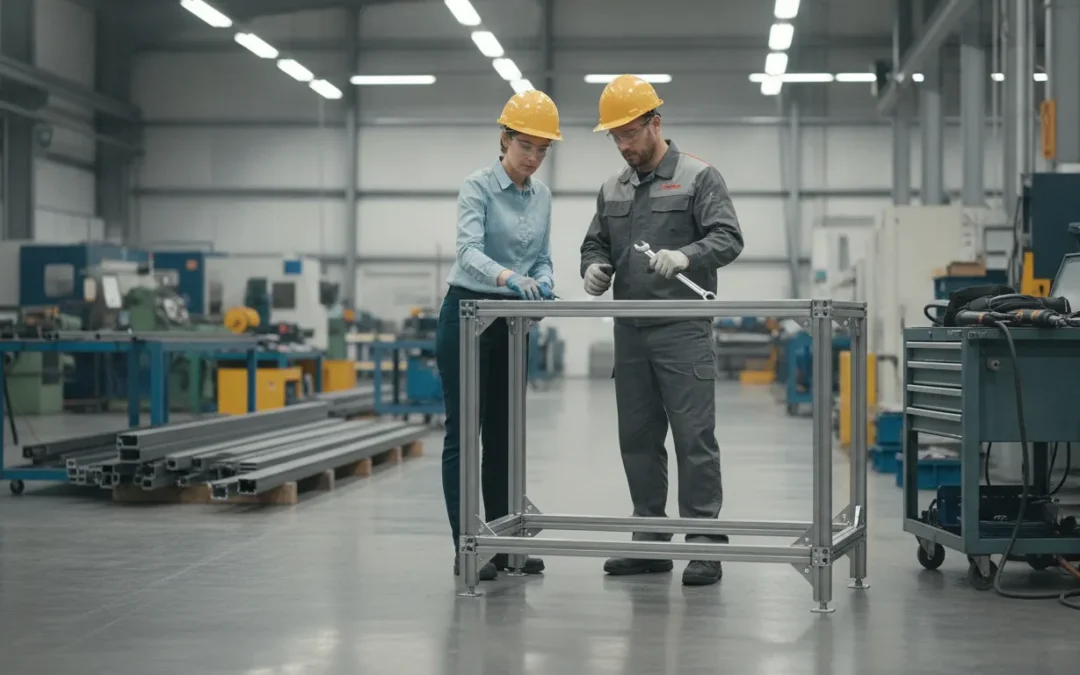
An industrial workstation is only useful when it fits the application, the operators, the equipment, and the facility around it. That means the project should begin with requirements, not a catalog SKU. Load, footprint, utilities, ergonomics, environmental conditions, installation constraints, and schedule all affect what must be engineered and how it should be built.
The custom industrial workstation engineering process moves from application requirements through design review, in-house engineering, fabrication, installation, and procurement planning. The finished infrastructure reflects the work it must support.
Workplace Modular Systems designs, engineers, manufactures, and installs custom industrial workstations from its New Hampshire operation. Keeping those capabilities connected helps project teams address technical handoffs and lead-time questions with one accountable manufacturer. The process starts by identifying where a standard configuration is sufficient and where the application calls for a more deliberate engineering path.
That distinction matters because catalog products cannot resolve every combination of load, ESD, vibration, cleanroom, utility, and workflow requirement. The first step is understanding why custom engineering exists and which problems a specification must solve.
Why Custom Engineering Exists: Problems a Catalog Cannot Solve
A catalog is useful when the application fits the assumptions behind a standard configuration. Industrial environments often do not. The workstation may need to carry a defined load, support a repeatable process, fit around fixed utilities, or occupy a footprint that leaves little room for adjustment. In those cases, the central question is not which product has the longest feature list. It is which specifications must be resolved before fabrication and installation.
Custom engineering begins with the work being performed and the conditions surrounding it. A facility planner may be coordinating a new cell around existing power, compressed air, data, or exhaust connections. A project engineer may be balancing structural requirements with operator access and material flow. An EHS or operations leader may need the layout to support safer movement, consistent reach zones, and maintainability. These are connected decisions. Changing one dimension can affect clearances, accessory placement, utility routing, and the way an operator interacts with the station.
Common inputs that can move a project beyond a catalog choice include:
- Load and structure: equipment weight, point loads, dynamic forces, and the stiffness required for the task.
- Electrical and ESD needs: the equipment, grounding approach, and work process requirements that must be addressed in the specification.
- Vibration and precision: conditions where movement, resonance, or equipment sensitivity can affect the work.
- Environment: cleanroom, laboratory, production, or other conditions that influence materials, finishes, access, and maintenance.
- Utilities and footprint: fixed connections, service access, aisle clearances, ceiling constraints, and an irregular or highly constrained floor plan.
- Workflow and installation: the sequence of tasks, material presentation, adjacent equipment, site access, and the practical handoff from design to installation.
Engineering is valuable because it turns those inputs into a coordinated build rather than a collection of compatible-looking components. The process should make important assumptions visible early, identify conflicts before production, and give manufacturing and installation teams a shared reference. It also creates a place to distinguish requirements that are mandatory from preferences that can change if the project schedule or budget demands it.
That does not mean every workstation needs a custom scope. Standard configurations can be an efficient choice when the application, environment, and footprint are straightforward. When the requirements are unusual or interconnected, however, a conversation with a Design Specialist can prevent a catalog decision from becoming a field adjustment. Workplace Modular Systems provides custom engineered workstation solutions for projects where the application deserves that level of definition.
What Does a Custom Industrial Workstation Engineering Process Include?
A practical custom industrial workstation engineering process connects the application brief to a manufacturable, installable result. It is not simply a matter of selecting a bench and adding accessories. The process must account for how operators, technicians, robots, utilities, materials, and maintenance activity will interact within the available space.
The sequence below is a useful project framework for industrial, laboratory, research, and high-tech manufacturing environments. It describes the decisions that should be resolved as a project moves from requirements to verification. It is not a formal step-by-step guarantee for every Workplace Modular Systems project. Scope, complexity, and site conditions determine the appropriate level of engineering.
- Define the application requirements. Start with the work being performed, not the product catalog. The project team should document the task sequence, operator interaction, materials, equipment, access requirements, and expected maintenance activities. Load requirements, ESD needs, vibration concerns, cleanroom considerations, and ergonomic constraints may all affect the design. Capturing these conditions early gives the engineering team a basis for evaluating what the workstation must accomplish.
- Confirm the site and interface constraints. The available footprint is only one part of the physical brief. Ceiling height, adjacent equipment, aisle clearance, floor conditions, power, data, compressed air, exhaust, lighting, and material flow can influence the design. Installation access matters as well. A workstation that fits on a drawing may still create problems if it cannot be brought through the building. Positioned around existing equipment, or connected to the required utilities.
- Develop and review the concept. Engineering translates the requirements into a workable arrangement of structure, surfaces, storage, supports, accessories, and interfaces. At this stage, the team can review reach zones, service access, operator movement, equipment placement, and likely points of adjustment. A review before fabrication release is an opportunity to resolve conflicts while changes are still relatively simple. It also helps the customer distinguish a standard configuration from a genuinely custom requirement.
- Release the design for fabrication. Once the applicable dimensions and requirements are understood, the design must be converted into information the shop can build accurately. That may include structural details, formed or cut components, joining requirements, finish requirements, and accessory locations. Clear fabrication information reduces ambiguity between engineering and production and provides a reference for later inspection.
- Plan installation and verification. Installation planning should address delivery sequence, access, site readiness, assembly, utility interfaces, and coordination with other trades. After installation, the result should be checked against the approved requirements and the conditions observed on site. Verification is where the team confirms that the workstation is positioned correctly, interfaces are usable, and the installed infrastructure supports the intended workflow.
WMS carries design, engineering, manufacturing, and installation capabilities within its operation. Its 92,000-square-foot facility integrates engineering, sales, and manufacturing, with capabilities that include steel fabrication, laser cutting, welding, sheet-metal forming, stamping, and powder coating. That in-house structure can make technical handoffs more direct, while the project team remains responsible for confirming the actual scope and schedule.
For an overview of in-house engineered solutions and manufacturing capabilities, review the available project path before deciding whether a standard configuration or a Design Specialist conversation is the better starting point.
The WMS Project Lifecycle: Design, Engineering, Fabrication, and Installation In-House
A custom workstation project is more than selecting a top, frame, or accessory from a catalog. The important work is connecting the application requirements to a buildable design. Then carrying that design through fabrication and installation without losing the details that made it fit the operation. Workplace Modular Systems manages that work as a manufacturer with design, engineering, manufacturing, and installation capabilities under one organization.
WMS operates from a 92,000-square-foot facility that integrates engineering, sales, and manufacturing. That proximity supports practical communication between the people defining the requirement and the people preparing the parts. The exact sequence can vary with project scope, site conditions, and the level of customization, but the lifecycle commonly includes these stages:
- Application and requirements review. The project begins with the work the station must support. The team considers the footprint, operator tasks, equipment interfaces, loads, utilities, ergonomics, environmental conditions, and installation constraints. For automation or robotics infrastructure, the discussion may also include the intended equipment arrangement and the structural requirements of the application. Establishing these inputs early gives engineering a usable basis for the design rather than forcing the project into a generic configuration.
- Design development. WMS translates the requirements into a workstation concept that addresses layout, access, working height, storage, surfaces, and interfaces. Standard components may be appropriate for part of the project, while custom details may be needed where the application, footprint, or workflow falls outside a standard configuration. The objective is a design that works in the planned environment, not simply a collection of available products.
- Engineering review and detailing. Engineering develops the design into information that can be manufactured and reviewed. This stage is where dimensions, material choices, connection details, component locations, and other project-specific requirements are resolved. It also provides an opportunity to identify conflicts before parts reach the shop floor. Not every project requires the same level of engineering effort, so the depth of this work depends on the scope and complexity.
- Material preparation and fabrication. Once the design is ready for production, WMS can draw on in-house capabilities including laser cutting, steel fabrication, sheet-metal forming, stamping, and welding. Keeping these capabilities within the manufacturing operation helps connect the engineered details to the physical build and supports controlled handling of custom parts.
- Finishing and build preparation. Fabricated components may move through finishing steps such as powder coating before being prepared for assembly and delivery. The specific finish and preparation depend on the approved requirements. Parts are organized for the next stage so the installation team has the components and information needed for the site conditions.
- Installation and project handoff. WMS also provides installation, when included in the project scope. Installation brings the engineered design into the actual facility, where access, adjacent equipment, utilities, and floor conditions matter. The handoff is not an afterthought. It is the point at which the planned workstation becomes usable infrastructure for the customer’s operation.
This connected model gives buyers a clearer path from requirement to result. To review how WMS approaches in-house engineered solutions and manufacturing capabilities, start with the project context and identify which requirements need a standard configuration and which deserve a Design Specialist review.
What a Design Specialist Consultation Covers and Produces
A useful consultation turns an initial workstation idea into a specification that engineering and production can act on. The discussion should begin with the application, not a preferred catalog component. A facility planner, project engineer, or automation integrator should be prepared to explain what operators do. How often they do it, and what the workstation must support throughout the work cycle.
That context gives the Design Specialist a basis for evaluating the details that determine fit:
- Application and operator tasks: Identify the process, tools, instruments, materials, reach zones, inspection points, and interactions with adjacent equipment. The goal is to support the actual workflow rather than force the workflow around a generic bench.
- Footprint and layout: Define available floor space, clearances, aisle conditions, neighboring workstations, material flow, and any fixed interfaces. A footprint is more than width and depth. It establishes how the workstation will function within the facility.
- Loads and utilities: Document the equipment, tooling, work surfaces, storage, and distributed loads the structure must carry. Note required electrical, data, pneumatic, vacuum, lighting, or other utility connections, along with routing and service access.
- Environment and ergonomics: Describe temperature, contamination, ESD, vibration, cleanroom, chemical, or other application considerations when they apply. Operator height, posture, visibility, adjustment needs, and safe access also belong in the specification.
- Interfaces and installation constraints: Identify robots, conveyors, guarding, facility structures, anchoring conditions, delivery access, site rules, and coordination requirements. These constraints can affect the design long before installation begins.
- Schedule and scope: Share the required in-service date, approval milestones, quantities, installation expectations, and what is included in the requested quote. Project-specific scope and timing should be confirmed rather than inferred from a standard lead-time statement.
The consultation should produce more than a product recommendation. It should clarify the intended configuration, relevant accessories and interfaces, manufacturing or engineering assumptions, installation boundaries, and the information still needed to finalize the scope. That record helps the buyer compare the proposed solution with the application and gives the project team a clearer basis for review.
For applications that extend beyond standard configurations, WMS’s custom engineered workstation solutions provide context on its design and manufacturing capabilities. A focused Design Specialist conversation can then determine whether the project fits an established configuration, requires engineering refinement, or should proceed as a more fully custom scope.
Why Domestic Manufacturing Matters for Lead-Time Planning
Lead-time planning is more reliable when the people defining the specification can communicate directly with the people responsible for fabrication and installation. That connection does not eliminate every project variable, but it gives facility planners and engineers a clearer basis for scheduling decisions. Questions about materials, fabrication details, site conditions, and installation requirements can be addressed within the same project conversation instead of being passed through an extended chain of suppliers.
Workplace Modular Systems was founded in 1950 in Londonderry, New Hampshire. Its domestic manufacturing position is part of a longer operating history, not a temporary sourcing message. WMS designs, engineers, manufactures, and installs custom industrial workstations and robotics infrastructure for industrial, laboratory, research, and manufacturing environments. For buyers, that combination matters because a workstation is often tied to a broader facility schedule, production changeover, laboratory move, or automation installation.
WMS identifies a standard domestic lead-time position of 4-6 weeks. That range can be useful during early planning for standard domestic configurations, especially when a project team needs a working assumption for procurement and installation sequencing. It should not be treated as a universal promise for every custom project. A project-specific schedule depends on the scope, the completeness of approvals, required materials, engineering complexity, and installation requirements.
Confirm milestones, not just a delivery range
A responsible lead-time discussion should identify the milestones behind the schedule. Before a purchase order or release, confirm when the specification is expected to be complete, when drawings or other approvals are needed. What materials or finishes are included, when fabrication is planned, and how installation will be coordinated with site readiness. These details help the project team distinguish a manufacturing lead time from the full duration of design review, approval, delivery, and installation.
This is especially important when the custom industrial workstation engineering process includes application-specific requirements such as load, utilities, ergonomics, environmental conditions, or integration with automation equipment. A compressed schedule may be possible for a well-defined standard configuration, while a complex scope may require more time for design decisions and coordination. The right question is not whether one supplier can promise the same number of weeks for every project. It is whether the supplier can explain the assumptions, identify decision points, and maintain accountability as the project moves from specification to installation.
Discussing those milestones early gives procurement, engineering, operations, and installation teams a shared schedule to manage. It also makes changes visible before they become late-stage surprises.
Configurator or Design Specialist: Which Path Fits the Project?
The right starting point depends on how closely the project fits a known workstation configuration. A standard configurable workstation can be an efficient path when the application uses familiar components, a defined work surface, and conventional accessory requirements. It lets the team explore available options, clarify the basic layout, and move toward a quote without turning a straightforward requirement into a larger engineering exercise. You can configure a standard workstation when the project is well understood and the primary decisions involve selecting from established choices.
A Design Specialist conversation is more appropriate when the workstation must respond to conditions that are not fully represented by standard options. That may include an unusual footprint, integrated utilities, a specialized workflow, equipment interfaces, a demanding environment, or coordination with adjacent automation and facility systems. In those cases, the value of the conversation is not simply choosing more options. It is making sure the requirements are understood before the project moves toward fabrication and installation.
Choosing a Starting Path for an Industrial Workstation Project
- Known footprint with a conventional work surface and standard accessories
- Better starting path: Configurator. Why: Established components can define the basic workstation efficiently before requesting a quote.
- Several standard configurations need to be compared across a rollout
- Better starting path: Configurator, then quote review. Why: Online configuration can organize the initial choices while a quote review confirms the selected scope.
- Unusual equipment, utilities, clearances, or interfaces with another system
- Better starting path: Design Specialist. Why: Early technical discussion helps identify dependencies that a standard configuration may not capture.
- Application-specific ESD, vibration, cleanroom, load, or workflow requirements
- Better starting path: Design Specialist or engineering conversation. Why: Project requirements should be reviewed against the intended environment and documented scope before fabrication.
- Installation coordination, retrofit constraints, or a schedule tied to a larger buildout
- Better starting path: Design Specialist or quote path. Why: Site conditions, handoffs, and schedule dependencies need to be considered as part of the project, not after selection.
The distinction is not between a simple product and an expensive one. It is between a requirement that can be expressed through established configuration choices and one that needs technical interpretation. A Design Specialist can help organize information about the task, footprint, loads, utilities, ergonomics, environment, installation conditions, and schedule. That gives engineering and manufacturing a clearer basis for determining what must be standard, what must be adapted, and what requires a custom solution.
When the scope is genuinely custom, choosing the consultation path early can reduce ambiguity in the handoff from specification to production. Workplace Modular Systems designs, engineers, manufactures, and installs industrial workstations, with in-house capabilities supporting custom engineered work. Review the custom engineered workstation solutions available, then request a specialist conversation if the project has constraints the configurator cannot represent clearly. The goal is not to force every application into a custom process. It is to match the process to the engineering risk and the needs of the production environment.
Frequently Asked Questions
What does a custom industrial workstation engineering process include?
It starts with the application: the work being performed, available footprint, loads, utilities, ergonomics, operating environment, installation conditions, and required schedule. The process then translates those requirements into a workstation specification, confirms the design, and coordinates fabrication and installation for the intended production, research, laboratory, or manufacturing setting.
For specialized requirements such as ESD controls, vibration concerns, cleanroom compatibility, or integration with automation. The project scope should identify the applicable requirements and the documentation needed to verify them.
When should I work with a Design Specialist?
Talk to a Design Specialist when the workstation must fit an unusual footprint. Support a complex workflow, coordinate with utilities or automation, or meet project-specific environmental and installation requirements. A specialist can help define the right inputs before a design or quote is finalized.
A standard configuration may be a better starting point when the application fits an available configuration and does not require significant engineering coordination.
How does in-house engineering, manufacturing, and installation support coordination?
When design, engineering, manufacturing, and installation are handled by one accountable manufacturer, the project can be coordinated across the major stages instead of being divided among unrelated suppliers. The team can carry the approved requirements into fabrication and address installation conditions as part of the project discussion.
Workplace Modular Systems performs these functions from its New Hampshire operation, with engineering and manufacturing capabilities under one roof. The exact workflow and responsibilities should still be confirmed for the project scope.
How should I plan lead times for a custom industrial workstation?
Begin by sharing the application requirements, site conditions, quantities, approval milestones, delivery location, and installation needs as early as possible. Those details help distinguish a standard configuration from a project that needs additional engineering or coordination.
WMS identifies a 4-6 week standard domestic lead-time position, but that should not be treated as a guarantee for every custom scope. Confirm the project-specific schedule, dependencies, and delivery expectations during the quote process.
Should I use a workstation configurator or request a custom quote?
Use the configurator when you need a standard workstation configuration and the application fits the available options. Request a quote or speak with a Design Specialist when the project involves unusual dimensions, specialized requirements, automation coordination, or a broader engineering-to-installation scope.
Choosing the consultation path early can help clarify which requirements are standard and which need project-specific review.
Ready to Start Your Workstation Project?
A clear conversation about your application, constraints, and schedule can help determine whether a standard configuration or a custom engineering path is appropriate. To get started, request a workstation quote and share the requirements your team is working through. WMS can review the project details and identify the next practical step for your facility.