



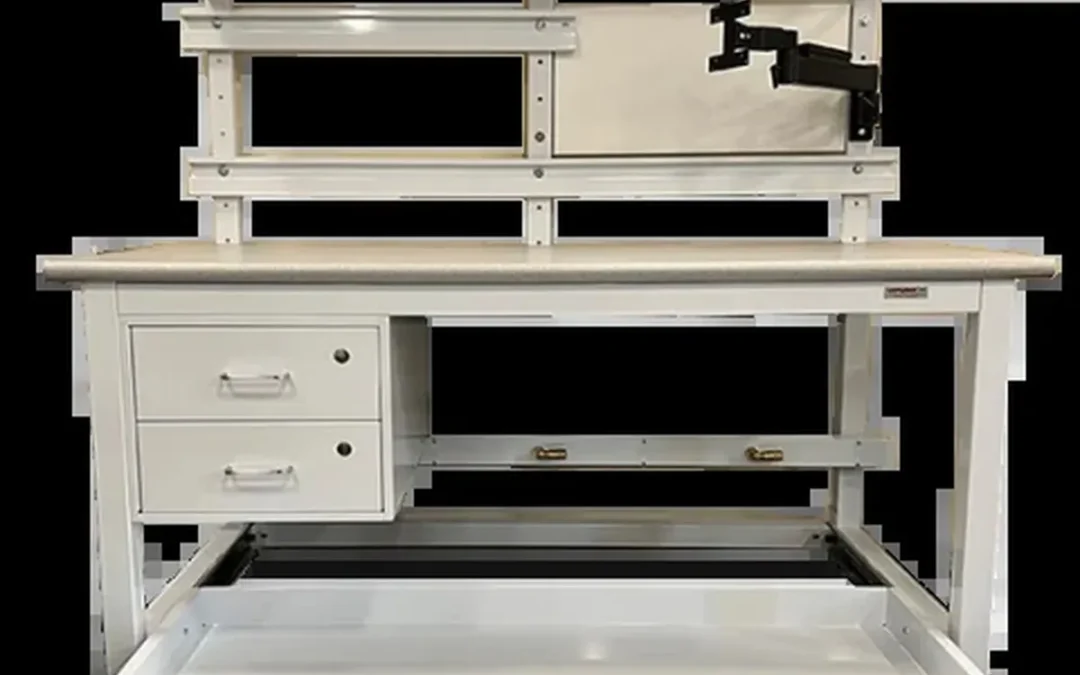
Aerospace programs place demanding requirements on the people and equipment involved in production. Operators may handle delicate avionics, large structural parts, wire harnesses, precision fixtures, inspection tools, and controlled documentation within the same facility. Each task calls for a different combination of stability, access, ergonomics, organization, and protection. Choosing an aerospace assembly workstation based on price or appearance alone can leave important requirements unresolved. The better approach starts with the work itself. Define the part, process, operator, tools, loads, utilities, and quality controls before reviewing products. Here is how to build that specification and select infrastructure that supports reliable aerospace production.
Key Takeaways
- Build around the application: Define the part, process, tooling, operator position, load, reach, utilities, and inspection requirements before selecting a workstation.
- Make requirements measurable: Specify ESD controls, FOD prevention, ergonomics, grounding, load capacity, cleanability, documentation, and applicable program standards in the RFQ.
- Evaluate the full supplier relationship: Compare engineering support, domestic manufacturing, lead times, installation, repeat-order consistency, replacement parts, warranties, and total ownership cost, not just the base price.
What Is an Aerospace Assembly Workstation?
An aerospace assembly workstation is a purpose-built environment for assembling, inspecting, repairing, and testing aircraft, spacecraft, defense, and related components. It combines a stable work surface with the ergonomic, electrical, organizational, and documentation features needed for precise, repeatable production.
Unlike a general-purpose workbench, an aerospace station must support demanding work across long production cycles. The design may need to accommodate delicate electronics, wire harnesses, machined parts, composite components, fasteners, fixtures, inspection equipment, and large assemblies. It should also help operators follow documented procedures while keeping parts, tools, materials, and records organized.
The right specification depends on the application. An avionics station may require an ESD-safe surface, grounding access, task lighting, and instrument power. A structural assembly station may need a larger surface, higher load capacity, integrated fixturing, and clearance for oversized parts. A repair station may benefit from mobility, adjustable positioning, storage, and access to utilities.
Aerospace workstations support the broader quality system, but the workstation itself does not make a facility AS9100 compliant. Compliance depends on the complete manufacturing process, including documented procedures, trained personnel, calibrated equipment, inspection controls, and supplier management. Specify the workstation as one controlled part of that system.
Compare Aerospace Workstations With Standard Industrial Benches
A standard industrial bench may work well for basic assembly, packaging, or maintenance. Aerospace applications often call for more deliberate control over stability, ergonomics, surface protection, grounding, storage, and documentation.
The difference is not simply a heavier frame or a higher price. An aerospace workstation is designed around the part, process, operator, and quality requirements. It may include ESD-safe surfaces, adjustable height, integrated fixtures, controlled tool storage, cleanable finishes, task lighting, power, compressed air, and cable routing.
A basic bench can become a poor fit when operators must reach across large parts, work under magnification, handle static-sensitive electronics, or repeat precise motions throughout a shift. Purpose-built aerospace furniture reduces these compromises and creates a more consistent environment for production and inspection. Formaspace’s aerospace furniture overview also highlights the need for durability, precision, and high load capacity in these applications.
Support Assembly, Inspection, Repair, and Testing
One aerospace workstation may support several operations, or a production line may use specialized stations for each stage. Assembly stations can provide fixtures, tool balancers, component storage, torque tool access, and digital work instructions. Inspection stations may require controlled lighting, measurement equipment, documentation space, and clear sightlines around the part.
Repair and maintenance work often benefits from mobile configurations, adjustable surfaces, power distribution, and storage for replacement parts. Testing stations may need dedicated electrical outlets, grounding points, compressed air, network access, instrument shelving, or space for test equipment.
Specify the station so the correct process is easy to follow. Organize tools at their points of use, keep paperwork and digital instructions visible, and route cables away from the operator’s working area. These details support repeatability without forcing the operator to work around the infrastructure.
Manufacturers such as BOSTONtec describe aerospace workstations for wire harness production, electronics work, labeling, scanning, weighing, sealing, and inspection. The same principle applies to defense and space programs: define the station around the actual task rather than selecting a generic bench and adding accessories later.
Know When to Choose Custom Infrastructure
Custom infrastructure makes sense when a standard catalog does not account for the application’s dimensions, loads, utilities, compliance controls, or production volume. It is particularly useful for specialized parts, repeatable work across multiple cells, large programs, and facilities with strict layout or documentation requirements.
Start by identifying the elements that cannot change. These may include part geometry, fixture locations, operator access, equipment clearances, ESD controls, cleanability, load requirements, or required documentation. Then identify the elements that may change as the program develops, such as tooling, storage, monitor locations, and accessory positions.
Custom does not have to mean a one-off design that cannot be repeated. A better approach is to create a defined workstation platform with controlled options. That gives engineering teams a consistent standard while allowing each cell to match its task.
Custom aerospace workstation configurations can include height ranges, worksurface materials, finishes, storage, accessories, ESD features, and utility integration. Ask the manufacturer to document the final configuration so future stations can be quoted, built, and installed consistently.
Match the Station to the Operator, Part, and Process
The best workstation begins with the work, not the product catalog. Observe how operators handle the part, where they reach, how often they change position, which tools they use, and where errors or delays occur. Include operators, manufacturing engineers, quality personnel, and facilities teams in the specification process.
For the operator, consider seated and standing work, height range, reach distance, visual requirements, force exertion, and repetitive motions. For the part, consider dimensions, weight, fragility, surface sensitivity, rotation needs, and access to both sides. For the process, consider cycle time, tooling, inspection points, documentation, utilities, and changeover frequency.
Ergonomics should be treated as a production requirement, not an optional comfort feature. BOSTONtec’s aerospace workstation guidance connects ergonomic design with reduced repetitive-motion risk, shorter cycle times, and more value-added motions. A station that helps operators work in a neutral, repeatable position can support employee well-being and consistent output.
Use a task review or workstation mockup before finalizing the design. A short operator trial can reveal reach problems, glare, blocked access, awkward storage, or fixture conflicts that may be difficult to catch in a two-dimensional layout.
Which Features Matter in an Aerospace Assembly Workstation?
An aerospace assembly workstation should support the complete job, not just provide a flat surface. Operators may assemble wiring, position aircraft components, inspect finished parts, perform repairs, or follow detailed digital instructions. Each task places different demands on the station’s height, reach, stability, surface, utilities, and storage.
Start with the work being performed, then specify the workstation around the operator, part, tools, and process. A station designed for seated wiring may not suit standing mechanical assembly. Likewise, a bench that supports light inspection may not provide the rigidity or load capacity required for fixtures and large aerospace components.
Ergonomics should be treated as a production requirement, not an optional comfort feature. The BOSTONtec aerospace workstation guide emphasizes reducing unnecessary reaching and stretching while keeping tools and supplies within practical reach zones. These choices can affect fatigue, accuracy, cycle time, and repeatability.
As you build the specification, consider:
- Height adjustment for seated and standing work
- Reach, tilt, and operator positioning
- Surface size, material, and edge profile
- Frame rigidity, load capacity, and finish
- ESD control and grounding access
- Lighting, power, air, data, and cable routing
- Storage for tools, parts, documents, and instructions
- Mobility, modularity, line integration, and anchoring
Adjust Height for Seated and Standing Work
A height-adjustable workstation lets operators set the work surface for their body position and task. That may mean seated work for detailed wiring, standing work for inspection, or frequent changes between the two during a shift. Electric systems can provide powered movement, programmable presets, and digital height displays. Manual adjustment may be suitable when changes are less frequent.
Workplace Direct Drive® uses an enclosed motor and leadscrew inside each leg. This protects the adjustment mechanism from exposed belts or chains and keeps the surface in position when power is lost. It is available for industrial and analytical applications where clearance, maintenance, and controlled movement matter.
Specify the height range, adjustment frequency, load during movement, control location, and need for individual presets. Include fixtures, tooling, and the largest expected part when checking the usable range. A height specification that looks adequate on paper may not work once equipment is installed.
Improve Reach, Tilt, and Operator Positioning
Aerospace assembly often combines close visual work with tools, fixtures, fasteners, documents, and components. If an operator must lean, twist, stretch, or repeatedly reach across a part, the workstation is working against the process. Keep frequently used tools and materials inside the operator’s comfortable reach zone.
Tilt adjustment can orient a part or fixture toward the operator during inspection, wiring, and detailed assembly. It may also reduce glare and improve visibility when paired with task lighting. Set the angle around part geometry, hand clearance, viewing requirements, and access to multiple sides.
Ask operators where they currently bend, reach, or leave the station to retrieve supplies. These observations often reveal more than a generic layout review. Use them to position shelves, monitor arms, tool holders, and controls. The goal is to add features that support the work sequence, not accessories that create new obstacles.
Choose the Right Worksurface Size and Edge Profile
The work surface should accommodate the part, fixtures, tools, documents, and operator movement without forcing important items toward the rear edge. Measure the largest part and the full footprint of its tooling, then add space for inspection and handling. If the station supports several product families, size it around the largest common configuration.
Surface material should match the application. Options may include steel, solid wood, epoxy resin, ESD-safe laminate, and other engineered materials. Consider chemical exposure, cleaning methods, static-control requirements, impact, abrasion, and the risk of sharp parts damaging the surface.
Edge design also affects daily comfort. A rolled front edge can reduce pressure when operators rest their forearms near the front of the bench. The Formaspace aerospace furniture overview explains how surface materials and edge details can be selected around the work. Include surface thickness, edge radius, finish, and replaceability in the specification.
Specify Rigid Frames, Load Ratings, and Durable Finishes
A workstation must remain stable while operators apply force, use fixtures, handle parts, or move tooling. Specify static loads, point loads, dynamic loads, and concentrated loads from fixtures or equipment. A single evenly distributed load figure may not reflect actual use.
Welded steel frames can provide a rigid foundation for precision assembly and inspection. Workplace Modular Systems offers aerospace workstation configurations using welded steel tubing, with capacities reaching 1,500 pounds evenly distributed. Final capacity depends on the frame, surface, accessories, support spacing, and anchoring method.
Ask for frame construction, leveling details, deflection expectations, load assumptions, and anchoring requirements. The finish should suit the environment, too. Powder coating, stainless steel, chemical-resistant surfaces, and cleanable materials each fit different applications. Confirm that the finish can withstand cleaners, oils, coolants, solvents, and regular handling.
Add ESD-Safe Surfaces, Grounding Points, and Verification Access
If the station supports avionics, circuit cards, sensors, controls, or other static-sensitive assemblies, include ESD control in the original design. It should not be treated as a mat added after installation. The station may require an ESD-safe surface, grounded frame, common point ground, wrist-strap connection, and accessible verification points.
Define the resistance range, grounding method, monitor locations, and test procedure. Identify which components must be bonded, including shelves, fixtures, drawers, lighting supports, and conductive accessories. A grounded frame alone does not prove that every work area is controlled.
Plan for inspection and maintenance from the start. ESD personnel should be able to reach connection points without dismantling the station. Include labels, test points, grounding hardware, and documentation in the bill of materials. Coordinate the design with the site’s broader ESD procedures and audit requirements.
Integrate Lighting, Power, Air, and Cable Management
Utilities should reach the point of use without creating trip hazards, snag points, blocked access, or surface clutter. Depending on the application, an aerospace workstation may need task lighting, overhead lighting, electrical outlets, data connections, compressed air, vacuum, exhaust, or test connections.
An integrated utility chase can route power and data through the station while keeping cables organized. Add task lighting where operators need close visual inspection. Specify brightness, adjustability, color quality, shadow control, and switch location. Lighting should support the task without creating glare on screens, polished parts, or inspection surfaces.
Compressed air and other services need similar attention. Identify pressure, flow, connection type, hose length, regulator location, and filtration requirements. Route cables and hoses so they remain accessible for service without crossing the primary work area. The BOSTONtec aerospace workstation specifications show how lighting and utility features can be integrated into the workstation.
Organize Tools, Components, Documents, and Digital Instructions
Storage should support the order in which work happens. Place frequently used tools, fasteners, fixtures, and consumables within easy reach. Less frequently used items can go on upper or lower shelves, in drawers, or on a nearby mobile cart. Avoid storage that blocks visibility, reduces legroom, or crowds the primary surface.
Tool panels, shadow boards, balancers, shelving, bins, and trolleys can help keep the station organized. Choose based on tool weight, changeover frequency, inspection requirements, and whether each item must return to a defined location. A tool balancer may help with repeated handheld work, while labeled bins can support controlled kitting.
Leave room for documents and digital instructions. The station may need a monitor arm, tablet holder, barcode scanner, printer shelf, or protected document area. Position screens where operators can read them without turning away from the part. Keep instructions visible while preserving reach space and clean cable routing. The Formaspace aerospace furniture guidance includes shelving and tool organization options that can be adapted to task-specific layouts.
Choose Mobile, Modular, In-Line, or Anchored Configurations
The station’s mobility should reflect the production process. A stationary or anchored workstation may suit heavy fixtures, precision inspection, high loads, or fixed utilities. A mobile station may support line balancing, maintenance, cell changes, or shared equipment between production areas.
Modular construction makes it easier to change shelves, lighting, tooling, and accessories as the process develops. In-line configurations support repeatable production flow, while corner and dual-sided layouts can use floor space efficiently. If two operators work on one assembly, a dual-sided station can provide shared access with separate working heights.
Specify casters, brakes, leveling feet, anchoring, floor conditions, aisle clearances, and utility disconnects. Do not assume a mobile station should move while fully loaded. Define the intended move condition, including whether tools, fixtures, or parts remain in place.
For larger programs, standardize the frame, utility locations, accessory interfaces, and documentation across stations. That creates consistency without forcing every station to use the same surface, fixture, or storage layout. Workplace Modular Systems aerospace workstation configurations can be adapted for standard, custom, and reconfigurable production environments.
Which Compliance Requirements Should You Specify?
Compliance requirements should shape an aerospace assembly workstation from the beginning, not appear as a final checklist after the design is complete. A station used for production may have different requirements from one used for inspection, repair, testing, or rework. The right specification may need to address ergonomics, electrostatic discharge, cleanliness, documentation, load capacity, grounding, and operator safety.
Start by identifying the requirements that govern the program, facility, customer, and process. A defense supplier may need documentation that supports an AS9100 quality system. An avionics assembly area may require a formal ESD control program. A station for large structural components may need a heavier frame and different handling features than one used for precision electronics.
It is also important to separate product requirements from supplier qualifications. A workstation can be designed to support a standard without the manufacturer holding every certification required by your customer. Your RFQ should define the workstation’s required performance, materials, documentation, and configuration. It should separately identify supplier certifications, quality-system approvals, insurance requirements, and registration requirements.
A clear specification gives the manufacturer enough information to engineer the station correctly. It also gives your quality, manufacturing, facilities, EHS, and procurement teams a practical basis for reviewing what was delivered. Use the requirements below to guide that process.
Support AS9100 Quality, Traceability, and Documentation
AS9100 applies to quality management systems in the aviation, space, and defense industries. It is not a workstation design standard, but the workstation should support the documented processes performed at the station. These may include configuration control, inspection records, nonconformance handling, calibration, operator instructions, and part or tool traceability.
When requesting a quote, ask what documentation the manufacturer can provide. Useful deliverables may include engineered drawings, bills of materials, material information, finish specifications, electrical details, load ratings, grounding points, and installation instructions. If your program requires qualification records, inspection forms, or customer-specific documentation, identify those needs before design approval.
A documented configuration also simplifies future replacements and repeat orders. Your team can reference the approved design instead of recreating it from measurements or photographs. Workplace Modular Systems outlines documentation and qualification materials for aerospace assembly workstations, including information buyers may want to address during specification.
Apply MIL-STD-1472 Human Factors and Ergonomics
MIL-STD-1472 provides human factors guidance for military systems and equipment. For an aerospace assembly workstation, use it to evaluate the interaction between the operator, part, tools, displays, and surrounding equipment. The goal is not simply to add an adjustable feature. The station should make the work visible, reachable, repeatable, and physically sustainable.
Specify the operator population, expected posture, task duration, viewing distance, reach envelope, part presentation, and force requirements. If operators alternate between seated and standing work, define the required height range. Note whether they must rotate, tilt, raise, or reposition the part during assembly or inspection.
Include operators in the design review. They may identify glare, shoulder elevation, wrist deviation, awkward reaches, or obstructed access that is not obvious from a layout drawing. The MIL-STD-1472 guidance can help engineering and ergonomics teams determine which human factors belong in the workstation specification.
Follow ANSI/ESD S20.20 and IEC 61340-5-1 Controls
If the station handles circuit cards, avionics, sensors, wiring, or other electrostatic-sensitive components, include ESD requirements in the initial specification. Avoid relying on the phrase “ESD safe” alone. Define the worksurface, grounding method, common point ground, wrist strap or footwear connections, floor interface, and verification access.
ANSI/ESD S20.20 addresses the development and operation of an ESD control program. IEC 61340-5-1 provides requirements for protecting electronic devices from electrostatic phenomena. The workstation is one part of that broader program, so its design must work with the facility’s grounding and verification procedures.
Ask the manufacturer to document conductive or dissipative materials, resistance characteristics where applicable, grounding points, and the intended connection method. Your ESD coordinator should review the design and confirm that it fits the site program. The ESD Association standards catalog provides current information about ANSI/ESD S20.20 and related documents.
Prevent FOD and Maintain Cleanable Workspaces
Foreign object damage, or FOD, can result from loose hardware, debris, broken tool parts, packaging materials, or workstation components that enter an assembly. A workstation cannot eliminate every FOD risk, but it can make prevention, inspection, and housekeeping easier.
Specify surfaces and construction details that support your facility’s cleaning methods. Phenolic resin, epoxy resin, stainless steel, and other metal surfaces may be appropriate depending on the chemicals, tools, and parts involved. Define resistance to solvents, oils, coolants, adhesives, and cleaning agents before selecting a finish.
Look beyond the worksurface. Open tubing, exposed fasteners, deep seams, unnecessary ledges, damaged laminate, and hard-to-reach storage areas can collect debris. Ask for smooth, accessible surfaces and accessory locations that do not interfere with inspection. Include shadow boards, controlled containers, tool accountability, and documented cleaning routines when the program requires them. Aerospace assembly workstation guidance can help your team evaluate cleanable materials and FOD-conscious construction.
Document Electrical, Grounding, Load, and Operator Safety
Your specification should identify every load, utility, and safety condition the workstation must handle. Include the weight of the part, fixtures, tooling, monitor arms, storage, lighting, and equipment mounted to the station. State whether the load is evenly distributed or concentrated in one area. Note any dynamic forces created by movement, adjustment, or part handling.
Do not treat a published load rating as a complete safety analysis. Ask the manufacturer how the rating was determined, which configuration it applies to, and whether the station must be anchored. Heavy applications may require a reinforced frame, leveling provisions, anchoring, and protection against tipping or unintended movement.
Electrical requirements should cover voltage, outlets, circuit protection, emergency shutoff access, cable routing, and grounding. Also address pinch points, sharp edges, moving components, height-adjustment controls, and operator access. A specification may reference a capacity such as 1,500 pounds evenly distributed, but the final requirement should match the actual application. Request drawings and safety information that show how the proposed configuration meets those conditions.
Separate Workstation Specifications From Supplier Certifications
A workstation can be designed for a specific aerospace, defense, electronics, or manufacturing application without the manufacturer holding every certification required by the end customer. Keep these questions separate during procurement.
First, define what the workstation must do. Requirements may include ESD control, cleanable surfaces, a specified load capacity, operator adjustment, grounding points, lighting, documentation, or fixture compatibility. Then define the supplier qualifications your organization requires, such as quality-system approvals, insurance, cybersecurity controls, customer registrations, or approved-supplier status.
This separation prevents vague language from entering the RFQ. Instead of asking for an “AS9100-compliant workstation,” specify the product features and documentation you need. Separately ask whether the supplier maintains an AS9100-certified quality management system or can work within your approved supplier process. Verify certification status through current supplier records and supporting documentation.
The result is a clearer evaluation. Engineering can compare the workstation against the application, while quality and procurement review the manufacturer against supplier-approval requirements.
Build an Aerospace Workstation RFQ Checklist
A detailed RFQ helps manufacturers quote the right station instead of making assumptions. Begin with the basics: part name, program, task description, operator count, quantity, facility location, and required delivery date. Include photos, drawings, part dimensions, center of gravity information, fixture details, and examples of any existing station that should be improved or replicated.
Your checklist should cover:
- Applicable standards, customer clauses, and quality documentation
- ESD surface, grounding, and verification requirements
- FOD controls, cleaning methods, and chemical exposure
- Worksurface dimensions, height range, tilt, reach, and operator posture
- Static and dynamic loads, anchoring, mobility, and leveling
- Electrical power, compressed air, lighting, data, and cable routing
- Tool storage, fixtures, shelves, monitors, documents, and digital instructions
- Finishes, colors, edge profiles, materials, and cleanability
- Drawings, bills of materials, installation instructions, and acceptance criteria
- Quantities, repeat-order plans, installation scope, freight, warranty, and service
Have manufacturing engineering, quality, EHS, facilities, and procurement review the RFQ before sending it. Ask the manufacturer to identify assumptions, exclusions, open questions, and recommended changes. A custom aerospace workstation quote should reflect the work operators will perform, the requirements the program must satisfy, and the documentation your team will need after installation.
How Can You Customize an Aerospace Assembly Workstation?
An aerospace assembly workstation should be designed around the work it supports, not selected by size alone. The specification should account for the part, tooling, operator, inspection method, utilities, documentation, and expected production volume. A well-planned station gives operators the access and stability they need without forcing them to work around poor positioning or crowded surfaces.
Aerospace programs also depend on repeatability, controlled processes, and dependable documentation. Begin with the application, then define the physical workstation, worksurface, accessories, utilities, and layout. A manufacturer experienced in aerospace assembly workstations can turn those requirements into drawings, a bill of materials, and a complete configuration that can be repeated across a line or facility.
Define the Task, Part Geometry, and Operator Needs
Start by documenting every activity performed at the station, including assembly, inspection, testing, repair, cleaning, and documentation. Note whether the process involves delicate components, torque-sensitive fasteners, adhesives, electrical testing, wire routing, or visual inspection.
Part geometry matters just as much. Record the largest and smallest parts, unusual shapes, access points, support locations, finished surfaces, and areas that cannot contact the workstation. Include the weight of the part, fixture, tooling, and any equipment that remains on the worksurface.
Then identify the operators who will use the station. Consider seated and standing work, reach distance, handedness, visibility, protective equipment, and material-handling frequency. Designing around the actual operator and part helps reduce awkward reaching and supports a more repeatable process.
Set Dimensions, Height Range, Orientation, and Reach
Specify the usable worksurface area, not only the outside dimensions of the frame. The station must hold the part, fixtures, tools, documents, and in-process components without placing frequently used items beyond a comfortable reach zone.
Height requirements should reflect the task and the people performing it. Fine assembly and inspection may require a different height from heavy component handling. If several operators share the station, consider manual or powered height adjustment. Workplace Modular Systems’ Direct Drive® platform supports height-adjustable workstation configurations for applications that move between seated and standing work.
Define the preferred part orientation as well. A rotating fixture, angled surface, or adjustable support may provide better access than asking the operator to reposition the part. Use a mock-up to confirm reach distances for large assemblies and precision tasks before approving the final design.
Choose ESD-Safe, Chemical-Resistant, and Cleanable Surfaces
The worksurface should match the materials, tools, and controls used during the process. For electronics, avionics, and other static-sensitive applications, specify an ESD-safe surface, grounding points, and a verification method that fits the facility’s ESD program. ANSI/ESD S20.20 provides a framework for establishing and maintaining an ESD control program.
Chemical exposure also affects material selection. Adhesives, solvents, oils, cleaners, and hydraulic fluids can stain, soften, or damage some surfaces. Request compatibility information based on the chemicals used at the station rather than choosing a material by appearance alone.
Aerospace workspaces should also be easy to clean and inspect. Consider sealed edges, durable finishes, limited crevices, and hardware that does not create unnecessary debris traps. If the process involves controlled environments or sensitive components, document approved cleaning agents and inspection requirements before selecting the surface.
Add Fixtures, Tooling, Lighting, and Storage
Accessories should support the process without crowding the work area. List the tools and fixtures operators use most often, then position them based on frequency of use, weight, and handling risk. Common additions include overhead shelves, tool rails, bins, drawers, monitor arms, holders, fixture plates, and task lighting.
Fixtures should locate parts consistently without damaging finished surfaces. Identify datum points, clamping areas, access requirements, and quick-release needs. If a fixture will be reused across several stations, include its mounting pattern and storage location in the workstation design.
Lighting also deserves a clear specification. Define illumination, shadow control, color quality, and adjustability for assembly and inspection. Place lights so they do not interfere with overhead tools, screens, or operator movement. Store frequently used supplies within reach, and place larger or less frequently used items below or beside the station.
Configure Utilities, Cable Routing, and Digital Instructions
Plan workstation utilities with the process rather than adding them after the frame is complete. Identify power requirements, outlets, compressed air, vacuum, network connections, data ports, test equipment, and dedicated circuits. Include the location of controls and emergency shutoffs where required.
A utility chase can organize power and data cables while making connections easier to inspect or change. Route cables away from pinch points, sharp edges, moving components, walkways, fluids, and debris. Include service loops where equipment needs to move, while securing excess cable so it cannot interfere with the operator.
Digital work instructions may require a monitor, scanner, tablet, camera, or networked test device. Position screens at a comfortable viewing angle without blocking the part or lighting. Plan for device charging, barcode scanning, software updates, and replacement hardware during the initial design.
Support Large-Part Assembly, Inspection, Cleaning, and Repair
Large aerospace components often require more than a flat bench. The workstation may need adjustable supports, removable extensions, cutouts, transfer surfaces, or a frame designed around the part’s center of gravity. Provide enough clearance for hands, tools, inspection equipment, and lifting devices.
If operators rotate or reposition the assembly, specify how that movement will occur. A fixture, turntable, lift assist, or separate support system may reduce manual handling and protect the part. Define the maximum working load in the position where it will actually be used, including fixtures and tooling.
Inspection and repair affect the design as well. Leave room for gauges, cameras, test leads, magnifiers, and documentation. Cleaning requirements may call for sealed surfaces, removable mats, fluid collection features, or materials that withstand approved cleaning agents. Aerospace workstation examples can help teams compare layouts for large-part support and inspection.
Select Stationary, Mobile, Corner, In-Line, or Dual-Sided Layouts
Choose the layout based on how people, parts, tools, and information move through the area. A stationary workstation suits a stable process with fixed utilities or heavy tooling. A mobile station may be better for repair, kitting, training, or work that moves between locations.
Corner and in-line configurations can use floor space efficiently, but they should not restrict operator access or create difficult-to-clean gaps. In-line stations work well when materials follow a defined sequence. Corner layouts can support intersecting workflows when access, lighting, and storage are planned together.
A dual-sided station may allow two operators to work at different heights or on related stages of one assembly. Define whether each side needs independent storage, lighting, power, grounding, and digital instructions. Confirm aisle widths, cart access, emergency routes, and maintenance clearance before finalizing the footprint.
Standardize Custom Stations Across the Production Line
Customization does not mean every station needs a different design. After defining the process, identify the features that should remain consistent across the line. These may include frame construction, height range, ESD controls, grounding points, accessory mounting, lighting, labeling, and utility locations.
Standardization helps operators move between stations with fewer adjustments and gives maintenance teams a familiar set of components. It also simplifies training, spare-parts planning, documentation, and future purchasing. Keep application-specific features, such as fixtures and tool layouts, separate from the common workstation platform whenever possible.
For defense, aviation, electronics, and other high-reliability programs, create a controlled configuration that can be repeated across stations or sites. Include revision levels, approved materials, accessory part numbers, and installation requirements. This gives engineering and procurement a reliable reference for repeat orders without removing useful customization.
Plan for Reconfiguration, Expansion, and Repeat Orders
A workstation should support the current process while allowing for reasonable change. Identify which elements may move, such as shelves, monitor arms, tool holders, bins, and fixtures. Also identify what should remain fixed, including structural supports, utility chases, grounding points, or anchored equipment.
If the product mix may change, consider adjustable accessories, replaceable surfaces, modular storage, and spare mounting locations. Document the limits of each adjustment so future changes do not compromise load capacity, grounding, ergonomics, or operator safety.
Repeat orders are easier when the original design package is complete. Retain approved drawings, bills of materials, finish details, hardware specifications, and accessory locations. Record the workstation revision level and customer-specific requirements. When production expands, this information helps the manufacturer reproduce the approved configuration and identify which changes can be made without redesigning the entire station.
How Should You Compare Aerospace Assembly Workstation Manufacturers?
Choosing an aerospace assembly workstation manufacturer requires more than comparing catalog photos or selecting the lowest quote. The workstation becomes part of the production environment, operator workflow, quality process, and facility layout. It should support the work being performed today and remain useful as parts, tooling, and production requirements change.
Start with one written specification for every supplier. Include part dimensions, load requirements, operator tasks, applicable standards, utilities, quantities, layout constraints, documentation, and delivery requirements. This creates a fair comparison between equivalent configurations instead of comparing a basic bench with a fully engineered workstation.
Look for evidence of experience in aerospace, defense, electronics, medical device, and other high-reliability environments. A capable manufacturer should be able to discuss structural stability, ergonomic positioning, grounding, cleanability, tooling access, and documentation in practical terms. WMS designs aerospace assembly workstations for assembly, inspection, testing, and repair applications.
The evaluation should include the full ownership cost, not only the purchase price. Engineering, installation, freight, reconfiguration, replacement parts, and future repeat orders can affect the value of a workstation for years. Use the following criteria to compare manufacturers consistently.
Assess Engineering Depth and Aerospace Application Fit
Aerospace workstations often support processes where small variations can affect quality, traceability, or operator performance. Ask whether the manufacturer has experience with aerospace assembly, defense production, electronics manufacturing, medical devices, and other demanding environments. Relevant application experience is more useful than a general claim that a product is industrial grade.
Review how the manufacturer approaches your specific process. Can it accommodate large or delicate parts, inspection equipment, torque tools, fixtures, ESD controls, digital work instructions, and operator movement? A capable supplier should ask detailed questions before recommending a configuration. WMS’s aerospace workstation solutions are developed around application requirements rather than a fixed catalog configuration.
Also assess the manufacturer’s role after the initial sale. Engineering support should cover drawings, accessory placement, utility locations, load requirements, installation, and repeatable station standards. This matters when a prototype becomes a production platform.
Compare Complete Configurations, Not Base Prices
A low base price may exclude the features required for aerospace production. Compare complete configurations with the same work-surface dimensions, height adjustment, lighting, electrical access, ESD controls, storage, tool management, fixtures, and accessories.
Request an itemized quote from every manufacturer. The quote should identify included features, optional items, engineering charges, freight, installation, taxes, and key assumptions. This prevents a basic bench from appearing less expensive simply because essential components were left out.
Compare customization as part of the value calculation. A workstation that fits the part, operator, and process may reduce reaching, handling, setup time, and rework. General guidance on comparing suppliers by features and pricing can help structure the review, but your final decision should rely on aerospace-specific requirements and measurable project needs.
Review Construction, Stability, Capacity, and Service Life
Examine how each workstation is constructed and how it is expected to perform under daily production demands. Review frame materials, connection methods, surface finishes, leveling systems, load ratings, and the intended service environment. A station used for precision assembly should remain stable when operators apply force, use torque tools, reposition fixtures, or handle heavy components.
Ask whether published load ratings apply to evenly distributed static loads or to the loads created by your process. Consider concentrated loads from fixtures, instruments, tooling, and parts. If the workstation will be moved, confirm how its capacity and stability change in the mobile configuration.
Service life also depends on the environment. Chemical exposure, ESD requirements, cleaning agents, vibration, and frequent reconfiguration can affect materials and hardware. WMS identifies structural stability, ergonomics, and quality traceability as important considerations for aerospace workstation applications. Include those criteria in your written specification.
Request Drawings, Bills of Materials, Test Data, and Documentation
Aerospace programs often require more than a product image and a price. Ask what documentation the manufacturer can provide for the proposed configuration. Useful deliverables may include engineered drawings, bills of materials, load information, electrical details, grounding points, finish specifications, installation instructions, and revision-controlled documents.
For ESD-controlled areas, request details about the work-surface material, grounding method, resistance limits, and verification access. For stations used in inspection or testing, confirm how equipment, cables, utilities, and fixtures will appear in the drawings.
Ask whether the supplier can support customer-specific documentation requirements for defense programs or regulated production. WMS notes that custom drawings and qualification materials may be available for defense applications. Confirm what is included, what carries an additional fee, and when each document will be delivered. Clear documentation helps reduce approval delays and makes future repeat orders easier to control.
Evaluate Ergonomics With Operator Feedback
A workstation can satisfy its technical requirements and still perform poorly if operators cannot use it comfortably. Evaluate seated and standing positions, reach distances, visibility, lighting, foot clearance, surface height, part presentation, and tool access. The station should support the actual task instead of forcing operators to adapt to a generic bench.
Include operators, manufacturing engineers, process engineers, EHS staff, and quality personnel in the review. Ask operators to test a mock-up or representative station with the real part, tools, fixtures, and documentation. Watch for repeated reaching, twisting, shoulder elevation, awkward wrist angles, and unnecessary part handling.
Ergonomics should support safety and repeatable work. Height adjustment, tilting surfaces, adjustable accessories, and properly positioned storage can help create a more consistent process. Aerospace-focused suppliers such as BOSTONtec also emphasize operator comfort, precision, workflow efficiency, and reduced repetitive-motion risk. These factors belong in the evaluation criteria, not as an afterthought.
Include Engineering, Freight, Installation, and Reconfiguration Costs
The workstation price is only one part of the project budget. Ask manufacturers to separate product cost from engineering, drawings, project management, freight, installation, commissioning, and training. If the stations require anchoring, electrical work, compressed air, network connections, or facility modifications, identify those responsibilities before issuing a purchase order.
Freight can vary based on workstation size, quantity, packaging, destination, and delivery method. Confirm whether the quote includes liftgate service, inside delivery, crating removal, placement, and final assembly. Installation support may be especially important for multi-station deployments.
Estimate the cost of future changes as well. Aerospace programs can change parts, tooling, processes, and production volumes. A modular design may allow accessories or layouts to change without replacing the entire workstation. Ask whether the manufacturer can provide replacement components, revised drawings, and additional stations that match the original configuration. A complete cost comparison should account for the first installation and likely changes over the program’s life.
Compare Lead Times and U.S. Manufacturing
Delivery timing can affect facility readiness, line launches, customer commitments, and production schedules. Ask each manufacturer for a written lead-time estimate based on the exact configuration, quantity, engineering scope, and approval process. Clarify when the lead time begins and whether it includes engineering review, production, shipping, and installation.
Do not compare a standard catalog lead time with a fully customized aerospace project without checking the scope. A supplier may quote a short delivery window for a basic station but require additional time for drawings, special finishes, ESD controls, fixtures, or installation.
Domestic manufacturing can simplify coordination and reduce exposure to overseas freight, customs, and long replenishment cycles. WMS manufactures in New Hampshire and lists standard lead times of four to six weeks, depending on the project. Confirm the schedule for your specific order, including prototype approval, production, shipping, installation, and repeat units.
Ask About Volume, Program, and Repeat-Order Pricing
If you expect multiple stations, phased production, additional facilities, or program expansion, discuss that plan before accepting the first quote. A manufacturer may be able to establish a standard configuration, preserve design records, and structure pricing for repeat orders.
Ask how pricing changes with quantity and whether engineering costs are one-time charges or repeated for every station. Confirm whether additional units will use the same bill of materials, drawings, finishes, accessories, and revision level. This is especially important when stations are deployed across multiple sites or production cells.
Also ask about prototype pricing and transition costs. A pilot station may require additional engineering, but the final program price should explain how those costs are handled. A supplier should distinguish between a one-off custom build and a repeatable workstation platform. That distinction helps your team evaluate the program’s total cost rather than focusing only on the first unit.
Verify Warranties, Replacement Parts, and Technical Support
Review the warranty before making a final decision. Confirm what it covers, how long it lasts, which components are excluded, and whether labor, freight, or field service is included. Pay close attention to height-adjustment systems, casters, electrical components, accessories, ESD surfaces, and specialty hardware.
Ask how replacement parts are identified and ordered. A reliable supplier should provide part numbers, drawings, service instructions, and a process for replacing damaged or worn components. Find out whether common accessories can be added later without redesigning the entire station.
Technical support matters when a workstation is installed across multiple sites or integrated into a controlled production process. Ask who handles engineering questions, installation issues, field modifications, and repeat-order approvals. Some suppliers publish warranty information, including BOSTONtec’s five-year limited warranty, but compare coverage terms directly rather than relying on warranty length alone.
Why Choose Workplace Modular Systems?
An aerospace assembly workstation has to do more than hold a part. It must support precise work, protect sensitive components, accommodate different operators, and fit the quality requirements of the program. It also needs to arrive on schedule, include the right documentation, and remain useful as the process changes.
Workplace Modular Systems combines application engineering, domestic manufacturing, and installation support. That gives aerospace and defense teams a direct path from process requirements to a finished workstation. Instead of forcing a demanding application into a standard bench, you can specify the station around the part, tooling, operator, utilities, and documentation the work requires.
Apply Custom Engineering to Aerospace and Defense Environments
Aerospace workstations support processes where precision, repeatability, and traceability matter. A single station may need to accommodate delicate components, large assemblies, inspection equipment, torque tools, technical documents, and operator protection.
Workplace Modular Systems designs custom workstations for aerospace and defense manufacturing, with attention to structural stability, ergonomics, and quality requirements. Configurations can support assembly, inspection, testing, repair, and related production tasks. Review the company’s aerospace assembly workstation capabilities to see how the design can align with your application.
Custom engineering is most valuable when a catalog bench creates compromises. If the part does not fit comfortably, tools are difficult to reach, or the station cannot support required utilities and documentation, the issue affects the process, not just the workspace.
Source From U.S. Manufacturing and a Domestic Supply Chain
Workplace Modular Systems designs, engineers, and manufactures its workstations in Londonderry, New Hampshire. A domestic manufacturing source can help organizations meet internal sourcing policies and support projects with Buy American or other domestic procurement requirements.
It also gives your team a direct connection to the manufacturer during design, production, and follow-up support. That matters when a station needs a design change, replacement component, or repeat configuration for another site.
Domestic production supports clearer communication about materials, lead times, order changes, and documentation. Those details become especially important when workstation infrastructure must align with a facility schedule or a controlled production rollout.
Meet Standard Four-to-Six-Week Lead Times
Workplace Modular Systems typically ships standard custom orders within 30 to 45 days after order confirmation. That four-to-six-week window gives aerospace teams a practical planning target for new lines, process changes, replacement stations, and facility expansions.
Some Quick Ship configurations may be available within 14 days, depending on the product and specifications. Confirm availability early when the workstation must arrive before equipment installation, operator training, or production qualification.
Lead time depends on the final design, quantity, finish, accessories, and documentation package. A complete quote request helps the engineering and production teams provide a schedule based on the actual configuration rather than a general catalog estimate.
Use Workplace Direct Drive® Height-Adjustment Systems
Operators may spend long shifts assembling, inspecting, testing, or repairing aerospace components. A height-adjustable workstation can help position the work more comfortably for different operators and tasks.
Workplace Direct Drive® systems are available in motorized height-adjustable configurations, along with stationary, mobile, and manually adjustable options. The drive mechanism is enclosed within the workstation legs, which helps protect it in demanding production environments.
When specifying height adjustment, consider the operator population, part weight, fixture height, seated and standing requirements, and the utilities that must move with the work surface. The finished system should support the process without creating cable strain, instability, or unnecessary setup time.
Configure ESD Stations for Assembly, Testing, Inspection, and Repair
Electronic assemblies, avionics, sensors, and other sensitive components may require electrostatic discharge protection. An ESD workstation should be specified as a complete system, rather than treated as a surface material selected at the end of the project.
Workplace Modular Systems can configure ESD-safe stations with suitable surfaces, grounding points, and utility features for assembly, testing, inspection, and repair. The specification should identify how the station connects to facility ground, where operators connect wrist straps or other controls, and how verification access will be maintained.
Define the ESD program, testing method, surface resistance range, and documentation requirements before ordering. Aligning the station with your facility’s ESD control requirements helps prevent gaps between the workstation and the procedures used on the production floor.
Work With One Partner for Design, Manufacturing, and Installation
A workstation project often involves more than selecting a frame and work surface. It may include layout review, engineering drawings, accessories, ESD features, utility integration, delivery coordination, and on-site installation.
Workplace Modular Systems provides direct manufacturer support without relying on representatives or dealers. Keeping these responsibilities with one partner can reduce communication gaps and make it easier to resolve questions about dimensions, finishes, accessories, and installation conditions.
This approach is useful for projects with multiple stations or locations. The same team can develop the initial design, manufacture the workstation, install it, and support repeat orders. You can establish a standard configuration, then adapt it for different operators, parts, tools, or areas of the facility.
Receive Application-Specific Drawings and Workstation Support
A detailed drawing package gives engineering, quality, facilities, and procurement teams something specific to review before production begins. It can show dimensions, height ranges, accessory locations, utility routing, load requirements, work surface details, and installation considerations.
Workplace Modular Systems can provide engineered drawings, custom documentation packages, and qualification materials for defense programs. These materials help your team verify that the proposed workstation fits the process and surrounding layout before the order is released.
Share part drawings, operator requirements, tooling layouts, utility locations, and applicable standards during the design phase. That information allows the workstation to be reviewed as part of the complete production process, not as an isolated piece of equipment.
What Should You Include in a Quote Request?
A detailed quote request helps a workstation manufacturer understand the application before recommending a frame, worksurface, accessories, and documentation package. It also reduces revisions and makes proposals easier to compare. For aerospace work, a request that simply asks for a “custom assembly bench” leaves too many important questions unanswered.
Start with the work being performed, then add measurable requirements wherever possible. Include part dimensions, loads, operator positions, reach distances, inspection equipment, ESD controls, utilities, storage, installation conditions, and required delivery dates. If the station supports a defense program or regulated quality system, identify the applicable standards and documentation before design work begins.
Separate confirmed requirements from preferences that are still under review. A manufacturer can then quote a practical baseline while identifying decisions that need engineering approval. This approach lets your team compare complete solutions, including aerospace workstation construction, ergonomics, and documentation, instead of comparing base prices alone.
Describe the Application, Tasks, and Operator Requirements
Explain what happens at the workstation from start to finish. Describe whether the operator assembles an electronic module, inspects a finished component, repairs an aircraft part, or tests a subassembly. Include the order of tasks and how often the operator moves between tools, fixtures, screens, drawings, and components.
Then describe the people using the station. Note whether the work is seated, standing, or a combination of both. Include the number of operators, approximate height range, handedness considerations, accessibility needs, and any requirements for reduced reaching or seated clearance. Aerospace workstations support precision, stability, ergonomics, and traceability, so operator information affects the entire design.
If several operators or shifts use the same station, explain where their needs differ. A station for one trained assembler may require a different arrangement from one shared by rotating teams. Clear process information helps the manufacturer create a repeatable work environment rather than a bench operators must work around.
Provide Part Dimensions, Loads, Reach, and Handling Needs
List the smallest and largest parts handled at the station. Include length, width, height, weight, center of gravity, and orientation during assembly. Explain whether parts arrive in totes, pallets, protective packaging, or through a material handling system. These details influence worksurface size, frame construction, storage, and lifting requirements.
Separate evenly distributed loads from concentrated loads. Include the weight of tooling, fixtures, monitors, inspection equipment, bins, and anything mounted above or below the worksurface. WMS aerospace workstation configurations can support loads of up to 1,500 pounds when evenly distributed, while heavy-duty frames use welded 2-inch by 2-inch, 18-gauge steel tubing. Review the published load and frame details, then explain where your application has different requirements.
Reach matters as much as capacity. Identify frequently used items, maximum acceptable reach distances, and whether operators need access from the front, side, or above. Also note how large parts will be positioned, rotated, transferred, or removed.
List Compliance, ESD, FOD, and Documentation Requirements
Name every standard, customer requirement, and internal procedure that applies to the workstation. Depending on the program, these may include AS9100 quality requirements, MIL-STD-1472 human factors guidance, ANSI/ESD S20.20, IEC 61340-5-1, FOD controls, and customer-specific process specifications. A general aerospace designation does not tell a manufacturer what your program requires.
Describe the ESD controls in practical terms. Include the required surface resistance range, grounding method, common point ground location, wrist strap or footwear requirements, and verification access. If the station will be used in a controlled environment, identify cleanability, surface material, finish, and contamination restrictions.
List documentation as its own requirement. You may need engineered drawings, bills of materials, load information, grounding details, inspection records, qualification materials, or configuration history for repeat orders. WMS describes its aerospace configurations as supporting MIL-STD-1472 and AS9100 requirements, with custom documentation packages and engineered drawings available for defense programs.
Specify Utilities, Accessories, Storage, Tooling, and Lighting
Create a list of everything that connects to, sits on, or remains within reach of the station. Utilities may include electrical outlets, compressed air, vacuum, data connections, task lighting, grounding points, and cable pass-throughs. State the quantity and location of each connection, along with voltage, plug, and maintenance-access requirements.
List the tools and equipment used during the process. Include torque tools, drills, inspection devices, monitors, scanners, fixtures, bins, shelves, drawers, document holders, and waste containers. If a tool must return to a defined location, mention it. The right solution may involve dedicated brackets, shadow boards, tool balancers, or integrated storage instead of a standard shelf.
Lighting also deserves a clear specification. Include illumination levels, glare restrictions, color temperature, magnification, and inspection needs when applicable. Identify the preferred worksurface material too. Phenolic resin, epoxy resin, and metal surfaces can support different requirements for durability, cleanability, and process performance.
Share Layouts, Quantities, Standards, and Expansion Plans
Attach a current floor plan whenever possible. Mark the workstation location, aisle widths, doors, columns, overhead obstructions, nearby equipment, emergency exits, material flow, and utility drops. A simple annotated drawing can reveal constraints even when a formal CAD layout is not available.
State how many stations you need now and how many you may need later. Include station types, line sequence, handed configurations, shared equipment, and whether operators work from one side or both sides. If the stations must match an existing standard, provide approved dimensions, finish, color, accessory locations, and naming conventions.
Explain whether the project is a pilot, replacement program, new production line, or multi-site rollout. Custom configurations can support specific defense, aviation, electronics, and manufacturing programs. Sharing this context helps the manufacturer design a repeatable platform instead of treating every workstation as an unrelated one-off.
State Delivery, Installation, and Schedule Requirements
Provide the dates that control the project. Include design approval, purchase order release, first article review, required delivery, production start, installation window, and customer acceptance milestones. If delivery will occur in phases, list the quantity and date for each phase.
Clarify site conditions and delivery requirements. Note the destination, dock access, receiving restrictions, packaging requirements, floor protection, security procedures, and permitted delivery hours. For secure or controlled facilities, identify badging, training, insurance, and escort requirements early in the process.
Ask whether installation is included or priced separately. On-site installation services may be available. WMS states that standard custom orders typically ship within 30 to 45 days after order confirmation, while Quick Ship configurations may be available within 14 days, depending on design and availability. Confirm the schedule for your specific configuration before approving the quote.
Include Drawings, Photos, and Existing Workstation Examples
Visual information often reveals constraints that written descriptions miss. Attach floor plans, assembly drawings, part photographs, fixture layouts, equipment cut sheets, and photos of the current workstation. Mark which components must remain unchanged and identify what the new station should improve.
Take photos from several angles, including the operator’s normal position. Show tool locations, component access, cable routing, storage, lighting, and any awkward reaches. If the existing station creates quality, ergonomic, or material-flow problems, label those areas directly.
Existing workstation examples are useful when the new design needs to match a proven setup. Share the model, dimensions, finish, accessories, and the features you would keep or change. WMS provides direct manufacturer support without representatives or dealers and states that engineered drawings and tailored quotes may be available within 48 hours.
Request a Tailored Aerospace Assembly Workstation Quote
End your request with a clear list of what you want the manufacturer to provide. Ask for the recommended configuration, itemized pricing, estimated lead time, shipping terms, installation pricing, warranty information, and assumptions used to prepare the quote. Request separate pricing for required items and optional accessories so your team can review the proposal efficiently.
If engineering support is needed, confirm whether the quote includes drawings, revisions, documentation, testing, or approval assistance. For larger programs, request volume pricing and ask how repeat orders will be handled. It is also useful to clarify how design changes after the first station may affect price and schedule.
Include the project number, facility location, primary contact, purchasing process, and decision timeline. This gives the manufacturer enough context to prepare a quote for the actual application rather than a generic bench. Buyers can request a custom aerospace assembly workstation quote or speak with a product expert before finalizing the design.
Related Articles
- Aerospace Assembly Workstations
- Aerospace Furniture Overview
- Aerospace Workstations for Wire Harness Production
- Assembly Workstation Manufacturers
- ANSI/ESD S20.20 Standard
Frequently Asked Questions
What makes an aerospace assembly workstation different from a standard industrial bench?
An aerospace workstation is designed around the specific part, process, operator, and quality requirements. It may include ESD controls, precision fixtures, adjustable positioning, integrated utilities, controlled storage, inspection lighting, and documentation support. A standard bench may not provide the stability, reach, grounding, or configuration control needed for aerospace and defense work.
Does an aerospace workstation make a facility AS9100 compliant?
No. AS9100 applies to the organization’s complete quality management system, including procedures, training, inspection, calibration, traceability, and supplier controls. A workstation can support those processes through documented configurations, stable construction, organized tools, and suitable materials, but it does not create compliance by itself.
When should I choose a custom aerospace workstation?
Custom design is useful when the application involves unusual part dimensions, heavy or concentrated loads, specialized fixtures, ESD protection, integrated utilities, large assemblies, or a repeatable workstation standard across multiple cells. A controlled custom platform can combine a consistent frame and utility layout with application-specific tooling and storage.
What information should I provide when requesting a quote?
Share the task description, part dimensions and weight, fixture details, operator positions, required height range, surface and ESD requirements, utilities, lighting, storage, applicable standards, quantity, floor layout, installation conditions, and delivery schedule. Photos, drawings, and details about the current workstation can help the manufacturer identify constraints early.
Can Workplace Modular Systems support repeat orders or facility-wide workstation standards?
Yes. WMS can help create a documented workstation configuration with approved materials, drawings, accessory locations, finishes, and revision details. That makes it easier to reproduce stations across a production line or additional facilities while still adapting fixtures, storage, and tools to each application.