



.
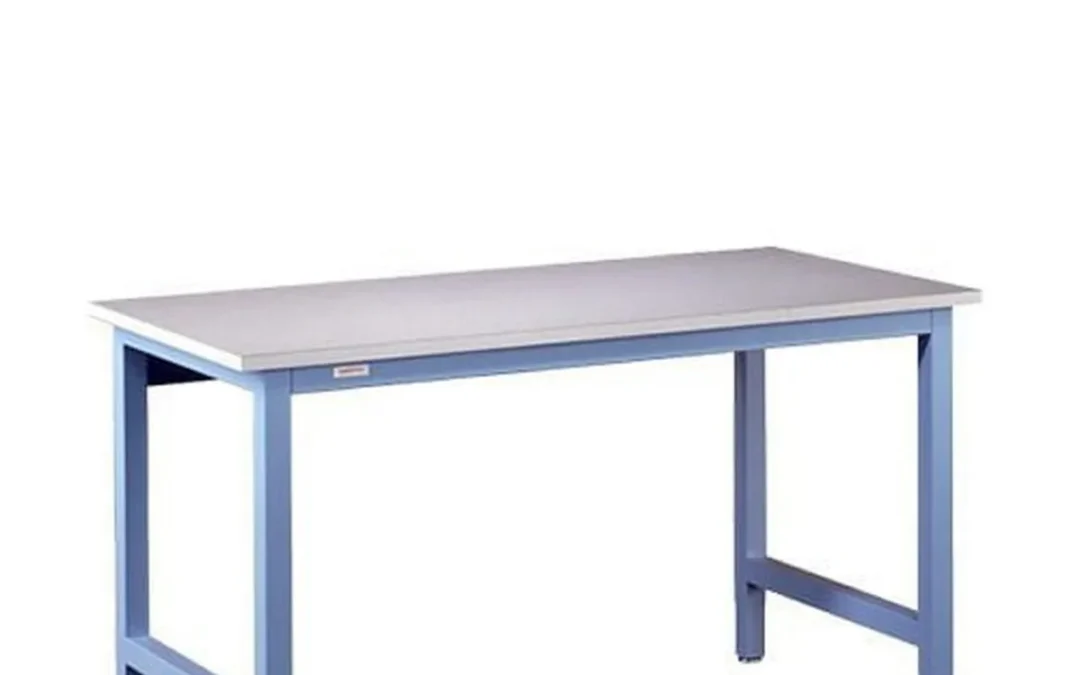
Industrial workstations are part of the process. They are not standalone surfaces. Height range, load path, frame stiffness, utilities, and mobility affect how people work. Those specifications also affect equipment support and how reliably a cell can be configured around changing requirements.
Ready to specify an ergonomic industrial workstation for your process? Talk to a Design Specialist.
Ergonomic industrial workstation design should be specified around the work. Identify the users and task heights. Define evenly distributed and concentrated loads. Select the adjustment method, confirm the frame and work-surface requirements, and plan utilities, clearances, and mobility before ordering. Ergonomics is a risk-reduction input, not a substitute for an engineering specification.
That process starts by translating the intended work into measurable requirements. The right questions concern who will use the station, what the station must carry, and how the surrounding workflow constrains its dimensions and movement.
What should you specify in ergonomic industrial workstation design?
Start with the work, not the catalog. A sound specification describes who will use the workstation, what they will do, how often they will change position, and what the process places on the structure. OSHA defines ergonomics as fitting workplace conditions to the working population. That makes the user population a design input, not an afterthought. Document the range of operators, whether one station serves multiple shifts, and whether users work seated, standing, or in both positions.
Next, define the task height and reach envelope. Identify the working surface height for inspection, assembly, repair, testing, or instrument work, then note the locations of parts, tools, controls, displays, and finished goods. Frequent overhead reaching, awkward bending, and hands held above head height are recognized ergonomic exposures. Sustained or static postures also matter. The ergonomic workstation design principles should be translated into dimensions and layout decisions that fit the actual process.
Resolve load and structural requirements together
Calculate the total working load, including tooling, fixtures, monitors, materials, and any equipment mounted above or below the surface. State whether the load is evenly distributed or concentrated at a corner. For processes involving impact, torque, vibration, or precision alignment, specify the required frame stiffness and bracing rather than treating the workstation as a simple tabletop. A welded frame and appropriate bracing can be evaluated against the stability and repeatability the process requires, but the final structure should be confirmed for the application.
Surface selection follows the task. Specify dimensions, material, edge treatment, cleanability, chemical exposure, heat, static-control requirements, and any cutouts or mounting provisions. Do not assume a surface suitable for light assembly is suitable for laboratory, analytical, or production work. If utilities are part of the station, identify power, data, specialty gas, and service-loop requirements early so routing does not compromise adjustment or access.
Account for workflow and the environment
Map the operator’s material flow: incoming parts, work-in-process, tools, inspection points, and completed work. Then choose stationary, mobile, in-line, corner, or dual-sided arrangements based on aisle access, replenishment, supervision, and maintenance. Mobility should be specified with the floor condition, movement frequency, and need for leveling in mind.
Finally, document environmental demands such as vibration, dust, temperature, washdown, cleanroom controls, or nearby automation. OSHA identifies forceful exertion, awkward postures, contact stress, repetitive movement, and vibration as ergonomic risk factors. Routine exposure over several hours can contribute to soft-tissue injuries or musculoskeletal disorders, so the specification should reduce those exposures through the complete layout, not height adjustment alone. When the requirements are clear, compare the appropriate height-adjustable workstation platform against the load, range, and workflow rather than selecting by height range in isolation.
How does ergonomic industrial workstation design shape height range?
Height selection should follow the work, the people performing it, and how often the process changes. A seated inspection task, a standing assembly operation, and a shared station supporting both may need different working heights even when the footprint is similar. The objective is not to choose the largest adjustment range by default. It is to place the work, tools, and controls where operators can see and reach them without repeated bending, overhead reaching, or prolonged static posture.
Start with the task, not a nominal desk height
OSHA defines ergonomics as fitting workplace conditions to the working population. Its guidance identifies awkward postures, forceful exertion, contact stress, repetitive movement, vibration, and sustained or static postures as ergonomic risk factors. OSHA also notes that frequent overhead reaching or working with the hands above head height can create exposure. These points make height range a process specification, not simply a comfort feature. Document the primary task, the visibility requirement, the reach envelope, the force applied, and the tools or materials that must remain within easy access.
For seated work, the surface should support a neutral working posture while leaving enough clearance for the operator’s legs and any under-surface equipment. Standing work may require a higher surface for visual inspection or fine assembly, but raising the surface alone does not solve a poor layout. Heavy or frequently handled items should stay close to the operator, while infrequently used supplies can be positioned outside the primary reach zone. If the operator must lean, twist, or reach across a large surface repeatedly, the layout may need to change along with the height.
Match the range to the user population and workflow
A shared workstation requires more than an average operator height. Consider the shortest and tallest users, footwear and protective equipment, the task surface, fixtures, bins, monitors, and any required clearance. A multi-shift environment may also expose the station to different working styles and task sequences. If operators adjust the station only at shift change, a manual mechanism may be adequate. If one person changes between seated inspection, standing assembly, and machine interaction throughout the cycle, adjustment frequency becomes a stronger design driver.
WMS product ranges illustrate why these figures must remain product-specific. The 4500 Series Standard Workstation offers manual adjustment from 30 to 37 inches, with an extended 35 to 42 inch range available for applicable configurations. These are examples to evaluate against the actual operator group and task, not universal ergonomic rules. The same product line offers stationary, mobile, in-line, corner, and dual-sided layouts, allowing the working height and footprint to be considered together. Review the standard industrial workstations options against the process and facility constraints.
Use OSHA for hazard review, not a blanket approval
OSHA states that no specific OSHA standards apply to computer workstations. Its resources are useful for recognizing potential hazards and considering possible solutions, but they do not certify a particular height-adjustable industrial workstation or guarantee ergonomic compliance. Use the guidance during a documented review of posture, reach, repetition, force, vibration, and adjustment needs. Then verify the final design with the people who will use it, including EHS and process stakeholders where appropriate.
For manual height adjustment, specify who will make the change, how often, and whether the station can be adjusted without disrupting utilities or stored materials. For powered adjustment, confirm that the additional mechanism suits the environment and operating sequence. In either case, the correct design is the one that makes the intended posture and reach practical throughout the shift.
Manual or motorized adjustment: which platform fits the process?
The adjustment method should follow the work pattern, not the other way around. A manual platform can be the right choice when height changes are occasional and the workstation is assigned to a process or operator. Motorized adjustment becomes more useful when several people share the station, the surface must move frequently, or the operator needs to change position without interrupting the task. The decision also depends on load, travel, utilities, mobility, and how the station will be maintained.
| Decision factor | Manual WMS 4500 Series | Workplace Direct Drive® |
|---|---|---|
| Adjustment frequency | Best suited to occasional changes during setup, changeover, or reassignment. | Best suited to frequent changes by one operator or several users throughout a shift. |
| Height range or travel | Manual adjustment from 30 to 37 inches, or an extended range of 35 to 42 inches. | Provides 14 inches of travel in two standard ranges. Confirm the selected configuration before ordering. |
| Capacity | Specify the appropriate workstation and load requirements for the application; do not apply Direct Drive capacity figures to this platform. | 500 lb evenly distributed for stationary or mobile configurations, and 750 lb in a three-leg configuration. Confirm configuration-specific specifications. |
| Shared-user workflow | A practical fit when the station is dedicated or users can accept a deliberate manual reset between tasks. | A central controller moves the legs together, supporting faster, repeatable changes without requiring users to reposition the load by hand. |
| Maintenance and safety questions | Review the adjustment method, bracing, clearances, leveling, and any utility loops as part of the installation plan. | The high-torque motor and precision leadscrew are enclosed in each leg, with no external chain, belt, or exposed moving parts. Review clearances, controls, cabling, and the movement area before commissioning. |
| Best-fit applications | Production, assembly, repair, laboratory, and classroom environments where the required height can be set between assignments. | Shared production, laboratory, or technical work areas where operators regularly alternate between seated and standing work or require repeated height changes. |
The 4500 Series uses 2 in x 2 in square, 18-gauge furniture-grade steel tubing, a welded tube frame, and heavy-duty bracing. Those construction details remain relevant whether the station is stationary or mobile, but they do not establish a Direct Drive load rating. Likewise, Direct Drive’s stated capacities apply to its specified configurations, not to every height-adjustable industrial workstation.
Maintenance planning should account for the process around the platform. For a manual station, identify who will make adjustments and how often. For a motorized station, verify the control location, cable routing, pinch and obstruction clearances, and the required travel before installation. Direct Drive holds position without power and moves its legs together through a central controller. But the complete workstation still needs a documented review of utilities, attachments, and the surrounding work zone.
For a closer look at the powered platform and its configuration options, review the height-adjustable workstation platform. The right selection is the one whose adjustment method, load specification, and operating envelope match the actual process.
Need help comparing adjustment methods, load requirements, and operator reach zones? Talk to a Design Specialist about the application before you order.
How should you plan load, stability, utilities, and mobility?
Load and mobility decisions should follow the process, not the other way around. Start by listing everything the workstation must support: the work surface, fixtures, tooling, components, monitors, instruments, and the forces created during use. Consider the load as distributed across the intended surface, and identify concentrated loads or off-center equipment that could affect stability. Do not select a frame from a generic capacity number without confirming the complete configuration and how the workstation will be used.
Frame construction provides the foundation for that review. The WMS 4500 Series uses 2 in x 2 in square, 18-gauge, furniture-grade steel tubing in a welded tube frame with heavy-duty bracing. Those specifications describe the structural approach, but they do not eliminate the need to review the application. A workstation supporting a sensitive instrument, a large fixture. Or a process that creates vibration may require a more detailed discussion of stiffness, anchoring, surface support, and operating clearances.
Choose mobility deliberately
A stationary workstation is generally the right starting point when the process depends on a fixed relationship to utilities, adjacent equipment, floor anchors, or a repeatable operator position. A mobile workstation can support changeovers, cleaning, line balancing, or flexible production, but its casters introduce a tradeoff. Rolling access is useful only if the workstation can be returned to a stable, repeatable working position. Confirm the caster, brake, leveler, floor condition, and threshold requirements together. A mobile base should not be treated as a substitute for stability review.
Layout also affects how load and movement are managed. WMS standard configurations include stationary, mobile, in-line, corner, and dual-sided layouts for production, assembly, repair, laboratory, and classroom environments. In-line and dual-sided arrangements can support shared work or a linear process, while corner layouts may use space efficiently. Map the people, material, tools, and service connections around the workstation before choosing the footprint. Leave room for adjustment, maintenance, replenishment, and safe movement rather than fitting the frame tightly into the plan.
Route utilities with the process
Utilities should be specified as part of the workstation, not added after the frame and surface are finalized. Identify where power enters, where data must terminate, how cables move during height adjustment, and whether service loops need protection from pinch points, abrasion, or interference with operators. Confirm receptacle locations, disconnect requirements, equipment connections, and the service path to adjacent cells with the responsible electrical and facilities teams.
WMS StandardPLUS adds vertically integrated utility chases for power, data, and specialty gas while retaining a manual adjustment range of 30 in to 37 in. That option can organize services within the workstation structure, but ESD, cleanroom, specialty gas, and electrical requirements still need application-specific confirmation. Verify the required materials, grounding path, gas type, fittings, cleanliness controls, and approval responsibilities before ordering. A utility chase is a routing feature, not a blanket claim that every configuration meets a particular facility standard.
For a starting point, review the available standard industrial workstations and compare the layout, mobility, load, and utility requirements against the actual process. When those requirements do not align cleanly, resolve the tradeoffs before the workstation reaches the floor.
What safety and installation checks belong in the specification?
Safety is not a label added after the workstation is built. It is a set of conditions that must be reviewed against the process, the people using it, and the surrounding facility. OSHA describes ergonomics as fitting workplace conditions to the working population and identifies factors such as awkward postures, forceful exertion, repetitive movement, vibration, and sustained positions as risks. Its workstation resources are useful for identifying hazards and possible solutions, but they should not be treated as a product certification or a substitute for an application-specific review. Use the following sequence to make installation requirements explicit.
- Review process hazards before fabrication. Document the work performed at the station, materials handled, tools used, operator positions, maintenance access, and nearby equipment. Identify exposure to awkward reaches, contact points, vibration, hot or sharp components, and any interaction with automation. OSHA notes that routine exposure to ergonomic risk factors over several hours can contribute to musculoskeletal disorders. The specification should therefore describe the task, not only the tabletop dimensions. For unusual cells or demanding environments, custom workstation engineering support can help translate those requirements into a buildable design.
- Check clearances and pinch zones through the full adjustment range. Treat the workstation as a moving assembly if its height changes. Review leg travel, underside equipment, adjacent benches, walls, guards, carts, fixtures, and operator foot space at every required position. Define where hands, cables, hoses, and tools may be placed during adjustment. Do not assume that a height-adjustable platform has collision sensing or that one clearance rule applies to every configuration. The final review should identify restricted zones and any operating instructions needed for the specific installation.
- Route electrical and utility services deliberately. Identify power, data, pneumatic lines, specialty gas, and other services before the frame is released. Provide enough service-loop length for movement without allowing cables or hoses to drag, snag, abrade, or enter a moving joint. Confirm connection points, disconnect access, strain relief, and the relationship between the workstation and facility drops. Where laboratory services are involved, use the laboratory workbench design factors as a planning reference, then verify every utility requirement with the responsible facility and safety teams.
- Specify the base condition and anchoring method. Decide whether the station needs levelers, casters, brakes, floor anchors, or another defined stability approach. Check floor condition, slope, thresholds, and the effect of mobility on connected utilities. Level the workstation before loading it, and verify that the selected base supports the intended workflow and equipment distribution. Anchoring details should be based on the actual floor, loads, and process. Do not substitute a generic anchoring assumption for an engineering review.
- Commission the installed workstation under representative conditions. Inspect frame alignment, adjustment operation, clearances, utility movement, stability, and access with the actual tools, fixtures, and representative load in place. Confirm that the station reaches each required working position without interference. Record defects and correct them before handoff. Product-specific specifications, such as adjustment range or capacity, must be checked against the configuration ordered rather than generalized across every workstation.
- Train operators and maintainers on the installed configuration. Explain adjustment controls, approved operating positions, load placement, mobility restrictions, utility handling, pinch-zone precautions, and the procedure for reporting damage or abnormal movement. Training should reflect the task and the equipment actually installed. It should not imply collision protection, universal compliance, or safety performance that was not specified and verified.
- Deliver a documentation package. Retain the approved layout, utility plan, anchoring or leveling details, configuration-specific specifications, commissioning record, operator instructions, maintenance information, and any open items. This record gives facilities and EHS teams a common reference for future changes. A complete handoff is especially important when the workstation is integrated into a laboratory, production line, or automation cell.
When is custom engineering the better choice?
A catalog workstation is usually the right starting point when the process, footprint, and utility requirements fit a known configuration. Custom engineering becomes the better choice when the workstation must function as part of a larger production, laboratory, or automation system rather than as a stand-alone work surface.
Start with the physical constraints. Unusual length or depth, nonstandard working heights, restricted aisle clearances, columns, walls, doors, or existing equipment can make a standard frame difficult to place and difficult to service. A custom design can account for those conditions before fabrication instead of relying on field modifications that compromise access, stability, or workflow. The same applies to multi-operator cells. If two or more people share a station, the design should reflect their reach zones. Handoff points, sight lines, material presentation, and the space needed for inspection or assembly.
When utilities and equipment are part of the workstation
Custom engineering is also useful when the workstation carries more than tools and parts. Laboratories and analytical environments may require a coordinated arrangement for instruments, power, data, and specialty services. WMS StandardPLUS configurations provide vertically integrated utility chases for power, data, and specialty gas. But a project with unusual service locations or equipment interfaces may need a more specific layout. The objective is to route services deliberately, protect access for maintenance, and keep the operator’s work zone clear.
Automation adds another level of coordination. An integrator may need the workstation to align with a robot, fixture, conveyor, guarding, or inspection equipment. Stiffness, squareness, clearance, loading, and access for installation all need to be considered together. That is a different decision from simply selecting a height-adjustable workstation platform. The frame is part of the process infrastructure, so its interfaces should be defined with the rest of the cell.
Designing for handoff, installation, and accountability
Custom work is most valuable when the supplier stays accountable from the initial requirements review through installation. The project handoff should make the design intent clear: approved dimensions, load assumptions, utility locations, operator positions, accessory requirements, and any site conditions that affect placement or commissioning. This gives facility, engineering, operations, and installation teams a common reference instead of leaving critical decisions to the field.
Workplace Modular Systems designs, engineers, manufactures, and installs custom workstations from its New Hampshire operation. Its 76-year manufacturing heritage and US production capabilities support direct coordination between engineering and fabrication. Standard domestic lead times are 4-6 weeks, but custom scope, materials, interfaces. And site requirements can change the schedule, so the actual project timeline should be confirmed during review. For a complex requirement, review WMS custom workstation engineering support or Talk to a Design Specialist. If the requirements are already defined and fit a standard configuration, you can also configure a workstation directly.
Have a defined footprint, utility plan, or multi-operator requirement? Request a workstation review with a Design Specialist before finalizing the specification.
Frequently Asked Questions
What height range should an adjustable industrial workstation provide?
Specify the range from the actual users and tasks, not from a generic target. WMS standard workstations offer manual adjustment from 30 to 37 inches, with an extended 35 to 42 inch range for applications that need it. Confirm the required working height for seated tasks, standing tasks, reach zones, tooling, and the work surface before selecting a frame. Source: https://workplacenh.com/products/workstations/standard-workstations/
Is an electric or manual platform better for an industrial application?
Manual adjustment can fit a workstation with occasional height changes and a straightforward process. An electric platform is worth evaluating when operators or shifts need frequent, controlled adjustments. Workplace Direct Drive uses an enclosed motor and precision leadscrew in each leg, with a central controller that moves the legs together. Confirm the adjustment frequency, available power, maintenance requirements, and process constraints before choosing.
How much weight can a height-adjustable workstation support?
Capacity depends on the platform, leg configuration, mobility, and how the load is distributed. Workplace Direct Drive is rated for 500 pounds evenly distributed in stationary and mobile configurations, and 750 pounds in a three-leg configuration. Treat these as product-specific ratings, then account for tooling, fixtures, materials, accessories, and dynamic forces before ordering. Source: https://workplacenh.com/products/workstations/height-adjustable-workstation/
Can utilities and accessories be integrated into the workstation?
Yes, but they should be specified with the process rather than added after installation. Plan power, data, specialty gas, cable loops, lighting, storage, and access to service points around the adjustment path and operator reach zones. WMS StandardPLUS workstations add vertically integrated utility chases for power, data, and specialty gas while retaining a 30 to 37 inch manual adjustment range. Source: https://workplacenh.com/products/workstations/standard-workstations/
What safety checks should be completed before commissioning?
Review pinch and collision clearances, load distribution, cable routing, mobility or leveling, adjacent equipment, and the full adjustment path. OSHA does not provide a specific standard for computer workstations, so use hazard identification and risk reduction rather than treating a workstation as automatically certified. Document the review, verify operation at the installed location, and train operators on the adjustment controls and intended use. Source: https://www.osha.gov/computer-workstations
Ready to plan the right workstation?
A well-specified workstation can align working height, load, utilities, and operator needs before those details become installation problems. For standard requirements, you can configure a workstation directly. For custom dimensions, complex workflows, or integrated equipment, talk to a Design Specialist about the application and the engineering decisions that matter.